
sparkmonitor
 sparkmonitor copied to clipboard
 krishnan-r
Monitor Apache Spark from Jupyter Notebook

Spark Monitor - An extension for Jupyter Notebook
Note: This project is now maintained at https://github.com/swan-cern/sparkmonitor
Google Summer of Code - Final Report
 |
 |
 |
For the google summer of code final report of this project click here
About
 |
+ |  |
= |  |
Features
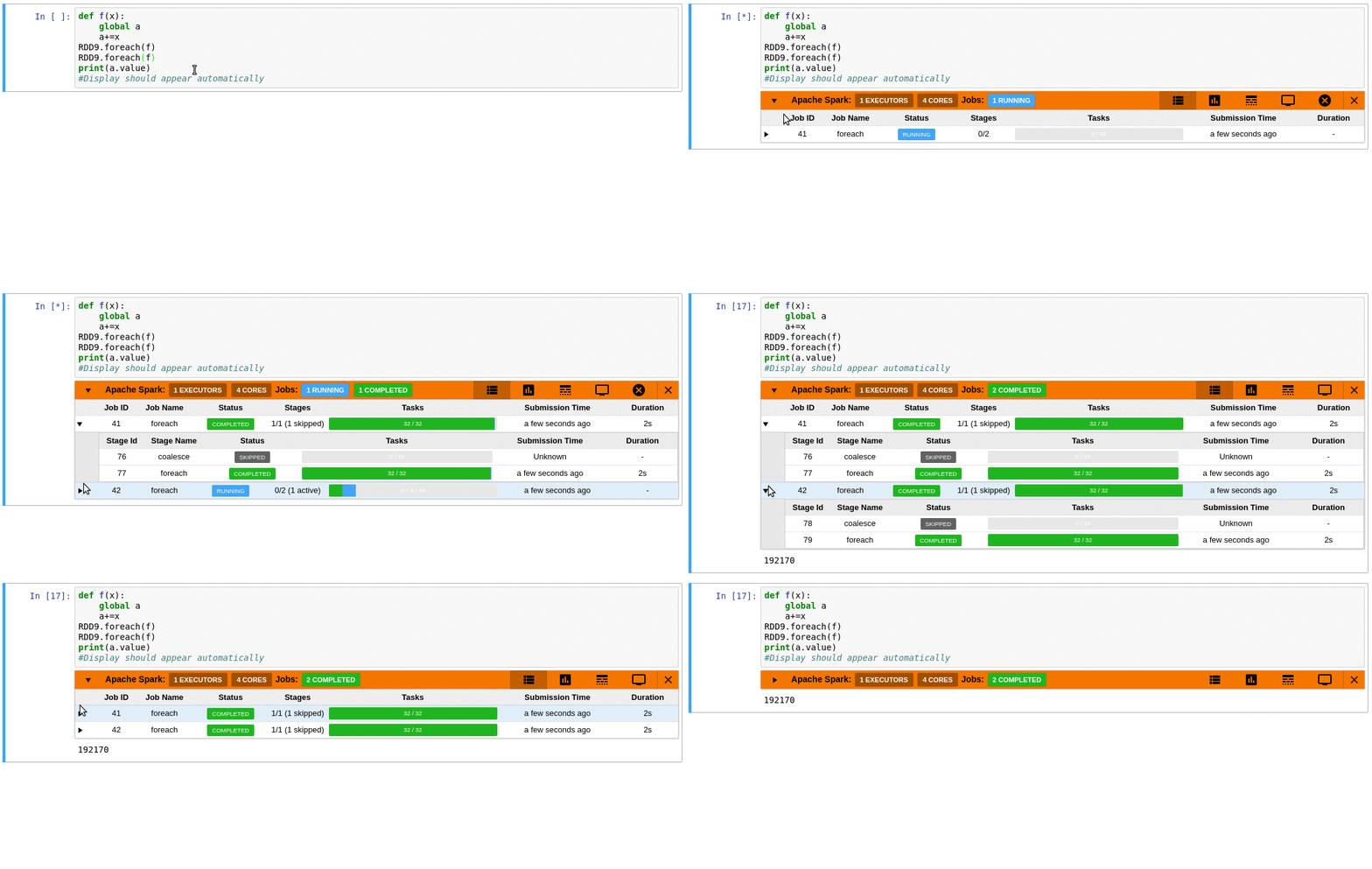
- Automatically displays a live monitoring tool below cells that run Spark jobs in a Jupyter notebook
- A table of jobs and stages with progressbars
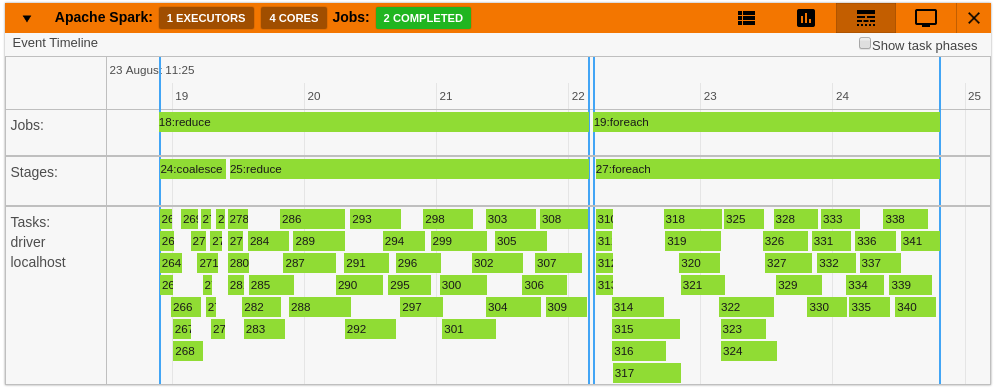
- A timeline which shows jobs, stages, and tasks
- A graph showing number of active tasks & executor cores vs time
- A notebook server extension that proxies the Spark UI and displays it in an iframe popup for more details
- For a detailed list of features see the use case notebooks
- How it Works
 |
 |
 |
 |
 |
 |
Quick Installation
pip install sparkmonitor
jupyter nbextension install sparkmonitor --py --user --symlink
jupyter nbextension enable sparkmonitor --py --user
jupyter serverextension enable --py --user sparkmonitor
ipython profile create && echo "c.InteractiveShellApp.extensions.append('sparkmonitor.kernelextension')" >>  $(ipython profile locate default)/ipython_kernel_config.py
For more detailed instructions click here
To do a quick test of the extension:
docker run -it -p 8888:8888 krishnanr/sparkmonitor
Integration with ROOT and SWAN
At CERN, the SparkMonitor extension would find two main use cases:
- Distributed analysis with ROOT and Apache Spark using the DistROOT module. Here is an example demonstrating this use case.
- Integration with SWAN, A service for web based analysis, via a modified container image for SWAN user sessions.
 krishnan-r