
kpt
 kpt copied to clipboard
 kptdev
docs: Create a page that explains what kpt is in plain language and revisit the flow for a new visitor in the site
Describe your problem
The current documentation of kpt is great at talking about all the characteristics of kpt, but there isn't a single page that explains what the tool does and why one would use it compared to existing solutions.
The book/guide is also written in the wrong order. First it has installation instructions and THEN it tries to explain main concepts. That is not what most users will do. Nobody installs a tool if they don't understand first why they need it.
The guide should include a page called "what is kpt" (or something similar) that explains why would I need kpt.
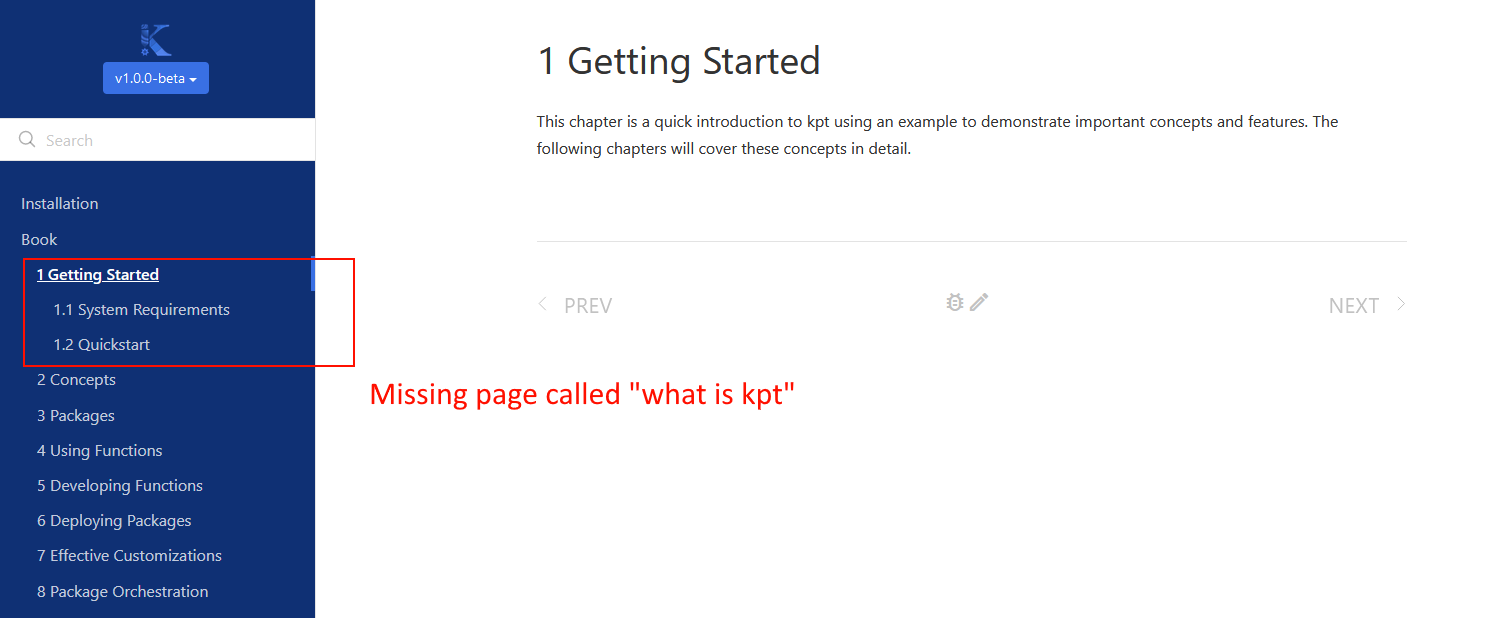
Right now here is what I saw as a new user.
- I land on the homepage. All I see is a video of 11 minutes which I don't have time to watch. (See Also also issue https://github.com/GoogleContainerTools/kpt/issues/3374)
- I click "get started" and the page just scrolls down
- I see a promising "learn" section that I click (assuming that I will learn what kpt does)
- This takes me to a whole book. I assume that I will learn what kpt does in the first chapter of the book
- I click on the first chapter and the first page is system requirements
At this point I still don't know what kpt is and system requirements are not something I need if I don't know what the tool does yet.

Good points, thanks.
It's not plain English, but the rationale behind the technical approach is buried in the site: https://kpt.dev/guides/rationale
With a longer explanation in a design doc: https://github.com/GoogleContainerTools/kpt/blob/main/docs/design-docs/06-config-as-data.md
Based on feedback on Viktor's video, we also started to brainstorm shorter descriptions. If you have thoughts on that topic, please contribute them on this issue: #3356.

The tutorials / examples are also buried in the guides section: https://kpt.dev/guides/
Do you find the concepts page useful at all? https://kpt.dev/book/02-concepts/
@bgrant0607
For guides I would expect to find task-based documentation for doing specific things (like cookbooks). I would never expect a "what is kpt" page under the guides section. This page https://kpt.dev/guides/rationale should be renamed, simplified and moved up either in the intro or as the first page of the kpt "book".
Looking at the rest of the guides I see 3 pages for installing and using "porch". What is porch though? Why do I need porch? Again you are missing a page "what is porch and why you need it". I couldn't find this info in any of the guides.
Yes the concepts seem useful (I didn't get all that deep) but they assume that I want to actually use the project. And right now I don't even know what is the project and why I need it.
Since kpt is new as a project, I would personally try to attract new users and explain what it does instead of focusing on experts or corner cases. This can come later.
Right now the whole documentation seems to be written for experts or academics, or at least people that already use kpt and want to use docs as reference.
On a related note you should add to the FAQ an explanation about the relationship with google cloud. Does kpt require GCP or not? Are the gcloud commands in the docs just an example or I can use kpt with Azure, AWS, DO etc?
To be honest, right now we're focused on contributors and experts. In a few months hopefully we'll be ready for users