
Online3DViewer
 Online3DViewer copied to clipboard
 kovacsv
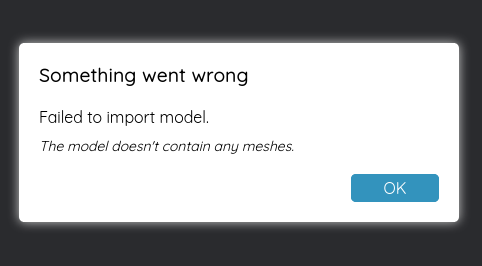
"The model doesn't contain any meshes." when webworkers is not supported
Describe the bug When WebWorkers are not available, 3dviewer.net shows this error:
Something went wrong Failed to import model. The model doesn't contain any meshes.
There are no errors in the dev console.
To Reproduce
- Use a browser without WebWorkers, or disable it with an extension like uMatrix
- open https://3dviewer.net/embed.html#model=https://raw.githubusercontent.com/FreeCAD/FreeCAD/master/data/examples/PartDesignExample.FCStd$camera=66.34677,160.67932,-135.55368,17.48001,-50.00000,-14.99847,0.00000,1.00000,0.00000,45.00000$cameramode=perspective$envsettings=fishermans_bastion,off$backgroundcolor=42,43,46,255$defaultcolor=200,200,200$edgesettings=on,0,0,0,20
Expected behavior Explain that WebWorkers are required.
Screenshots

@kovacsv, would it be possible to implement some sort of a switch to allow bypassing WebWorkers and perform their functionality on the main thread?
I have managed to bypass this for STEP / IGES / BREP models by importing occt-import-js separately, related to https://github.com/kovacsv/Online3DViewer/issues/376, but not really sure how to do it for fcstd files.

Help me please understanding why is this needed. As far as I know, all modern browsers support web workers. In what situations do you need to bypass web workers?

Viktor, you are correct.
I wouldn't really gain from you changing this and it would just create unnecessary work for you.
Just to help you understand why I asked about bypassing workers, here are 3 reasons:
- The initial post of this topic suggests that any user, for whatever reason, could opt to block all workers in their browser which would break the functionality of your library
- https://github.com/kovacsv/Online3DViewer/issues/376 shows how I used the library and that it broke when the worker was called while opening a step file in Firefox
- Trying to open fcstd file did produce this error in Chrome also when calling the same worker:
caught DOMException: Failed to construct 'Worker': Script at 'https://cdn.jsdelivr.net/npm/[email protected]/libs/loaders/occt-import-js-worker.js' cannot be accessed from origin 'https://githubdragonfly.github.io'.
    at Ua.ConvertObjects (https://cdn.jsdelivr.net/npm/[email protected]/build/o3dv.min.js:3557:54274)
    at Ua.ImportContent (https://cdn.jsdelivr.net/npm/[email protected]/build/o3dv.min.js:3557:54177)
    at Ua.Import (https://cdn.jsdelivr.net/npm/[email protected]/build/o3dv.min.js:3413:175747)
    at Ga.ImportLoadedMainFile (https://cdn.jsdelivr.net/npm/[email protected]/build/o3dv.min.js:3557:57560)
    at Ga.ImportLoadedFiles (https://cdn.jsdelivr.net/npm/[email protected]/build/o3dv.min.js:3557:56888)
    at https://cdn.jsdelivr.net/npm/[email protected]/build/o3dv.min.js:3557:56178
    at Ga.DecompressArchives (https://cdn.jsdelivr.net/npm/[email protected]/build/o3dv.min.js:3557:58153)
    at https://cdn.jsdelivr.net/npm/[email protected]/build/o3dv.min.js:3557:56135
    at https://cdn.jsdelivr.net/npm/[email protected]/build/o3dv.min.js:1:7692
My Quick Viewer seems to be working 99% properly so I am happy with that.
Unfortunately jsdelivr is not able to serve those files properly, so for the 3rd point the only option at the moment is to serve all the files on your own server.