
zx
 zx copied to clipboard
 kosarev
ZX Spectrum emulator in Python and C++

zx
ZX Spectrum Emulator written in a mix of Python and C++.
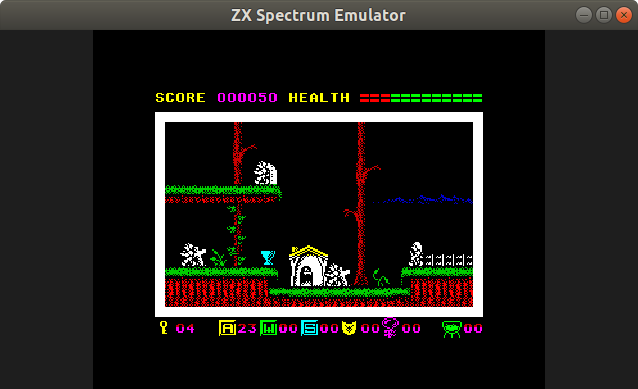
Features
- Designed to be suitable for research and development purposes such as unattended testing of Spectrum software, timing analysis, etc.
- Meant to be easy to customize and re-use via Python interfaces.
- Fast and accurate emulation.
- Based on the fast and flexible Z80 emulator.
Development status
- General status: working pre-alpha.
- Supported machines: 48K only for now.
- Display: multi-colour effects, accurate timings.
- Sound: not supported yet.
- Tape: TAP and TZX formats supported as well as conversion to WAV.
- Snapshots: Z80.
- Playback recordings: RZX.
Installation and running
For the latest release:
$ sudo pip3 install zx
Or directly from the repository for current development version:
$ sudo pip3 install git+https://github.com/kosarev/zx
Local development setups are also supported:
$ git clone --recursive https://github.com/kosarev/zx
$ cd zx
$ python3 setup.py develop --prefix ~/.local
Running:
$ zx
Controls
F1 displays help.
F2 is to save snapshot.
F3 is to load snapshot or tape file.
F6 pauses/resumes tape.
F10 and ESC quit the emulator.
F11 and double click switch between fullscreen and windowed mode.
PAUSE and mouse click pause/resume emulation or RZX playback.
Any Spectrum key stroke resumes emulation and leaves the RZX playback mode back to the regular emulation mode.
Running snapshots, recordings and tapes
$ zx elven.z80
$ zx exolon.rzx
$ zx https://www.worldofspectrum.org/pub/sinclair/games/e/EricTheFloaters.tzx.zip
Supported formats
Snapshots: .z80.
Tapes: .tap, .tzx, .wav.
Playbacks: .rzx.
Screenshots: .scr.
ZX Basic compiler sources: .zxb.
Archives: .zip.
Converting files
$ zx jack.tzx jack.wav
$ zx eric.tap eric.z80
Dumping files
$ zx dump rick.z80
OrderedDict([('id', 'z80_snapshot'), ('a', 213), ('f', 66), ...
On the dump command, zx parses the specified file (that can
be of any supported format) in the form of raw Python data.
 kosarev