kortina
Peek using built-in Markdown links
VS Code supports markdown links in the following format: [test](test.md). Backlinks are supported using these links. It would be nice if you could peek those files as well.

This probably not be terribly hard to do.
MarkdownDefinitionProvider is what provides the peek for [[wiki-links]]:
https://github.com/kortina/vscode-markdown-notes/blob/master/src/MarkdownDefinitionProvider.ts#L19
You could either, implement a new resolver to match on something you might call a ClassicMarkdownLink if getRefAt returns null here:
https://github.com/kortina/vscode-markdown-notes/blob/master/src/MarkdownDefinitionProvider.ts#L25
Or change the implementation of getRefAt to ALSO match a new RefType called `ClassicMarkdownLink'.
Even tho the latter might be more technically correct, I might suggest the former as I think it would result in a much smaller scope of change.
lmk if you'd like to take a stab at this and we can discuss what the change set might look like.

The freebie you get with this is I think that Go To Definition will also 'just work'!
@gohma231 @kortina Excuse me, could you please tell me how to check backlinks with regular markdown links [test](test.md) ? That's exactly what I need.
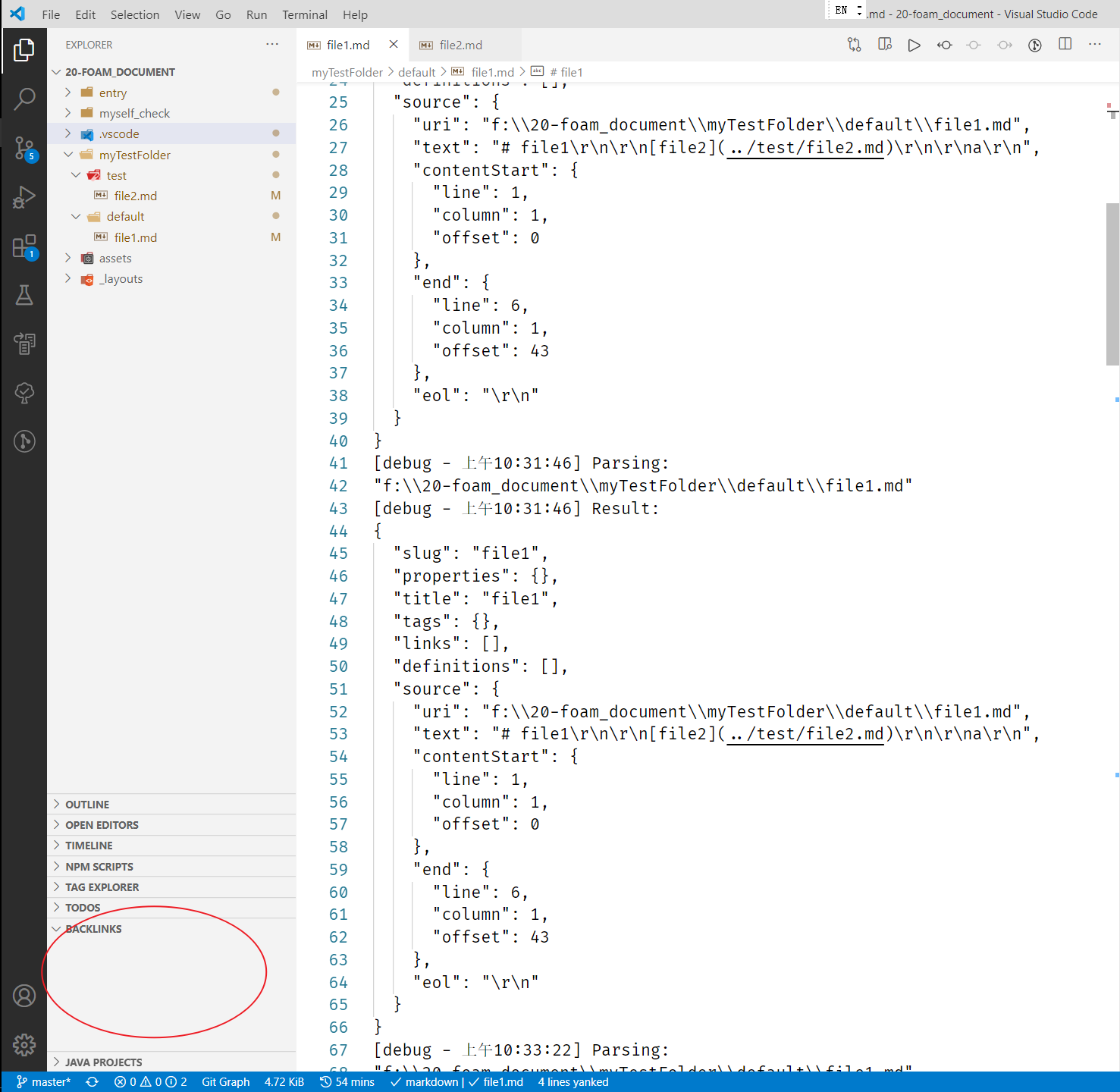
I encountered a problem that the regular markdown link's backlink didn't show.
For example, if I link file1.md in file2.md :

# file2

[test](../default/file1.md)
And I back to file1.md to check if the backlink has been ceated, but It doesn't (please pay attention to the red circle in the picture's leftdown position)