

 koreader
FR: Book rating and review information in History and File Browser
KOReader allows rating books and entering a review; useful features that can also be used to prioritize books and to write notes on them:
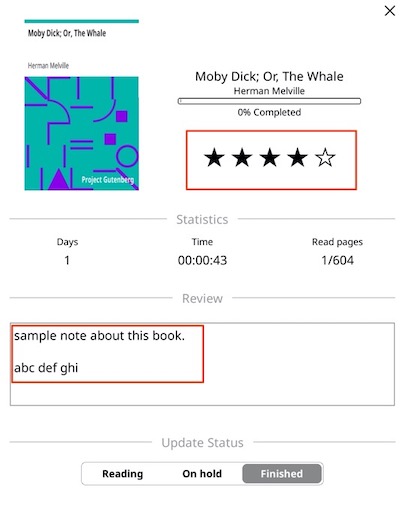
Unfortunately, these features are not very well integrated in the UI. It would be helpful if the books' ratings would also be shown in the File browser and the History, and books that have a review entered are marked with a symbol indicating such (similar to books with highlights/notes in text).
Like this for example:


For easy access to the Book Status, added buttons on long-press of a book in the File browser and History would be advantageous.
(E.g., halve the Refresh cached book information button and add a Book status button in the 2nd half.)
Adding a sort by Book rating feature in the File browser, and a Filter by ★ ★★ ★★★ ★★★★ ★★★★★ and Reviewed in the History would be an optional extra.

Is the request still valid since we have this in the Book information window?

Yes The idea is to be able to see ratings of multiple books at once in the list, without the need to open book information window one by one
