

 kongregate
Not working with Unity 2019
Uncaught TypeError: Cannot redefine property: asmLibraryArg more info in this post: https://forum.unity.com/threads/uncaught-typeerror-cannot-redefine-property-asmlibraryarg.692284/

I found a solution to this issue where you can still use unity 2019 and Unity-WebGL-Utilities plugin
if you just comment out the problematic if statement :
Object.defineProperty(Module, "asmLibraryArg", { get: function () { return Module.realAsmLibraryArg; }, set: function (value) { if (typeof value == "object" && typeof value._JS_WebRequest_Create == "function") value._JS_WebRequest_Create = CachedXMLHttpRequest.wrap(value._JS_WebRequest_Create); Module.realAsmLibraryArg = value; }, }); }
the plugin will still work and the build will run as usual. not sure whats going on there but it is possible that in 2019 Unity take care of this on their side so the plugin still works even tho the property is no longer available
It seems like that Unity decided to include CachedXMLHttpRequest for WebGL builds automatically since Unity 2019. https://issuetracker.unity3d.com/issues/webgl-builds-have-performance-issues-when-many-parallel-unitywebrequests-are-sent

Guys, the CachedXMLHttpRequest that comes with Unity 2019 is not the same as this plugin (e.g. doesn't have the blacklist and other quirks) and also uses sync HEAD requests for cache re-validation, so it's technically less performant than this plugin.
To make the plugin work you have to enable the Module.CachedXMLHttpRequestDisable flag, and change the flag name used by this plugin (i.e. to Module.Kong_CachedXMLHttpRequestDisable). Also, I recommend to also change the class name to avoid JS override weirdness related to having 2 classes with the same name.
If you are in a hurry, please check this PR for the full copy-pasteable example: https://github.com/decentraland/explorer/pull/1099/files

Unity 2019.2.17f1
As stated above in the comments, the code runs without the error , when we comment out the lines,
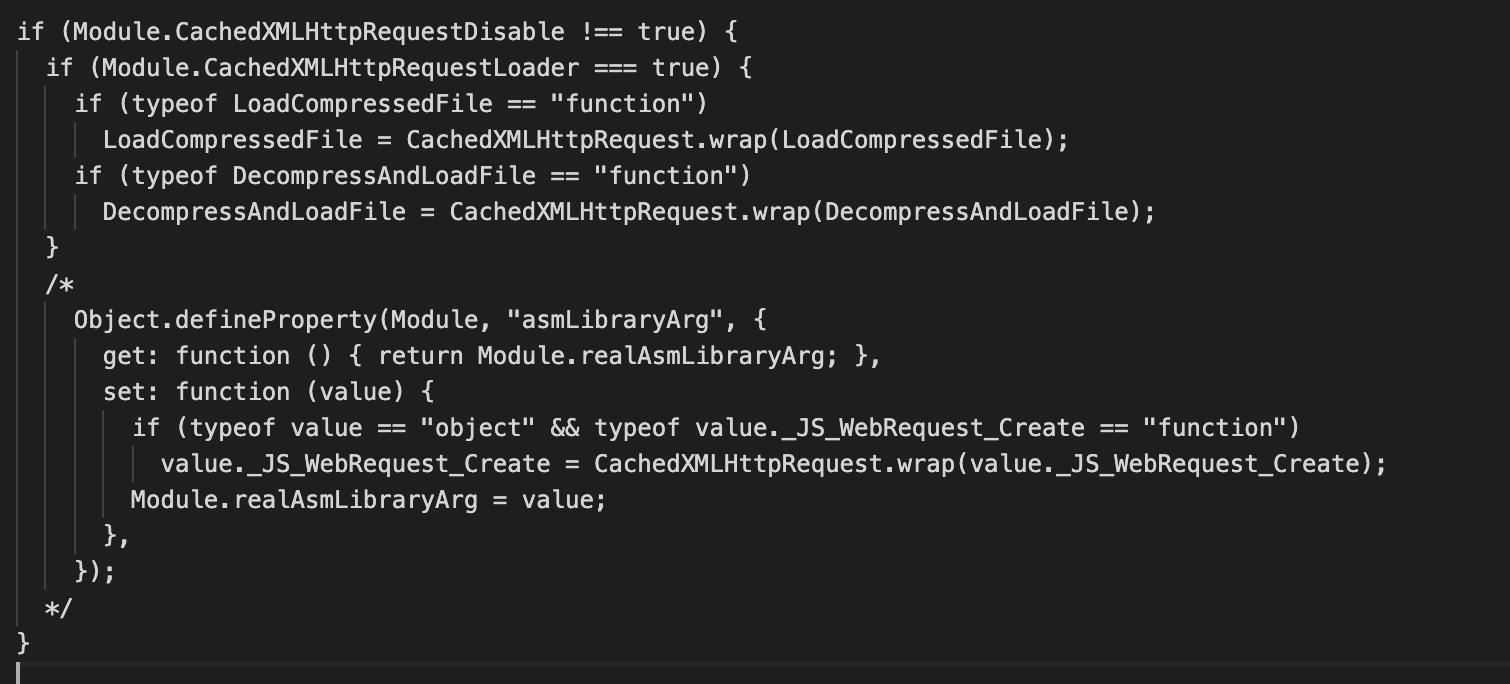
Filename : WebGLCachedXMLHttpRequest.jspre
