
memflow-mirror
 memflow-mirror copied to clipboard
 ko1N
ko1N
dxgi & obs based screen mirroring for kvm, qemu & more
memflow-mirror
work in progress framebuffer mirror based on memflow.
Installation
Compile the guest-agent on Windows with:
cargo build --release --bin mirror-guest --all-features
Then run the mirror-guest.exe from the target/release/ directory.
For improved performance you might want to run the mirror-guest with system privileges. Just open powershell as an Administrator and run:
PsExec -s -i -d "C:\path\to\mirror-guest.exe"
In case you encounter a No such file or directory error from the build.rs script make sure to install the dependencies of the winres crate.
Run the mirror tool with:
RUST_SETPTRACE=1 cargo run --release --bin mirror -- -vvv --connector qemu --process mirror-guest.exe
Setup
With memflow inventory
When running the mirror tool with the default features the memflow inventory will be used.
Since this project depends on memflow/next it is necessary to install an appropiate connector like qemu:
git clone https://github.com/memflow/memflow-qemu
cd memflow-qemu
git checkout next
cargo update
./install.sh --system
The OS Plugin for win32 has to be installed as well:
git clone https://github.com/memflow/memflow-win32
cd memflow-qemu
git checkout next
cargo update
./install.sh --system
Without memflow inventory
You can also specify the memflow-static feature when building the mirror tool.
This will statically link memflow-win32 as well as memflow-qemu into the resulting binary. Just run the mirror tool with:
RUST_SETPTRACE=1 cargo run --release --bin mirror --features memflow-static -- -vvv --connector qemu --process mirror-guest.exe
Development
For development purposes you can enable the shader-reload feature which uses the notify crate to hot reload shaders. To run the tool with this feature enabled just do:
RUST_SETPTRACE=1 cargo run --release --bin mirror --features shader-reload -- -vvv --connector qemu --process mirror-guest.exe
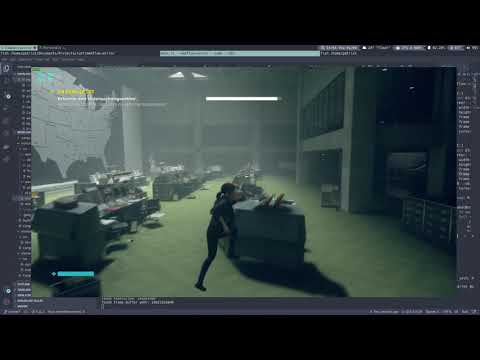
Demo
License
Licensed under MIT License, see LICENSE.
Contribution
Unless you explicitly state otherwise, any contribution intentionally submitted for inclusion in the work by you, shall be licensed as above, without any additional terms or conditions.
 ko1N
ko1N