

 kkinnear
Support using zprint as an as-you-type formatter
Hello,
I know we have discussed this in various places before, and I think I have dropped the ball a bit. Don't even remember what was the last thing we said on the issue. So starting aa discussion here.
I think that with the latest release, 0.5.3, and it's :indent-only setting, I could use it for Calva's indenting-while-editing functionality. But there is one thing I'd like for zprint to do, that I currently have a rather ugly hack for doing: keeping track of the cursor as the text re-formats.
My hack seems solid enough, but I am always a bit worried that it will cause trouble somewhere.
Cheers!

Thank you for re-starting this conversation. I think we were having it in some rather more public forum, and this seems like a much better venue to work out the technical details!
I have this in my notes from out previous discussion (venue unknown):
In order to keep the formatting as you type snappy enough Calva
only formats the current enclosing (by some type of brackets)
form. The issue with newlines keeps me from trying out if zprint
is fast enough so that the current top level form could be used.
In any case I can feed the formatter with any form and deal
with padding the needed indent on it, I guess. With cljfmt I
can do this, however:

(cljfmt/reformat-string "    (fn []\nbar\nbaz)"
                       {:remove-surrounding-whitespace? false
                        :remove-trailing-whitespace? false
                        :remove-consecutive-blank-lines? false})
=> "    (fn []\n      bar\n      baz)"

It pads the indent from the first line on the following ones,
which is sort of necessary with cljfmt, because it indents some
things, but not others so I can’t do the padding myself. Doing
the same thing with zprint, for reference:

(zprint-str "    (fn []\nbar\nbaz)"
            {:style :community
             :parse-string-all? true})
=> "(fn [] bar baz)"
For what it is worth, here is the current output:
(zprint-str "    (fn []\nbar\nbaz)" {:parse-string-all? true :style [:community :indent-only]})
"(fn []\n  bar\n  baz)"
which is more what you want, though I understand about the initial indent being nice the way cljfmt does it.
This isn't about the cursor so much as just how to use zprint (or any pretty-printer) on a subset of an entire expression. So, that may or may not be a problem in addition to the cursor issue that you have brought up, above.
Is this (how the initial indent is handled) still an issue that needs to be solved by zprint before you could use it?
Now let's talk about the cursor. One thing that is obvious -- it will not change lines with :indent-only, because nothing changes lines with :indent-only. So that part is easy.
The issue is, where does the cursor move on the line. Some questions:
- Can the cursor be on whitespace? If yes, and the white space goes away, I presume that you would want it to stay on some adjacent white space. In most cases there would be adjacent white space, but in some cases, the white space would go away completely. For instance:
     (a b c   )
            ^
If the cursor is on the space pointed to by the ^, that space will not only go away, there will be no spaces there at all!
(a b c)
So, where would you want the cursor now?
- Can the cursor be on some random character inside an "element"? For example, can it be on the "e" in "let":
(let [a b c d] e)?
The answer to these questions will help me come up with some ideas for an answer on how to handle the cursor.
To sum up, I think there are two potential issues:
-
How are leading spaces handled by zprint and
:indent-only. -
How can the location of the cursor be determined after formatting with
:indent-only
Thanks!

Good that you dug up that thing with initial whitespace. I had forgotten about that. It would make it easier for me if zprint had an option for padding it on all lines, yes. If I remember correctly the problem this solved for me with cljfmt was that it doesn't indent ; and ;; text. So, for instance, if I let it indent this text:
    '(foo
 ;; foo
     ;; bar
    ; foo
; bar
bar
)
It will become:
    '(foo
 ;; foo
     ;; bar
    ; foo
; bar
      bar)
And I do not need to wonder which lines as should pad, and which not.
This hanging indent happens often since most formatting in Calva is just some form and not the whole file. What I do today is figure out the cursor column of the start of the text I am formatting and then make a string of spaces that long, and tuck it at the start of the text.
About cursor positioning. What my hack today does is that I match all text from the cursor to the end of the form, disregarding whitespace, in the text before reformatting on the text after formatting, and then place the cursor at the beginning of that match. So, in your example there, the cursor will stay inside the closing paren.
There are of course some more cases with this. I recorded this gif, which I think covers it:

One more thing you can see there is that there are two modes to the reformatting. One happens as enter new lines in the form. Then no lines are removed. The other happens when I issue the reformat command (shortcut for that istab in Calva). Then I want the formatter to fold the bracket trail.
Yet another thing is that the cursor gets placed correctly indented on empty newlines. Both when they are created by pressing enter and when that reformat command is used. I have an even uglier hack for that, and would really want the formatter to take care of that instead.
I forgot to include, in the gif, the question about if the cursor could be inside let in that form. But yes it can. Heck, I'll record a gif for that too. 😄
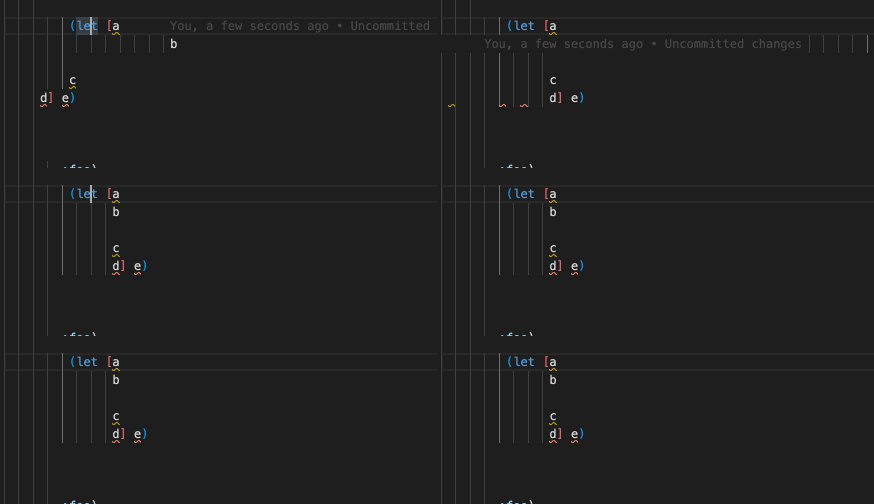
Cheers!
Wow.
Initial Whitespace:
zprint is going to indent any comments that are not at the top level to be at the "right" place, regardless of the number of ";" or whatever. This reflects my coding style, and I rather think it reflects most peoples. Not indenting comments just seems strange to me.
I'll see what I can do about keeping the initial whitespace, though my "solution" might well be "notice the white space at the start and just add that to every line before output", which is what you can do (are doing?) as well.
Cursor Position:
If you are using :indent-only, then zprint will never bring a closing paren (or anything) onto a different line. Everything stays on its line, period. If you are thinking of using :indent-only for the mode where you are entering lines into a form, then we can probably make it work. Note that :indent-only doesn't just indent -- it also regularizes the spaces on the rest of the line. So if two elements are separated by two spaces, after :indent-only they are separated by one space.
If you need to have the text reformatted (the tab shortcut), then you can get that with classic zprint.
If your two modes don't map into zprint :indent-only and classic zprint, then we don't need to figure out how to do the cursor until and unless we figure out how to get your two modes to work.
Regarding the cursor, I think that the way that we might communicate about cursor position is to use [line-number character-position]. You would specify that on input and I would return it on output. If the position was in white space, it would probably move to the character before the next non-whitespace element on output (assuming that there is any whitespace before the element after the whitespace). It wouldn't stay in some random place inside the whitespace, because the only whitespace longer than one space on output is in the indent, which will get all different (in general).
I think I could do that without resorting to a hack similar to yours, if that sounds like it might be useful.
But first, let's ensure that your modes map into zprint's capabilities.
zprint is going to indent any comments that are not at the top level to be at the "right" place, regardless of the number of ";" or whatever.
That's cool with me. 😄 Then I don't need the help with initial whitespace. I can pad it on myself. (But I'll take the help, if you give it to me.)
If your two modes don't map into zprint :indent-only and classic zprint, then we don't need to figure out how to do the cursor until and unless we figure out how to get your two modes to work.
I think it will fit. I certainly don't mind it being a bit of a fuller formatting than what I have today. I will give the users the choice to use zprint or cljfmt, and different formatting results would be one reason to choose one over the other.
we might communicate about cursor position using [line-number character-position]
Works for me. Or index, whichever is easier for you.
Also, I think the cursor position after formatting sounds good. Caveat: I might be overlooking something, but what you describe makes sense to me.
What's importan is that in the entering-lines mode, the cursor ends up correctly indented on the new line. (Though I have a hack for that, so in case it is tricky on your end, I'll keep using the hack.)
One thing though:
the only whitespace longer than one space on output is in the indent
There is the case when things inside a map, bindings box and similar get aligned (I believe I'v seen that feature mentioned for zprint). But I still think the general strategy you mention, for repositioning the cursor, will work.
There are two more things I come to think of now.
- VS Code has awesome multi-cursors. My hacks do not suffice for supporting this today. If zprint could deal with that, it would be a vast improvement over today's situation.
- If there is a selection when the command to format the current list is performed, it would be nice to have that selection retained. (And multi-cursors means we can have multiple selections.)
I'll try to make some experimentation with the two modes now. This will be fun!
Didn't know about this issue and it sounds super cool, especially because we adopted zprint and use many of our devs use Calva we naturally are very interested in having the two working seamlessly!
