

 kingslay
HDR video looks dim under macOS
Sample (the same as in https://github.com/kingslay/KSPlayer/issues/267 ): https://github.com/qiudaomao/MPVColorIssue/raw/master/MPVColorIssue/resources/captain.marvel.2019.2160p.uhd.bluray.x265-terminal.sample.mkv
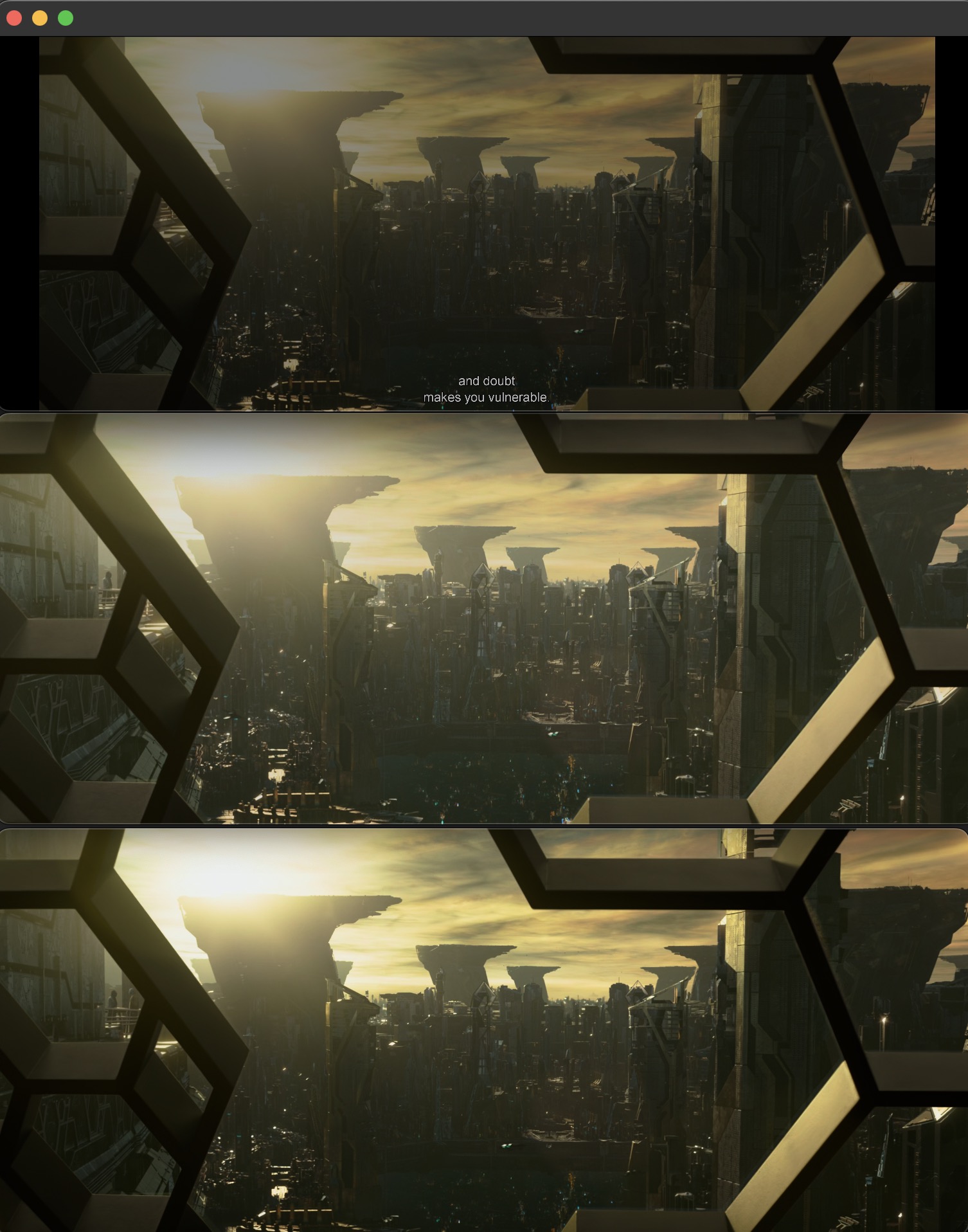
Here's 3 screenshots, the first one comes from KSPlayer, while the other two are from infuse and iina, respectively. The one from KSPlayer is noticeably darker than the other two.


我是直接用AVSampleBufferDisplayLayer来展示的。我还没头绪,为什么会变暗 Sorry if this has already been considered, but is there a color space issue? When playing HDR video, I have seen the other video players may specify a color space. If the user's display only supports SDR, then specifying the proper color space, tone mapping to match the video color space and display should be a process on the video player's end; the Apple API may do this well in some cases automatically, but not all. https://developer.apple.com/documentation/metal/hdr_content/using_color_spaces_to_display_hdr_content

@almagest21 ksplayer supports content and FPS matching for tvos: https://github.com/kingslay/KSPlayer/issues/308
