

 kindermannhubert
'//tex:'-prefixed block renders at half-width, adds initial paragraph space
Visual Studio 2022 Version 17.4.3, the latest. F# source code.
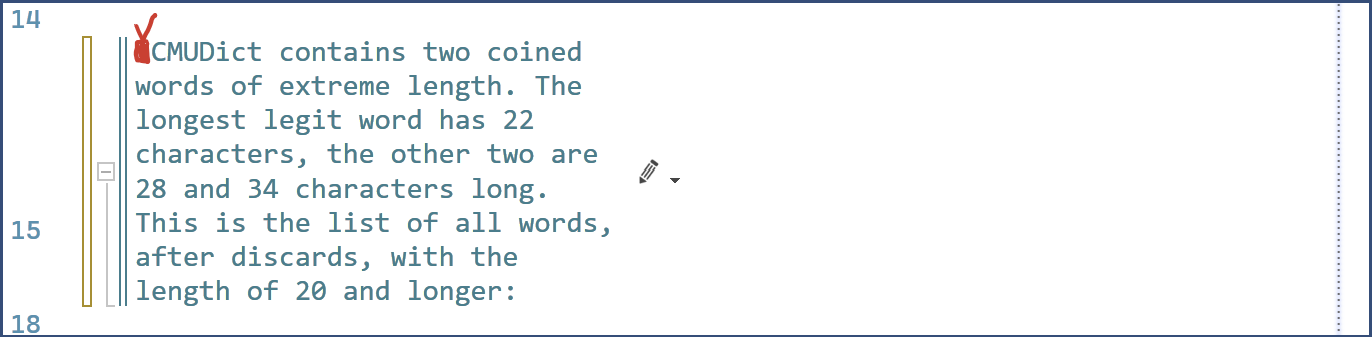
I wrap comments at column 80. When the //tex: prefix is added, the rendered text wraps at about half-width, even though it doesn't contain any inserted LaTeX. Am I missing a setting? But I could not find any property page added by the extension—may be my fault.
Also, a space is inserted at the beginning of the rendered tex: block, regardless of the placement of the //tex: magic prefix, whether it is on a line by itself or precedes text immediately, both with or without a space after the : in the latter case.
Non-tex: comment:

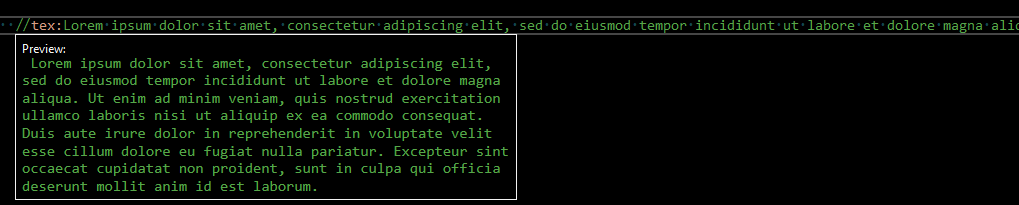
tex: comment, edit view:

tex: comment, render view:
ADDED an absolutely wild guess: my screen scaling is set to 200%. Unlikely, but.

Hm, it's a long time ago I've worked on this, but it could be possible that 200% scaling.
Comments are rendered via WebBrowser and we set its width to 512px. See: https://github.com/kindermannhubert/VsTeXCommentsExtension/blob/017bc9eb04abb8825b0bcbb1266cbd6936b312f8/VsTeXCommentsExtension/View/HtmlRenderer.cs#L21).
I don't use scaling and have this:

Interesting, the narrower is the $$..$$ block following flowing text with inline math, the narrower is this text, up to the point where the text is truncated, and the block math is not shown at all.
//tex:However, in case of the LaTeX block containing a shorter expression, the
// longer the text preceding it is, the narrower it becomes, and sometimes
// flickers indefinitely, as if re-rendering (the background is darker when
// the extension has not yet completed rendering), at the frequency 1.5–2 Hz,
// or gets simply truncated.
// #0. This is a line of commentary almost 80 characters long, labeled $L_0.$
// #1. This is a line of commentary almost 80 characters long, labeled $L_1.$
// #2. This is a line of commentary almost 80 characters long, labeled $L_2.$
// #3. This is a line of commentary almost 80 characters long, labeled $L_3.$
// #4. This is a line of commentary almost 80 characters long, labeled $L_4.$
// #5. This is a line of commentary almost 80 characters long, labeled $M_0.$
// #6. This is a line of commentary almost 80 characters long, labeled $M_1.$
// #7. This is a line of commentary almost 80 characters long, labeled $M_2.$
// #8. This is a line of commentary almost 80 characters long, labeled $M_3.$
// #9. This is a line of commentary almost 80 characters long, labeled $M_4.$
// #10. This is a line of commentary about 80 characters long, labeled $J_0.$
// #11. This is a line of commentary about 80 characters long, labeled $J_1.$
// #12. This is a line of commentary about 80 characters long, labeled $J_2.$
// #13. This is a line of commentary about 80 characters long, labeled $J_3.$
// #14. This is a line of commentary about 80 characters long, labeled $J_4.$
//$$
// X=a_0+a_1x^1+a_2x^2
//$$

//===== This line follows the math block=====
Rendering (slightly more than the bottom half, just to save space here):
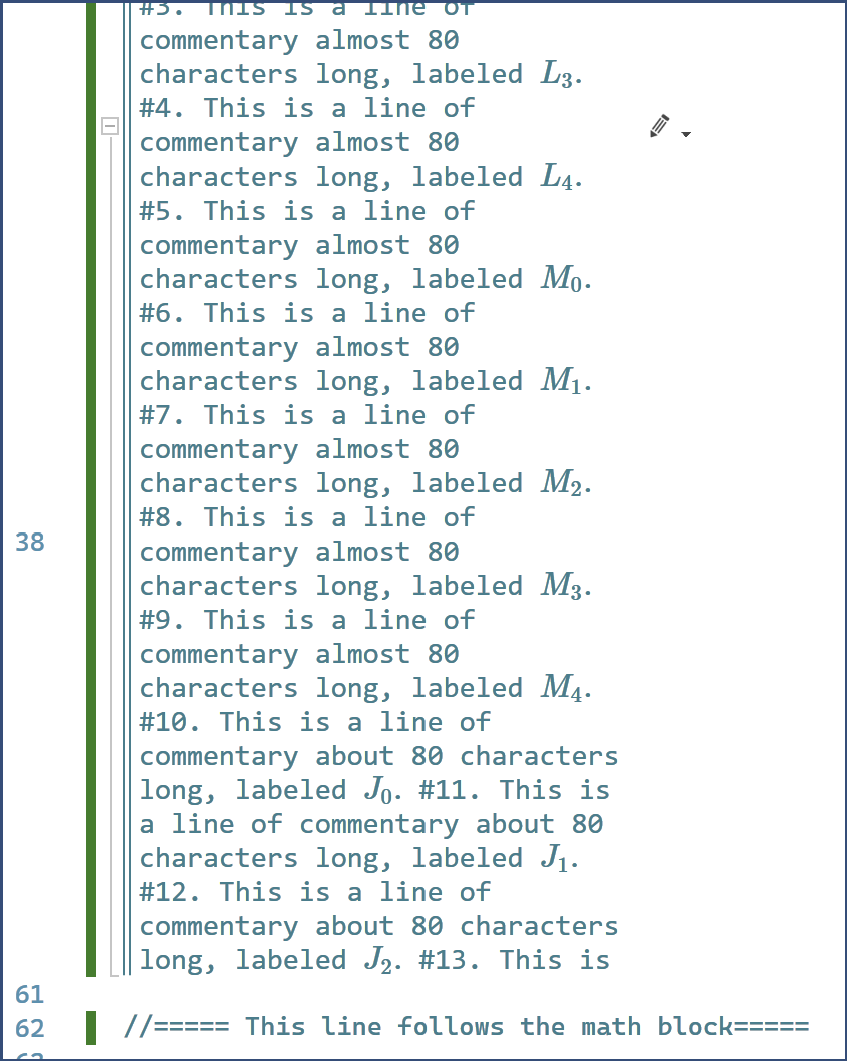
Forgot to mention: the initial space is added only to a paragraph exceeding 1 line long. Short lines are rendered without the extra space.
Is WebBrowser an IE-based control? There is a new, Edge-engine based WebView2. It had only a C++ interface, and quite a complex one, but now it has a .NET API.
And, apparently, yet another kid on the block: https://learn.microsoft.com/en-us/dotnet/maui/user-interface/controls/blazorwebview?view=net-maui-7.0
JS example: https://learn.microsoft.com/en-us/aspnet/core/blazor/javascript-interoperability/?view=aspnetcore-7.0
As far as I grok the overall architecture, this is very similar to Electron: a Web server and a Web browser control, packaged together. There are many xplat Electron-based UI-rich apps out there, written in JS; VS Code and Slack desktop client are probably the two most well-known examples, and have quite a rich functionality!. MS is doing something similar: Razor is an embeddable server, which can be shipped with the package, and Blazor is a XAML Web control. It's very fast on the rendering front, so much less async flickering; DPI-aware and the kitchen sink. Quite a modern browser; dunno if it's related to Edge, but since Electron is to the V8 engine, the one behind Chrom{e,ium}, I suspect the V8 Edge veriant is the most likely candidate for being it's layout engine core—both Edge and Chrome are V8 at the core. The question I have no answer to, however, is how easy/hard/impossible is to host the browser window inside the VS editor document view surface—I'm not a UI guy at all, even less experience extending VS. No idea how much effort is to replace one control with another. A growing number of extensions sharing a significant code base between VS The Real Thing and VS Code kinda hints it should not be too hard, but that's all I can surmise. But it would solve #9 with next to zero effort, by packaging MathJaX with the extension.