

 keystonejs
Can’t get To-single relationship field ID in labelResolver
Describe
Wen I use a To-single relationship Field with Many option and then tried to get it ID's in labelResolver it comes only once.
All other fields ID or values came but the Field ID comes only once.
Without option Many all ok.
Bug
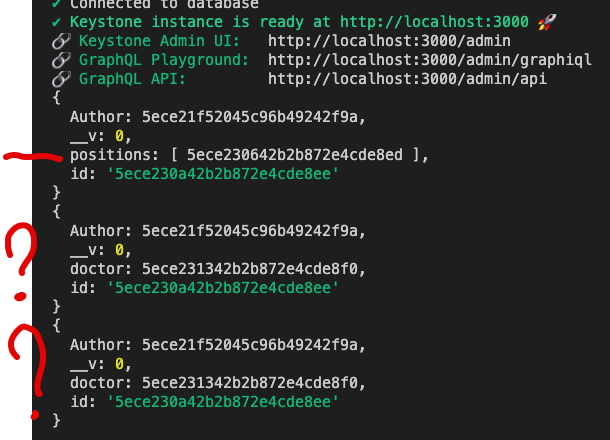
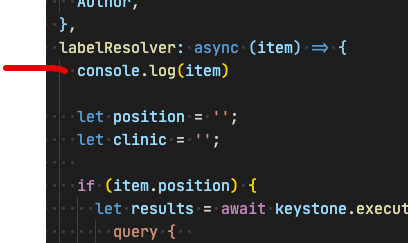
console.log(item) right in labelResolver
Fields conf
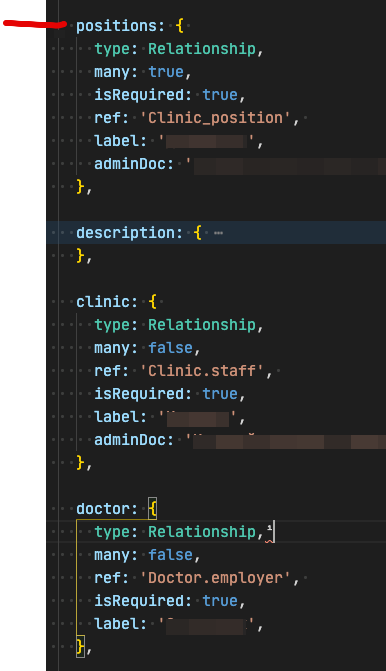


Yes, look at the first image, this field is correctly displayed when creating the first record.
If many option is false - all fine.
On 28 May 2020, at 4:42 PM, Charles Dang [email protected] wrote:
Is Clinic_position a valid ref? Not Clinic.position?
— You are receiving this because you authored the thread. Reply to this email directly, view it on GitHub, or unsubscribe.
Full list module (simplified code)
module.exports = function (){
  return {
    fields: {
     // That trouble field
      positions: {
        type: Relationship,
        many: true,
        ref: 'Clinic_position',
      },
      clinic: {
        type: Relationship,
        ref: 'Clinic.staff',
      },
      doctor: {
        type: Relationship,
        ref: 'Doctor.employer',
      },
    },
    labelResolver: async (item) => {
        console.log(item)
    }
  }
}
It looks like there hasn't been any activity here in over 6 months. Sorry about that! We've flagged this issue for special attention. It wil be manually reviewed by maintainers, not automatically closed. If you have any additional information please leave us a comment. It really helps! Thank you for you contribution. :)
![stale[bot] avatar](https://avatars.githubusercontent.com/in/1724?v=4 "Published by a pub.dev verified publisher")
I'm experiencing the same issue- indeed, Relationship fields many: true will not be passed into the labelResolver function.

@MichaelZaporozhets
For now, you can achieve it by the custom handler function
@zamkevich Cheers- yeah, I worked around the issue; but it's still a bug that should be looked at :)
It looks like there hasn't been any activity here in over 6 months. Sorry about that! We've flagged this issue for special attention. It wil be manually reviewed by maintainers, not automatically closed. If you have any additional information please leave us a comment. It really helps! Thank you for you contribution. :)