

 keycloak
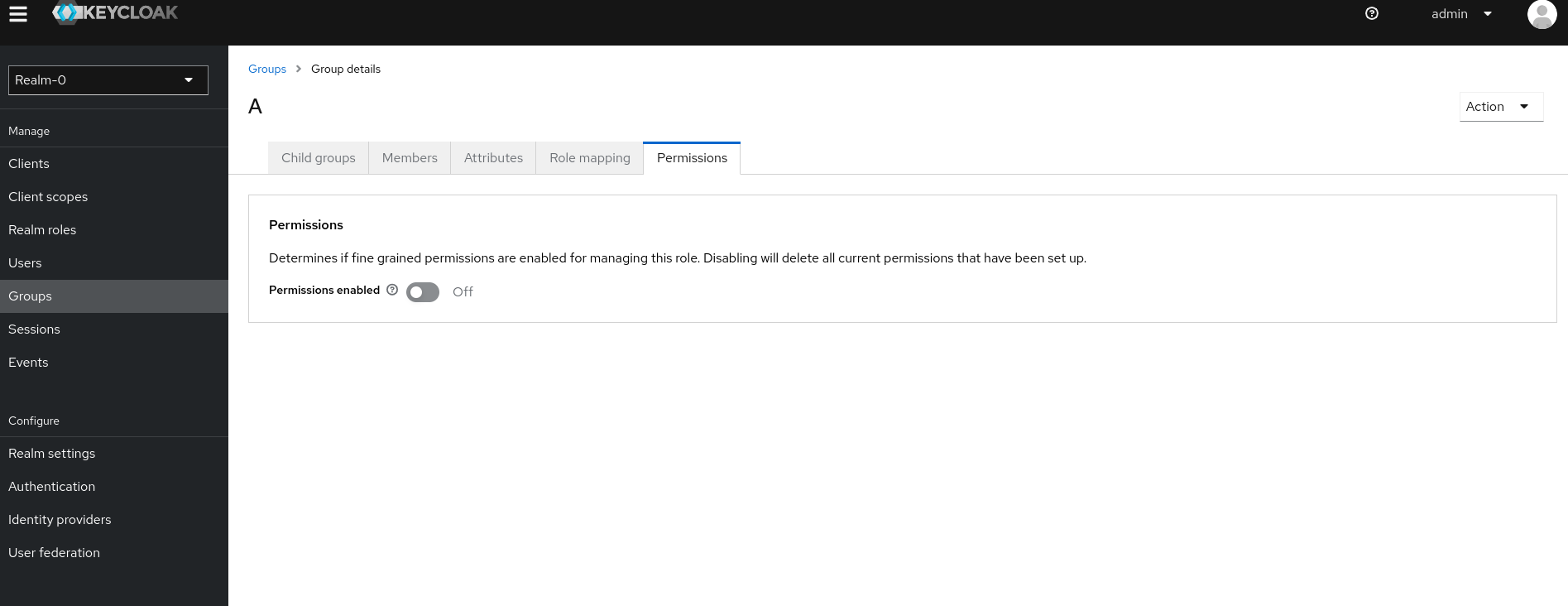
UI Realm/Groups/Group details/Permissions Permissions enabled Off - not possible to enable it.
Describe the bug
Group fine grained permissions are permanently disabled, not possible to enable it.
Version
999-SNAPSHOT
Expected behavior
Group fine grained permissions enabled - Permissions enabled: On
Actual behavior
Group fine grained permissions disabled - Permissions enabled: Off
How to Reproduce?
- create a new realm with the name A
- create a new group with the name A
- Go to the A group tab Groups/Group details/Permissions and turn on the Permissions.
Anything else?
No response

This works fine for me. You say you are running a snapshot build? I tried it with the nightly from a couple of days ago and it is working.
https://github.com/keycloak/keycloak/releases/tag/nightly

@ssilvert Hi Stan, it's installed via keycloak-operator (nightly build) using K8S yml file: https://raw.githubusercontent.com/keycloak/keycloak-k8s-resources/refs/tags/nightly/kubernetes/kubernetes.yml, I've even tried it with Firefox or Chrome, it didn't work. Is there any UI restriction? Thank you
Are you running with fine grained permissions enabled in general?
admin-fine-grained-authz feature has to be enabled at startup.
I'm going to close as unable to reproduce. Feel free to comment or reopen if you have further concerns.
@ssilvert As I can see it's a tech-preview feature: https://www.keycloak.org/docs/latest/server_admin/#_fine_grain_permissions, I would rather hide the group permissions tab or add there a hint, why it's blocked. From the usability perspective it's unclear why it behaves so. What do you think?
@lhanusov I agree. That's a bug. Thanks.
We need to check other places in the app to make sure that Permissions tab is hidden when admin-fine-grained-authz flag is not passed at startup.