client

client copied to clipboard
 keybase
Can't Add Device With Paper Key
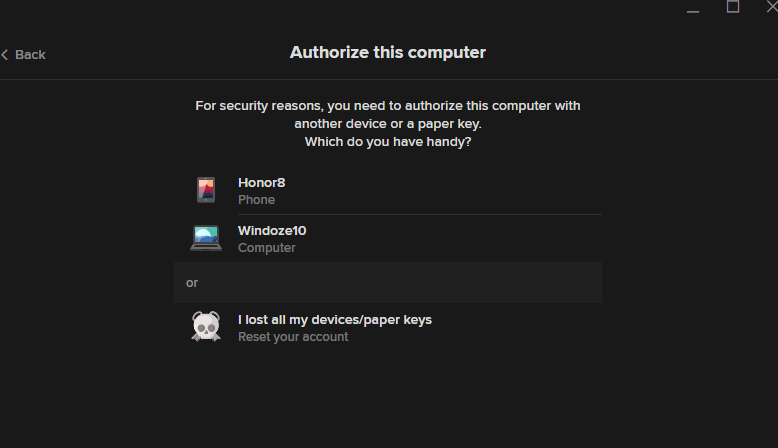
I haven't logged into my account since probably 2018 (when files were first added), and now I'm trying to add the program to my computer but it is saying I need to verify with either that computer or that device I used back then, but then all the message prompts say "if you don't have any of these devices or a paper key" but I do have the paper key still, I just don't have those devices... however, I don't see anywhere to input it.
I tried using the CLI and get this:
C:\Users\teamc>keybase login --paperkey "words that are being replaced for security" teamcoltra

The device you are currently using needs to be provisioned.
Which one of your existing devices would you like to use
to provision this new device?

        1. [mobile]     Honor8
        2. [computer]   Windoze10
        3. I don't have access to any of these devices.

Choose a device: 2


************************************************************
* Name your new device!                                    *
************************************************************


Enter a public name for this device: NEW_DEVICE


Type this verification code into your other device:

        I SHOULD PROBABLY REPLACE THESE TOO

If you are using the command line client on your other device, run this command:

        keybase device add

It will then prompt you for the verification code above.

- ERROR interrupted
I've also tried using the program as I said and only see this: