
headless-wordpress-email-settings
 headless-wordpress-email-settings copied to clipboard
 kellenmace
Headless WordPress Email Settings
This is a WordPress plugin that customizes email settings to work well with a decoupled frontend application.
It does this:
- Changes the "from" address for emails from
[email protected]to[email protected]where "domain.com" is the domain for your WordPress backend. - Changes the "from" name for emails from
WordPressto the title of your WordPress site. You can set this inSettings>General>Site Titlein the WordPress admin. - Changes the password reset email subject line from
[My Site Title] Password ResettoMy Site Title - Password Reset, where "My Site Name" is the title of your WordPress site. - Customizes the password reset email message and modifies the password reset link to point to your decoupled frontend JS app.
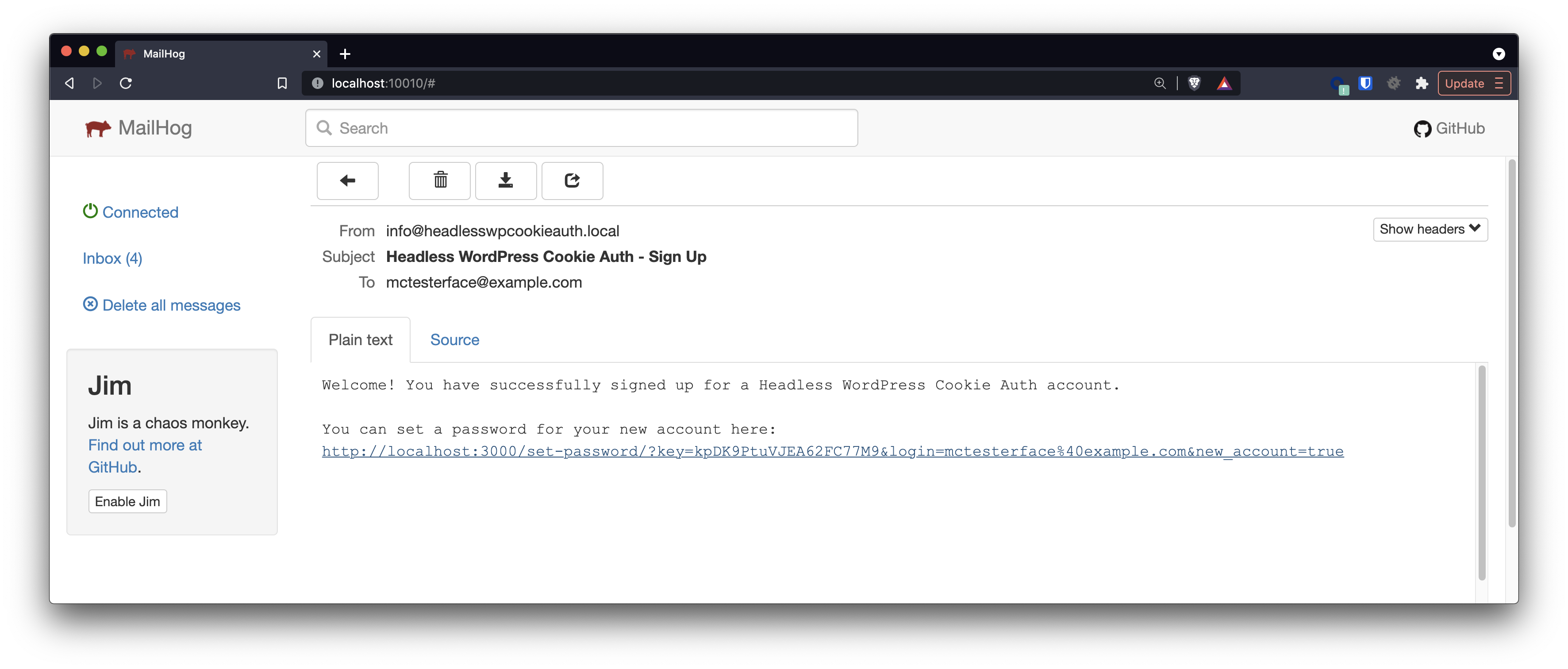
- Customizes the new user notification email subject and message, and modifies the set password link to point to your decoupled frontend JS app.
How to Use
- Make sure you have the WPGraphQL CORS plugin installed and activated.
- From the WordPress admin sidebar, go to
GraphQL>Settingsand click theCORS Settingstab. Check the checkboxes next to these options:Send site credentials,Enable login mutation,Enable logout mutation. - In the
Extend "Access-Control-Allow-Origin” headerfield, enter the URL of your decoupled frontend JS app and click the button to save your changes. - In this plugin's
headless-wp-email-settings.phpfile, modify the email from address, password reset subject, password reset message and new user notification email subject & message text, if desired. - Install and activate this plugin.
- Test the password reset and new user sign up flows in your frontend JS app and review the emails that WordPress sends out.
If you're not using the WPGraphQL CORS plugin for authentication in your project, you'll need to modify the get_frontend_app_url() method in headless-wp-email-settings.php to get the frontend app URL from somewhere else (hardcode it, get it from the database, etc.).
Screenshots
Password Reset Email

New User Sign Up Email
 kellenmace