

 keepassxreboot
Non-working sites
Please report any non-working sites to this thread instead of creating a new issue.
Provide the following info when making a report:
- Exact login URL and the URL of your entry or entries.
- Dump of console output from the page (Firefox: Tools -> Browser Tools -> Web Developer Tools / Chromium-based: Tools -> Developer -> Javascript Console). Do this only if there's KeePassXC-Browser related output.
- Have you tried Username-Only Detection, choosing Custom Fields etc.
- Are you using Autofill instead of the manual one.
- Does it affect the Username Icon, Autocomplete Menu, Popup Menu?
- Version 1.8.0 and later, enable Debug Logging from the settings and inspect the pages's JavaScript console. It should show all input fields detected.
Please note that sites that require credentials to be made are with lower priority.
Separately reported non-working sites: #803 - Nextcloud timeout password prompt #879 - Bank of the Philippine Islands: https://online.bpi.com.ph/portalserver/onlinebanking/sign-in #1269 - Mailgun: https://login.mailgun.com/ (Needs an exception for the password field) #2045 - https://ibank.bog.ge/ #2047 - Flatex: https://www.flatex.de #2060 - Runtastic: https://www.runtastic.com/en/login #2109 - Yahoo new password fill problem

I'm running version 1.7.8.1 and with Nextcloud 21.0.2 is working fine for me.
I forgot to close the old bug.

Deluge web gui, running on (localhost port 8112). Following details:
- A dialog box appears, which seems to be generated by js, and is part of the web page (not htaccess)
- There is only a password field (no username field exist)
- Autofill works, it fills the password correct
The problem is with the auto submit feature:
- It seems our extension here is creating an infinite page reload loop
- It is difficult for me to understand / debug / show logs why it happens.
HOWEVER in the js debugger i can see a couple of things in the js, by stopping at some breakpoint
- the infinite page reload loop seems to occur (the point when page reloads) just after here
What I think is happening is maybe our extension does not give enough delay or give enough execution time over to the other js, to process the login before it does the POST action. Or otherwise the form.submit() means the page reloads (expecting to be logged in). However because there was never the submitButton.click(). Then it never actually triggered the page (client side) js function of the page login JS in order to actually auth the password. So instead (what i am guessing) is that it will reload the page after POST occur. And then the page js loads, and still is not logged in, still no cookie or whatever. Because it did not have the opportunity (not triggered) to perform auth the time before. And then is stuck in infinite loop.
The other auth login js code is here which gets triggered on the page's auth js code when the html button is clicked by the user. So I am not sure if POST was correct. Maybe it just was not possible to detect and identify the button to click.
The button HTML of the login dialog is here,
<div id="ext-comp-1151" class=" x-window x-window-plain" style="position: absolute; z-index: 9003; visibility: visible; left: 261px; top: 302px; width: 300px; display: block;">
<div class="x-window-tl">
<div class="x-window-tr">
<div class="x-window-tc">
<div class="x-window-header x-unselectable x-panel-icon x-deluge-login-window-icon x-window-draggable" id="ext-gen145"><span class="x-window-header-text" id="ext-gen156">Login</span></div>
</div>
</div>
</div>
<div class="x-window-bwrap" id="ext-gen146">
<div class="x-window-ml">
<div class="x-window-mr">
<div class="x-window-mc" id="ext-gen150">
<div class="x-window-body" id="ext-gen147" style="padding: 10px 5px; width: 278px; height: 39px;">
<div id="ext-comp-1154" class=" x-plain x-form-label-right" style="width: 278px;">
<div class="x-plain-bwrap" id="ext-gen160">
<form class="x-plain-body x-plain-body-noheader x-form" method="POST" id="ext-gen18" style="width: 278px; height: 39px;">
<div class="x-form-item " tabindex="-1" id="ext-gen162">
<label for="_password" style="width:120px;" class="x-form-item-label">Password:</label>
<div class="x-form-element" id="x-form-el-_password" style="padding-left:125px"><input type="password" size="20" autocomplete="off" id="_password" name="password" class="x-form-text x-form-field" style="width: 104px;"></div>
<div class="x-form-clear-left"></div>
</div>
</form>
</div>
</div>
</div>
</div>
</div>
</div>
<div class="x-window-bl" id="ext-gen149">
<div class="x-window-br">
<div class="x-window-bc">
<div class="x-window-footer x-panel-btns" id="ext-gen148" style="width: 278px;">
<div id="ext-comp-1152" class="x-panel-fbar x-small-editor x-toolbar-layout-ct" style="width: auto;">
<table class="x-toolbar-ct" cellspacing="0">
<tbody>
<tr>
<td class="x-toolbar-left" align="center">
<table cellspacing="0">
<tbody>
<tr class="x-toolbar-left-row">
<td class="x-toolbar-cell" id="ext-gen157">
<table id="ext-comp-1153" class="x-btn x-btn-noicon" style="width: 75px;" cellspacing="0">
<tbody class="x-btn-small x-btn-icon-small-left">
<tr>
<td class="x-btn-tl"><i> </i></td>
<td class="x-btn-tc"></td>
<td class="x-btn-tr"><i> </i></td>
</tr>
<tr>
<td class="x-btn-ml"><i> </i></td>
<td class="x-btn-mc"><em class=" x-unselectable" unselectable="on"><button type="button" id="ext-gen158" class=" x-btn-text">Login</button></em></td>
<td class="x-btn-mr"><i> </i></td>
</tr>
<tr>
<td class="x-btn-bl"><i> </i></td>
<td class="x-btn-bc"></td>
<td class="x-btn-br"><i> </i></td>
</tr>
</tbody>
</table>
</td>
</tr>
</tbody>
</table>
</td>
<td class="x-toolbar-right" align="right">
<table class="x-toolbar-right-ct" cellspacing="0">
<tbody>
<tr>
<td>
<table cellspacing="0">
<tbody>
<tr class="x-toolbar-right-row"></tr>
</tbody>
</table>
</td>
<td>
<table cellspacing="0">
<tbody>
<tr class="x-toolbar-extras-row"></tr>
</tbody>
</table>
</td>
</tr>
</tbody>
</table>
</td>
</tr>
</tbody>
</table>
</div>
<div class="x-clear" id="ext-gen152"></div>
</div>
</div>
</div>
</div>
</div>
<a href="#" class="x-dlg-focus" tabindex="-1" id="ext-gen153"> </a>
</div>

URL: https://www.ipko.pl
Description: The username input icon doesn't appear, the password input works perfectly.
Entry URL: The same as URL
Console output:
(index):1 [Report Only] Refused to execute inline script because it violates the following Content Security Policy directive: "script-src 'self' 'unsafe-eval'". Either the 'unsafe-inline' keyword, a hash ('sha256-T8j7OyrQ0jX0/EpJebSD1DR2GDVUF4/rcMiG2xO4yGQ='), or a nonce ('nonce-...') is required to enable inline execution.
(index):1 [Report Only] Refused to load the image 'blob:https://www.ipko.pl/48d6e268-0fc9-435a-acd7-ee21ee8750aa' because it violates the following Content Security Policy directive: "img-src 'self' data: www.pkobp.pl".
(index):1 [Report Only] Refused to load the image 'blob:https://www.ipko.pl/ca812e00-2d13-4306-910b-ce9aa2da6096' because it violates the following Content Security Policy directive: "img-src 'self' data: www.pkobp.pl".
(index):1 [Report Only] Refused to load the image 'blob:https://www.ipko.pl/f5c4502d-96c8-4b20-807f-051a9ac0e1c6' because it violates the following Content Security Policy directive: "img-src 'self' data: www.pkobp.pl".
Workarounds:
- Username-only detection fixes the username, but breaks the password instead.
- Using
RMB -> Fill username and passwordto fill only the username, then using password input to fill the password works. - Since this is a two-page login, I can't set custom fields correctly.
Autofill: no
Versions:
- KeePassXC: 2.6.2
- KeePassXC-Browser: 1.7.8.1
- Operating system: Linux x86_64
- Browser: Chrome/Chromium 90.0.4430.212

URL: https://www.chase.com/
Issue: password field is not automatically filled in. Tried right-click/fill password field & Choose custom login fields. (Username is filled in when going to the site.) Browser: Chrome OS: Windows 10 x64

URL: https://www.gog.com
The KeePassXC Icon appears on the login page, but when I click it, nothing happens.

@JakobDev GOG is using login iframe from auth.gog.com. Change your entry URL to https://gog.com or https://auth.gog.com instead.
For Garmin, change your entry URL to https://sso.garmin.com or https://garmin.com.
https://www.redbubble.com/shop/
Right-click options don’t do anything in the popup, but site is detected correctly.
Workaround: clicking on the Redbubble logo takes you to the root of the site, where the same login links to a separate page instead of a popup.

Not sure if it's a not-working site, or rather a feature request:
https://www.ethias.be/myethias/public/nl/connexion hides the password field by default:
 As a consequence, the fill-and-submit button doesn't show up. I can activate the 'Only username option' - then the fill-and-submit button shows up on page load, but only fills the username and it activates the password field which then stays empty because I indicated only a username field should be considered.
So I'm unsure if this is a 'site not working', or if I should create a feature request to fill hidden password fields :)
As a consequence, the fill-and-submit button doesn't show up. I can activate the 'Only username option' - then the fill-and-submit button shows up on page load, but only fills the username and it activates the password field which then stays empty because I indicated only a username field should be considered.
So I'm unsure if this is a 'site not working', or if I should create a feature request to fill hidden password fields :)

So I'm unsure if this is a 'site not working', or if I should create a feature request to fill hidden password fields :)
We don't want to fill any hidden password fields.
We don't want to fill any hidden password fields.
Ok, thanks. Guess that makes sense. Still, there's no way I now can auto-fill-and-submit on this site. From you reply I infer that it's not a 'non-working site' in any case, so I'll create a separate ticket to see how this site can be catered. Thanks again! :)
I'm having a problem accessing the CUPS (common unix printing system) admin page on a Fedora Linux system. The URL is https://localhost:631/admin and I've tried specifying this in KeePassXC both with and without the admin part of the URL.
When I browse to this page, there is no initial request for a password, and that is the expected behavior:

Then, when I click on an action, like "Add Printer", a login box pops up, but KeyPassXC-Browser doesn't appear to notice it, perhaps because the URL stays the same:

If I attempt to "Choose custom login fields", that tool is shown behind the login box, and there doesn't appear to be any way to select the user name and password fields:

This is not the only URL with this problem. I also see it on a Raspberry Pi running the "pi-star" Ham radio software. From the pi-star Dashboard page (no password needed), if I click on "Configuration", a login box pops up, the URL doesn't change, and KeyPassXC-Browser doesn't notice the login box.
Is there a way to make this sort of thing work?
Incidentally, when I was using the built-in Firefox password system, it was able to fill in the credentials on these login boxes.

@stevefalco Can you use the Web Inspector to check how that dialog is inserted to the page?
Ok, here is what the admin page shows before clicking "Add Printer". I've highlighted the entry for "Add Printer":

Once I click "Add Printer", the Inspector becomes blank!

I've never used the inspector before, so I'm probably doing something wrong. Please give me some more "newbie" instructions and I'll get you whatever data you need. :-)
I've never used the inspector before, so I'm probably doing something wrong. Please give me some more "newbie" instructions and I'll get you whatever data you need. :-)
Are you sure that is not a HTTP Basic Auth dialog?
Are you sure that is not a HTTP Basic Auth dialog?
That was my thinking also, based on the screenshot (and a touch of memory from using CUPS a long while ago). Maybe we should file a request against CUPS if they could move to an integrated log-in mechanism instead?
Are you sure that is not a HTTP Basic Auth dialog?
That was my thinking also, based on the screenshot (and a touch of memory from using CUPS a long while ago). Maybe we should file a request against CUPS if they could move to an integrated log-in mechanism instead?
HTTP Basic Auth should still work, but for now you can only fill credentials from the extension toolbar icon.
I don't know enough about http. How would I test to see if this is a basic auth dialog?
I'm not sure what you mean by "for now you can only fill credentials from the extension toolbar icon". There is a "Redetect login fields" button when I click on the extension icon, but the button doesn't do anything for this dialog - here is what it looks like after clicking "Redetect login fields" :

I noticed that the KeePassXC app has browser integration settings "Use this entry only with HTTP Basic Auth" and "Do not use this entry with HTTP Basic Auth". Should I select either of those?
Lastly, is there a way to turn on debugging to see what, if anything, is passed to the extension?
The new Synology login page (on v7 OS) makes KeepassXC-browser unusable. In this version, contrary to v6, they adopted a JS-based form where v6 was a plain old HTML form.
So this starts with a form with 1 input for the username:

and you have to click to the next arrow to reveal the password <input>:

But, somehow, they decided to do something I've never seen in webdev before. They just reuse the same <input> on the password panel and differenciate the two by mutating the syno-id property:

It takes the value username when on the username panel and the value password when on the password panel.

Regarding my issues from a week or two ago with a CUPS URL and a Pi-Star ham radio URL, it turns out these sites are using basic auth. I turned on the keepassxc-browser setting "Automatically fill in HTTP Basic Auth dialogs and submit them" and now both URLs work properly.
So keepassxc-browser doesn't even detect the login/password fields when that setting is off, but does auto-fill/auto-submit the information when that setting is on. In fact, when the setting is on, I don't even see the normal login screen - I see a little popup from keepassxc-browser instead.
Is that the expected behavior?
Regarding my issues from a week or two ago with a CUPS URL and a Pi-Star ham radio URL, it turns out these sites are using basic auth. I turned on the keepassxc-browser setting "Automatically fill in HTTP Basic Auth dialogs and submit them" and now both URLs work properly.
So keepassxc-browser doesn't even detect the login/password fields when that setting is off, but does auto-fill/auto-submit the information when that setting is on. In fact, when the setting is on, I don't even see the normal login screen - I see a little popup from keepassxc-browser instead.
Is that the expected behavior?
Yes :) There's already an alternative implementation that shows a proper dialog on the page for HTTP Basic Auth but it's still under work.
Affects web sites where password is on a separate page Affected Sites: Yahoo.com, Gmail.com Running Windows 10 21H1, Firefox 92.0
Username field was pre-filled https://login.yahoo.com/manage_account?pspid=1197747870&activity=ybar-mail&.lang=en-AU&.intl=au&src=ym&signin=true&done=https%3A%2F%2Fmail.yahoo.com%2Fd%3F.intl%3Dau%26.lang%3Den-AU%26pspid%3D1197747870%26activity%3Dybar-mail&eid=100
Password field is on a separate page https://login.yahoo.com/account/challenge/password?.intl=au&.lang=en-AU&src=ym&activity=ybar-mail&pspid=1197747870&done=https%3A%2F%2Fmail.yahoo.com%2Fd%3F.intl%3Dau%26.lang%3Den-AU%26pspid%3D1197747870%26activity%3Dybar-mail&as=1&sessionIndex=QQ--&acrumb=9pyy9vke&display=login&authMechanism=primary
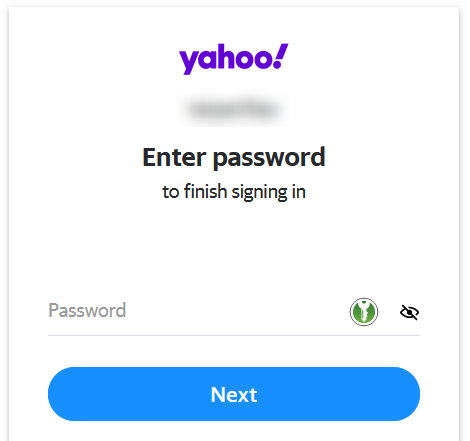
Clicking green button does nothing Right-click in password field and Fill Password Only does nothing KeePassXC perform auto-type sequence > password only does work.
Console


DM https://signin.dm.de/dm-de/authentication/web-login
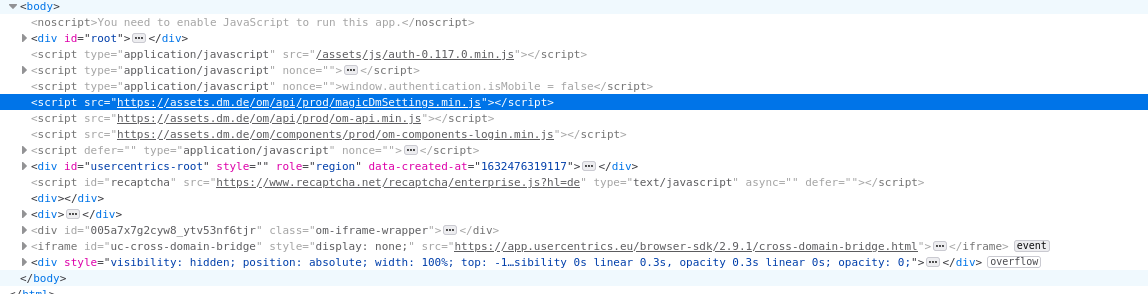
Have you tried Username-Only Detection, choosing Custom Fields etc. yes, it's not working Are you using Autofill instead of the manual one. yes Does it affect the Username Icon, Autocomplete Menu, Popup Menu? green Kee Icon is there but nothing happens when I click on it. no popu menu

DM https://signin.dm.de/dm-de/authentication/web-login
Have you tried Username-Only Detection, choosing Custom Fields etc. yes, it's not working Are you using Autofill instead of the manual one. yes Does it affect the Username Icon, Autocomplete Menu, Popup Menu? green Kee Icon is there but nothing happens when I click on it. no popu menu
I had no issues with the site. I created a new entry with URL https://signin.dm.de/dm-de/authentication/web-login and everything worked.
@varjolintu strange, I've restarted the browser and now it works. Thanks for checking.
URL: https://www.aliyundrive.com/sign/in
Description: The username and password cannot be filled.
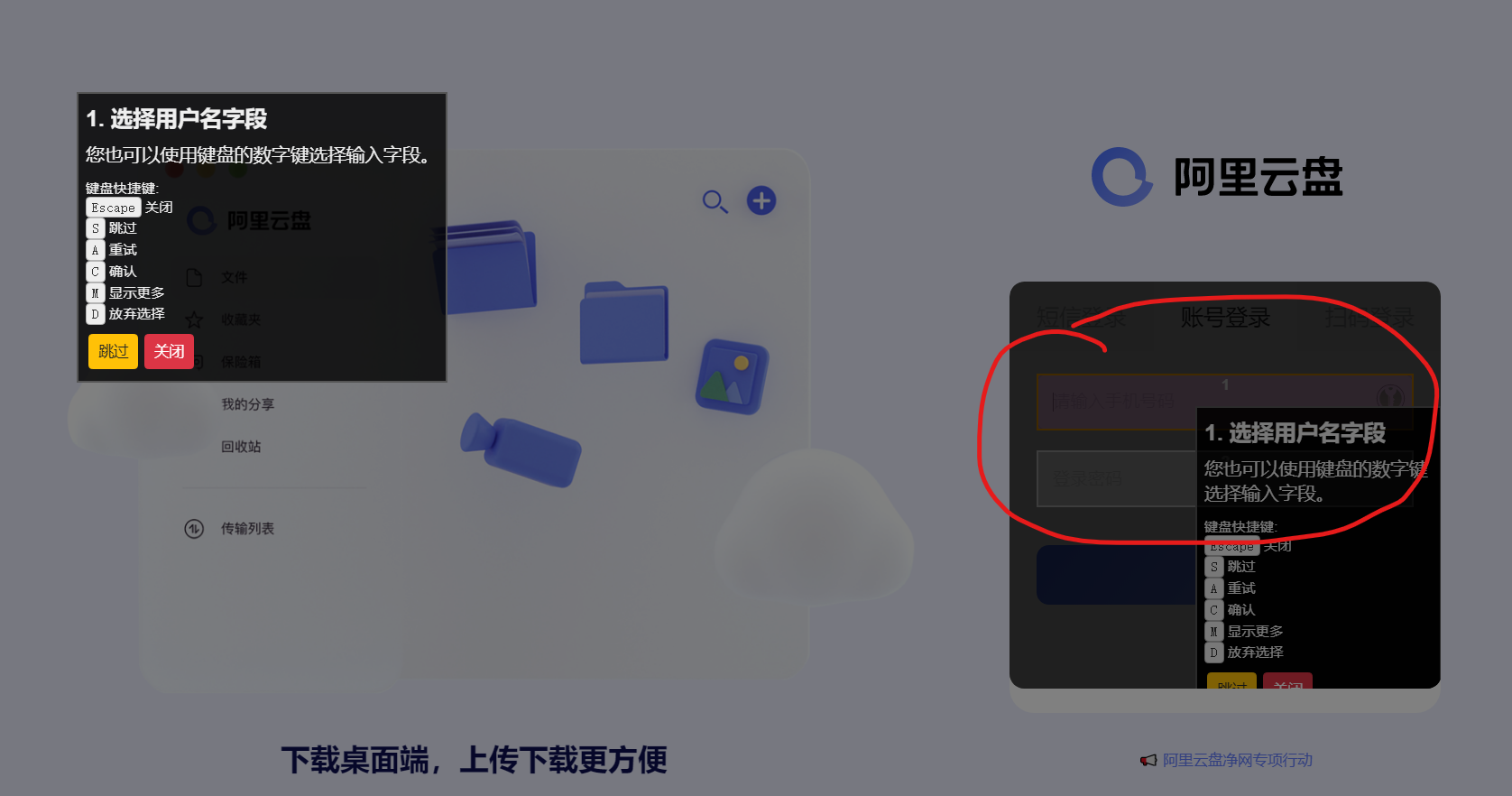
Entry URL: The same as URL
Console output: www.aliyundrive.com-1632810630198.log
Versions:
KeePassXC: 2.6.6 KeePassXC-Browser: 1.7.9.1 KeePass: 2.49 Operating system: win10 professional 19042.1237 Browser: Edge Dev 95.0.1020.5/Chromium

@youngerstar That's a known issue: https://github.com/keepassxreboot/keepassxc-browser/issues/454