

 kdave
kdave
Some Drives have reverted to old Partition layout
Unsure what has happend but Ubuntu is confused at what it is looking at and unable to mount some btrfs file systems and seems to be looking at old partitions from years ago
sudo mount -o rescue=usebackuproot /dev/mapper/SRD2NA1B1-part1 /mnt/repair
mount: /mnt/repair: wrong fs type, bad option, bad superblock on /dev/mapper/SRD2NA1B1-part1, missing codepage or helper program, or other error.
sudo btrfs check /dev/mapper/SRD2NA1B1-part1
Opening filesystem to check...
Checking filesystem on /dev/mapper/SRD2NA1B1-part1
UUID: 0a4a46d2-fe5d-4c67-9cb7-8253f1bc4903
[1/7] checking root items
[2/7] checking extents
[3/7] checking free space cache
[4/7] checking fs roots
[5/7] checking only csums items (without verifying data)
[6/7] checking root refs
[7/7] checking quota groups skipped (not enabled on this FS)
found 2162073456640 bytes used, no error found
total csum bytes: 2100310148
total tree bytes: 4188667904
total fs tree bytes: 1437925376
total extent tree bytes: 466059264
btree space waste bytes: 375375183
file data blocks allocated: 2546050928640
 referenced 2157689225216
the current Partition layout should be 2 meg free space at start of the partition and 3 meg free space at the end with matching partition / label names and should be /dev/mapper/SRD1NA1B2-part1 with label SRD1NA1B2
unsure which uuid is correct
45db86a1-3ccd-4687-beb9-8b7c8ccc9f6c (what Ubuntu See's) or 0a4a46d2-fe5d-4c67-9cb7-8253f1bc4903 (What btrfs see's) or multipath { wwid 3500605ba00b98ff0 alias SRD2NA1B1
fstab /dev/mapper/SRD2NA1B1-part1 /mnt/SnapRaidArray/SRD2NA1B1 btrfs x-gvfs-hide,rw,users,nosuid,nodev,nofail,noatime 0 0
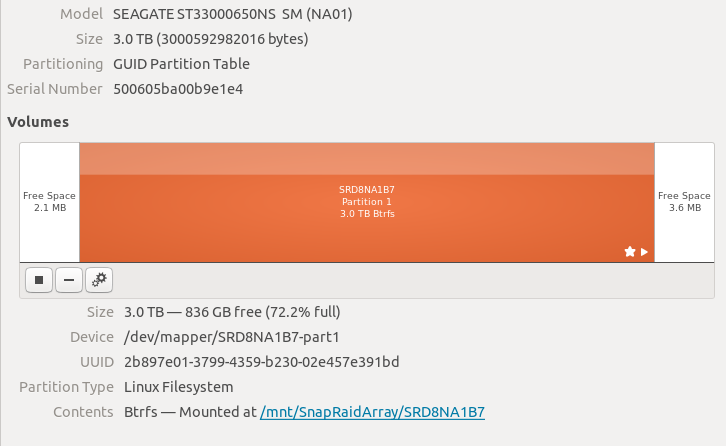
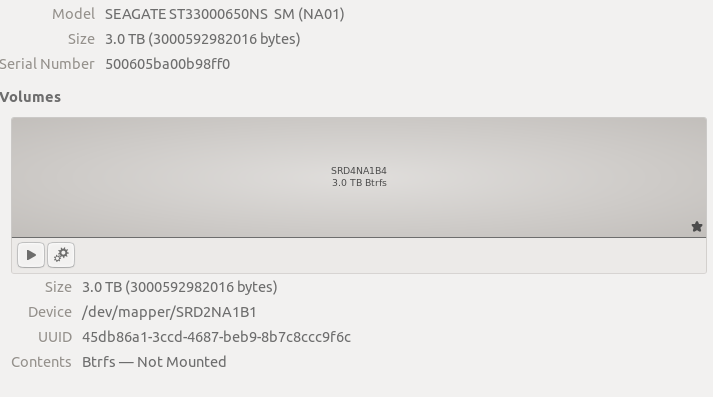
I have 3x drives that have started doing this 2 of them are still mounting on boot with Ubuntu saying they are unmounted
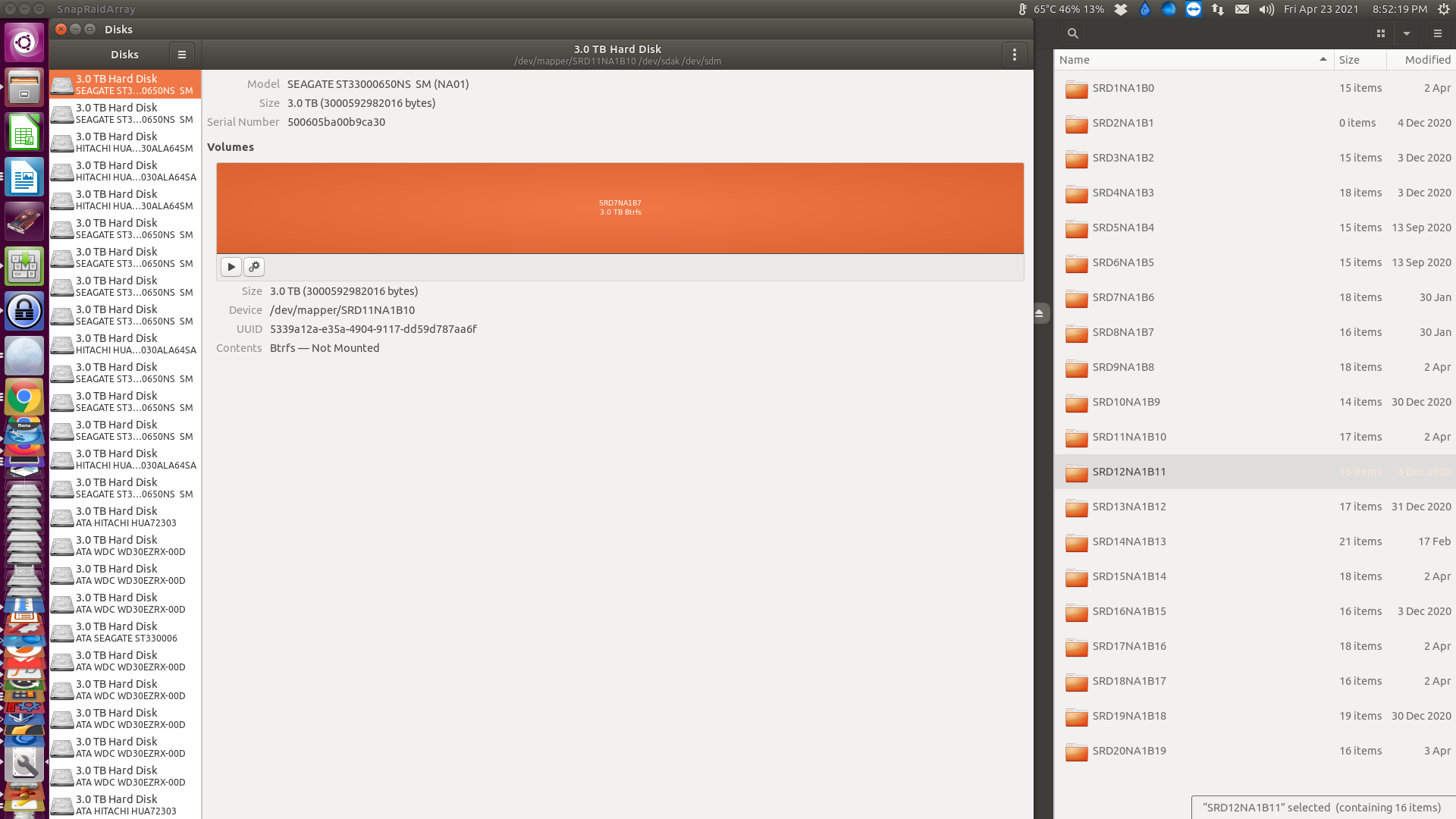
[811569.067640] BTRFS info (device dm-28): trying to use backup root at mount time
[811569.067641] BTRFS info (device dm-28): disk space caching is enabled
[811569.067643] BTRFS info (device dm-28): has skinny extents
[811569.071618] BTRFS error (device dm-28): device total_bytes should be at most 2199023255040 but found 3000587255808
[811569.071624] BTRFS error (device dm-28): failed to read chunk tree: -22
[811569.073995] BTRFS error (device dm-28): open_ctree failed
[811668.078514] BTRFS info (device dm-28): trying to use backup root at mount time
[811668.078521] BTRFS info (device dm-28): disk space caching is enabled
[811668.078522] BTRFS info (device dm-28): has skinny extents
[811668.094771] BTRFS error (device dm-28): device total_bytes should be at most 2199023255040 but found 3000587255808
[811668.094781] BTRFS error (device dm-28): failed to read chunk tree: -22
[811668.096020] BTRFS error (device dm-28): open_ctree failed
[812242.522448] traps: multiqueue0:src[595060] trap int3 ip:7ff311f40295 sp:7ff2f7ffd760 error:0 in libglib-2.0.so.0.6400.6[7ff311f04000+84000]
[812249.659756] traps: appsrc0:src[596164] trap int3 ip:7ff7a16bb295 sp:7ff702beb5c0 error:0 in libglib-2.0.so.0.6400.6[7ff7a167f000+84000]
[812250.084746] traps: matroskademux0:[596174] trap int3 ip:7fc744c56295 sp:7fc73affc0c0 error:0 in libglib-2.0.so.0.6400.6[7fc744c1a000+84000]
[812250.470525] traps: matroskademux0:[596212] trap int3 ip:7f68ca820295 sp:7f68c51640c0 error:0 in libglib-2.0.so.0.6400.6[7f68ca7e4000+84000]
[812250.814777] traps: appsrc0:src[596393] trap int3 ip:7f395986f295 sp:7f38ba5a55c0 error:0 in libglib-2.0.so.0.6400.6[7f3959833000+84000]
[812251.180383] traps: matroskademux0:[596403] trap int3 ip:7f25f4184295 sp:7f25ea7fb0c0 error:0 in libglib-2.0.so.0.6400.6[7f25f4148000+84000]
[812251.568656] traps: multiqueue0:src[596446] trap int3 ip:7f3072dc5295 sp:7f306cf07760 error:0 in libglib-2.0.so.0.6400.6[7f3072d89000+84000]
[812251.899870] traps: appsrc0:src[596509] trap int3 ip:7f1fd5b3b295 sp:7f1f32c8c5c0 error:0 in libglib-2.0.so.0.6400.6[7f1fd5aff000+84000]
[812252.265053] traps: matroskademux0:[596519] trap int3 ip:7ff9122e6295 sp:7ff90cc2a0c0 error:0 in libglib-2.0.so.0.6400.6[7ff9122aa000+84000]
[812747.066992] BTRFS info (device dm-28): trying to use backup root at mount time
[812747.066999] BTRFS info (device dm-28): disk space caching is enabled
[812747.067000] BTRFS info (device dm-28): has skinny extents
[812747.068577] BTRFS error (device dm-28): device total_bytes should be at most 2199023255040 but found 3000587255808
[812747.068583] BTRFS error (device dm-28): failed to read chunk tree: -22
[812747.070954] BTRFS error (device dm-28): open_ctree failed
the drives still working all have matching UUID between Ubuntu and BTRFS

ufs explorer professional recovery loads up the drive just fine
I still can not get it to mount
sudo btrfs rescue super-recover -v /dev/sdbp1
All Devices:
	Device: id = 1, name = /dev/sdbp1

Before Recovering:
	[All good supers]:
		device name = /dev/sdbp1
		superblock bytenr = 65536

		device name = /dev/sdbp1
		superblock bytenr = 67108864

		device name = /dev/sdbp1
		superblock bytenr = 274877906944

	[All bad supers]:

All supers are valid, no need to recover
aio@aio:/mnt/SnapRaidArray$ sudo btrfs check --check-data-csum /dev/sdbp
Opening filesystem to check...
checksum verify failed on 22036480 found 0000007A wanted 00000020
bad tree block 273399808, bytenr mismatch, want=273399808, have=271302656
Couldn't read tree root
ERROR: cannot open file system
aio@aio:/mnt/SnapRaidArray$ sudo btrfs check --check-data-csum /dev/sdbp1
Opening filesystem to check...
Checking filesystem on /dev/sdbp1
UUID: 0a4a46d2-fe5d-4c67-9cb7-8253f1bc4903
[1/7] checking root items
[2/7] checking extents
[3/7] checking free space cache
[4/7] checking fs roots
[5/7] checking csums against data
mirror 1 bytenr 19943424 csum 137 expected csum 226
mirror 1 bytenr 19947520 csum 137 expected csum 46
mirror 1 bytenr 19951616 csum 50 expected csum 104
ERROR: errors found in csum tree
[6/7] checking root refs
[7/7] checking quota groups skipped (not enabled on this FS)
found 2162073456640 bytes used, error(s) found
total csum bytes: 2100310148
total tree bytes: 4188667904
total fs tree bytes: 1437925376
total extent tree bytes: 466059264
btree space waste bytes: 375375183
file data blocks allocated: 2546050928640
 referenced 2157689225216
tried sudo btrfs restore-iomx /dev/sdbp1 /ZFS3WAY/nosnapshot/SRD2NA1B1/
but still stops encountering errors
"We seem to be looping a lot on ... "
and then it gives up with
ERROR: cannot map block logical 2003666206720 length 3221225472: -2