
KasmVNC
 KasmVNC copied to clipboard
 kasmtech
Black Screen Ubuntu GNOME on Vultr
Describe the bug I installed KasmVNC and when I open the URL its loaded but gives black screen I can just see its left sidebar. I think GNOME is not loading or desktop environment.
System Description
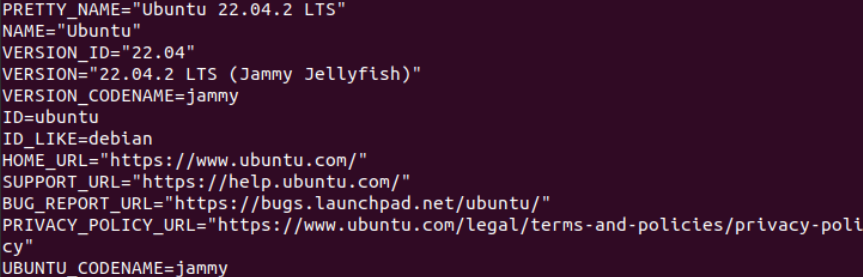
KasmVNC Details kasmvncserver_jammy_1.1.0_amd64.deb
Provide the output of this command. 1.1.0
Additional context I am launching on :2 and SSL disabled.
My .xstartup file looks like this and I selected gnome when kasmvnc was installed as desktop environment.


@twicer-is-coder @analogpvt you need to install dbus-x11 and restart KasmVNC. sudo apt install dbus-x11.


Had the same issue also using Vultr and Ubuntu 22.04 desktop version.
Got it to work by disabling Wayland by editing:
sudo nano /etc/gdm3/custom.conf
and uncommenting the line:
WaylandEnable=false
Plus I also had to enter:
sudo apt install dbus-x11
Restart the machine, and finally VNC works!

@RSupreme4 could you please describe the whole process you went through?
I was able to make it work on Vultr without touching GDM config.
I did the following:
- Create a GNOME Ubuntu Jammy VM
- Login via ssh as a non-root user via ssh
- Install dbus-x11 with
sudo apt install dbus-x11 - Run
vncserver, choose GNOME - Run
ssh -L 8444:localhost:8444 <vm_ip>, and connect to KasmVNC onhttps://localhost:8444.
I did encounter an issue with error message "dbus[55223]: Unable to set up transient service directory: XDG_RUNTIME_DIR "/run/user/0" is owned by uid 0, not our uid 1001", and it was caused by me logging to Vultr vps as root via ssh and then running su <non-root-user>, and running vncserver. XDG_RUNTIME_DIR is properly set by systemd, when you actually login, not just su <user>.
@friendlygabe777 Can you provide the output of the log file under ~/.vnc/*.log