

 k4yt3x
Second upscale creates black screen & Fail to migrate streams
Component Versions
- Video2X release version: nightly, downloaded version 02/24
- Upscaler version:
- GUI version: 2.8.1
- CLI version:
Symptom
- While it was upscaling the second time(pass 2), the preview in GUI and files in cache folder are ALL black pictures. They were OK in the first time(pass 1).
- Meanwhile, the final output video is also black and silent.
- Also, despite the fact that I chose to output as .mkv, there's a 0-byte .mp4 file along with the black and silent .mkv. Should it be here?
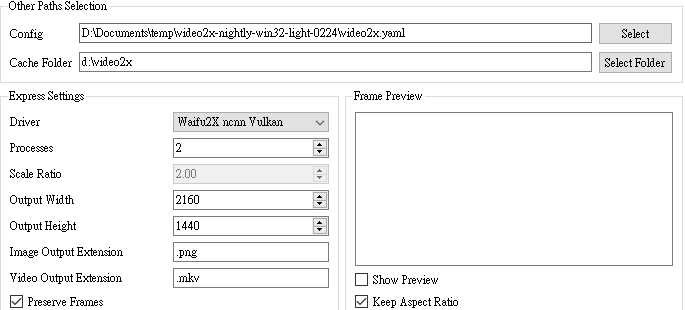
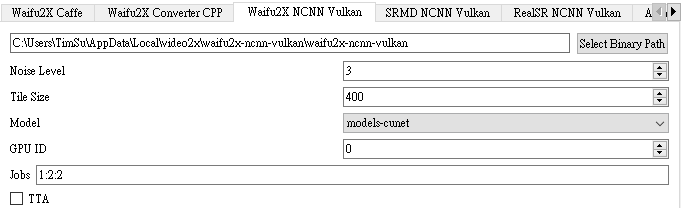
settings
(I tried two times, and this picture is the second try. "Black pictures in preview" mentioned above was seen in both tries, and I turned off the preview in the second after seeing black preview)
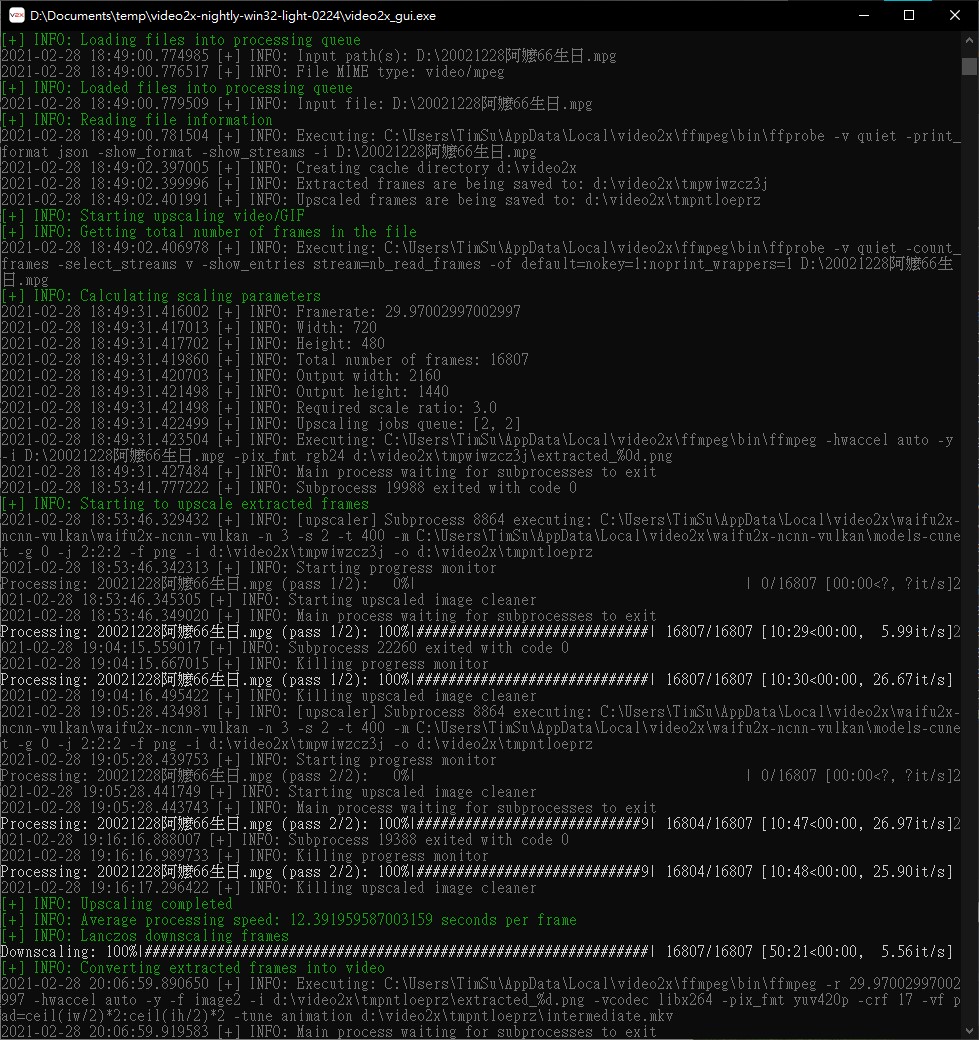
Error Log or Screenshots
No log available as GUI considered it as a successful task.
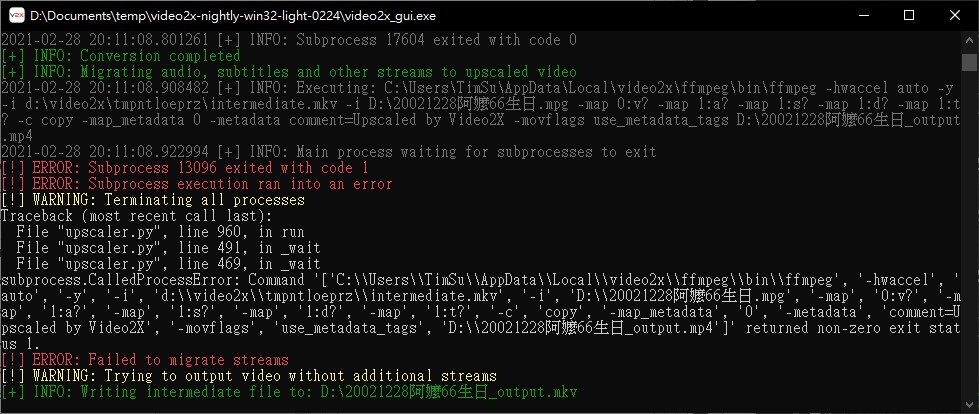

Please attach the error log file. The stream migration might have failed because the audio format in the original mpg file is incompatible with the MP4 container. There's an option for re-encoding in a different compatible format. I'm not sure why it's writing to a MP4 file. I can take a closer look once you send the error log over.

Could you tell me how to get the log? The dialogue, which appears when GUI finds an error and asks if I want to save the log or close itself, didn't show. It referred to the task as a successful one. Alternatively, should I use CUI?
I'm trying it in CLI with slightly different settings. Both of them I use this config file.
First: video2x.exe -i "D:\20021228阿嬤66生日.mpg" -o "D:\20021228阿嬤66生日.mkv" --log D:\Documents\temp\video2x_nightly_error9_gpu0.log -w 2160 -h 1440 -d waifu2x_ncnn_vulkan -p 2 --preserve_frames -- -n 3 -g 0
Log first~~ These are some points I see:
- ffmpeg extracted frames successfully.
- it got 2 passes as expected.
- but... the first pass used up exclusive GPU RAM only without using either cuda, compute_0 nor compute_1. At the same time, folder
tmprba_ij73start to consist of black frames. And, the speed was 100it/s. - In the 2nd pass, it struggled. This time, it used both GPU RAM and compute_1 the GPU engine. I'm not sure why it was working hard on black images... Both folders
tmprba_ij73andtmp7s7rcbrjare all black images. after some time, since ETA was 15 hours, I stopped.
second: video2x.exe -i "D:\20021228阿嬤66生日.mpg" -o "D:\20021228阿嬤66生日.mkv" --log D:\Documents\temp\video2x_nightly_error10_gpu0.log -r 2 -d waifu2x_ncnn_vulkan -p 2 --preserve_frames -- -n 1 -g 0 -s 2
Log first~~ These are some points I see:
- ffmpeg extracted frames successfully.
- it got 1 pass as expected.
- but... it ran with GPU RAM full and no cuda, compute_0 nor compute_1 usage. At the same time, folder
tmpnzw4unuhstart to consist of black frames. And, the speed was 100it/s. - when downscaling, pics in folder
tmp_zucoyd8changed to black images all in a sudden. Roughly 600it/s. - files in
tmp_zucoyd8disappeared since it started to convert them into a video. - I got two interesting videos under my d:\
vkAllocateMemory failed -2
I think you might just be out of VRAM. Try setting a smaller tile size. (-t)
I guess it might be the problem of the audio track. I converted the video using ffmpeg by copying the video and encode audio in mp3. And video2x succeeded
I think you might just be out of VRAM. Try setting a smaller tile size. (-t)
As to this, I think changing the default tile size to zero will be good since this driver supports auto.
As to this, I think changing the default tile size to zero will be good since this driver supports auto.
This is valuable advice. I'll do that. Thanks.
I guess it might be the problem of the audio track. I converted the video using ffmpeg by copying the video and encode audio in mp3. And video2x succeeded
I think you might just be out of VRAM. Try setting a smaller tile size. (-t)
As to this, I think changing the default tile size to zero will be good since this driver supports auto.
I don't understand what you did, can you give more info about it?
