

 jupyter
Auto-scroll not working with plots
I'm using the version 4.5.5 of qtconsole with MacOS Catalina 10.15. While working with https://github.com/jupyter-vim/jupyter-vim the auto-scroll works for everything else, except the plots. When I do try to use some plots, it stops to auto-scroll down. Relates to this https://github.com/jupyter/qtconsole/pull/349


Any suggestions where I can look? I would like to try to figure it out by myself and add a pull request.
This is what I have with the current master (which should be similar to 4.5.5) on MacOS Catalina 10.15:
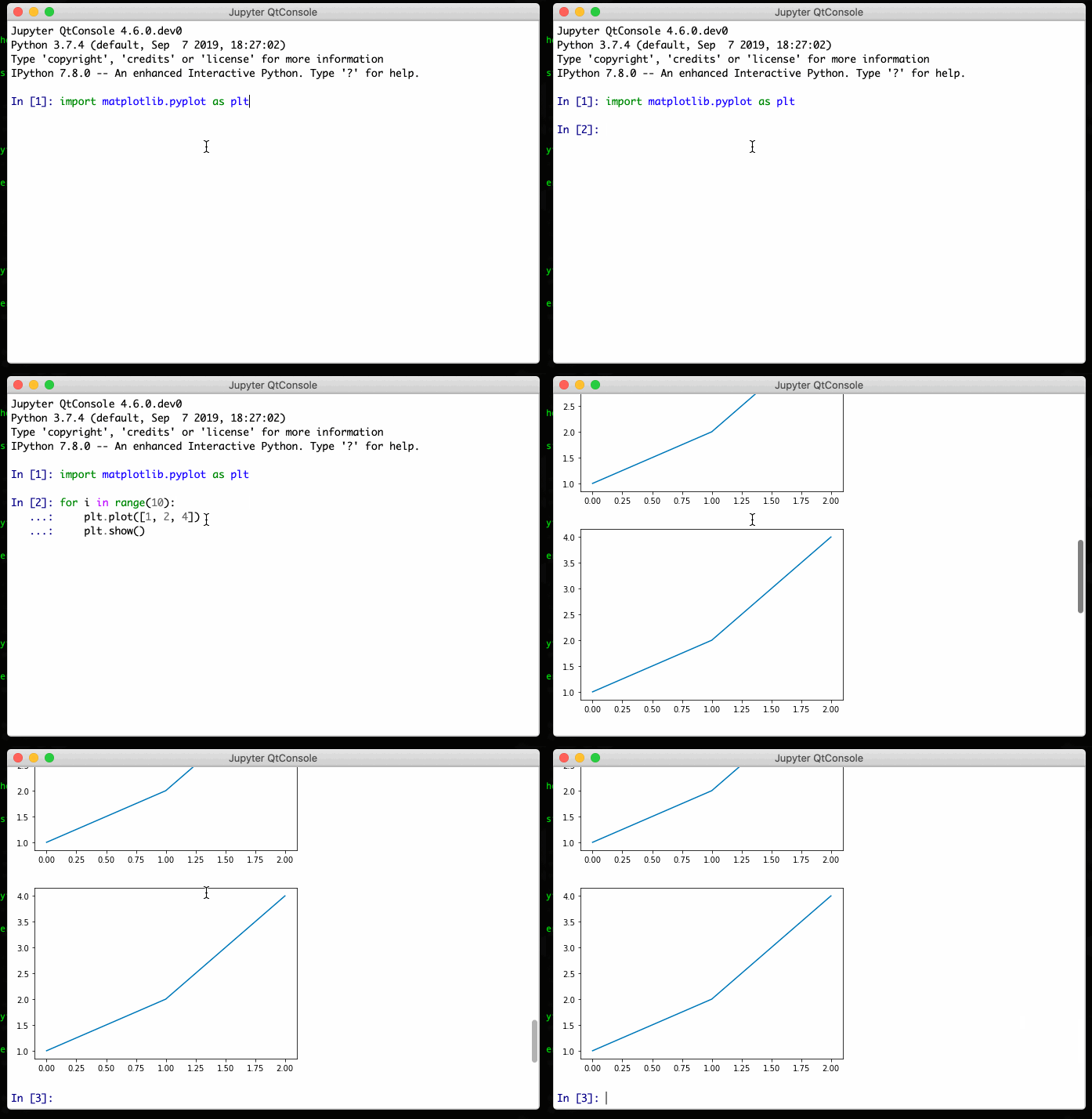
Could you send a video of what you have?

In qtconsole/console_widget.py, the scrolling for _insert_plain_text works as follow: (Maybe this should be generalised for any input)
- Check if the end is visible before adding the text (
end_doc_pos - end_scroll_pos <= 1) because you don't want to scroll if the end is not visible. - If the end was visible before adding the text (or image), scroll all the way down:
            end_scroll = (self._control.verticalScrollBar().maximum()
                          - self._control.verticalScrollBar().pageStep())
            # Only scroll down
            if end_scroll > self._control.verticalScrollBar().value():
                self._control.verticalScrollBar().setValue(end_scroll)
This is what I have with the current master (which should be similar to 4.5.5) on MacOS Catalina 10.15:
Could you send a video of what you have?
Here we go:
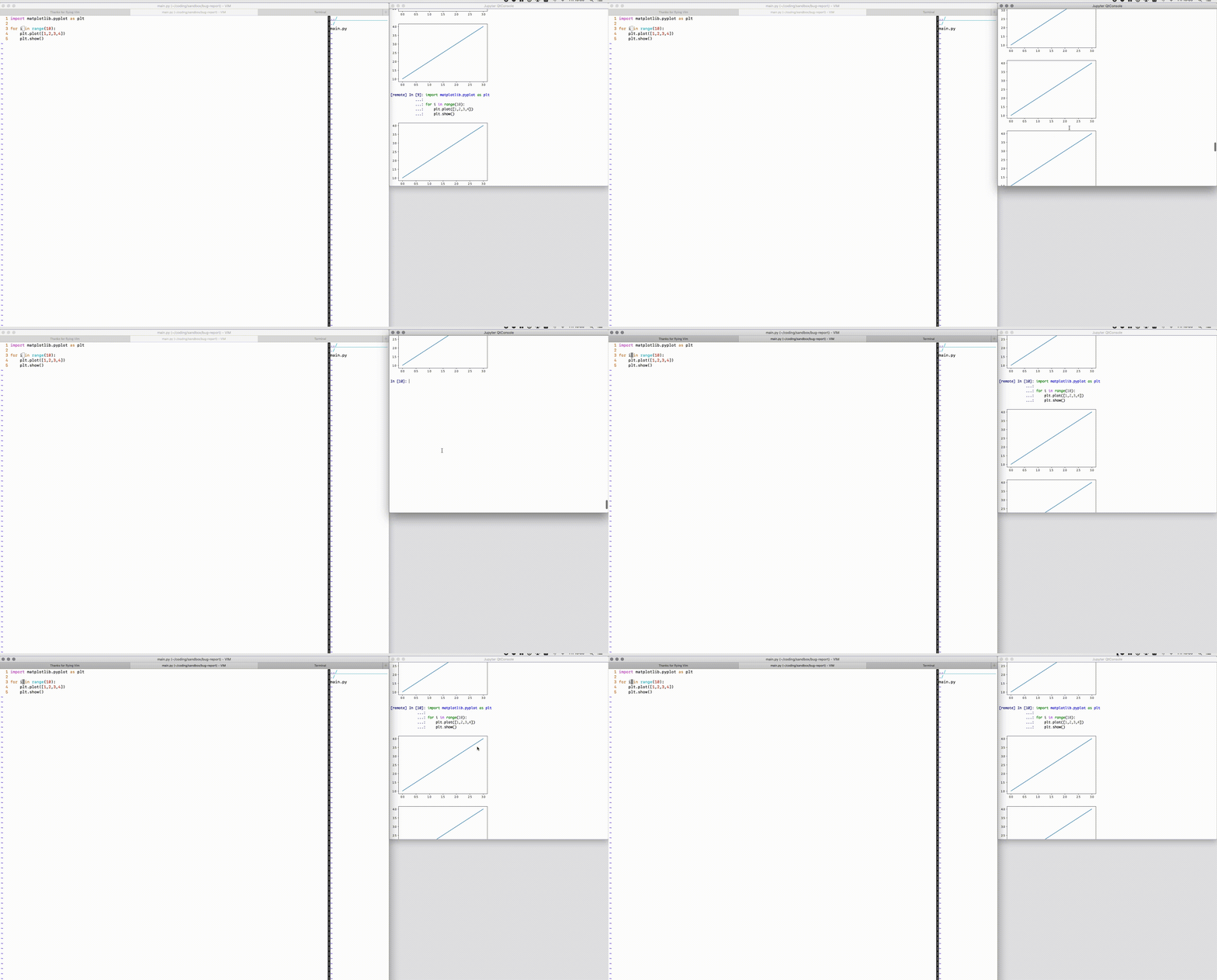
Thanks for the comment, I'll try to find the solution.
Using vim-jupyter as well on Ubuntu 18.04, Python3.6, QTConsole 4.7.3, having exact same issue.
@tarasowski , are you able to find a solution for this?

@buddhablessed No, I haven't fixed that. Unfortunately, I can't help here.
Have same issue as of QTConsole 4.7.4. [remote] text autoscrolls to bottom (per lines 961-969 of qtconsole/console_widget.py) just fine, but plots prevent this behavior. I hope someone can bring the necessary logic over from inserting plain text to inserting remote text.


@impact27 Hi, can you please justify #360 for me: Removing this line breaks auto scroll for plots (maybe just for remote input). And this is why this line was introduced in the first place. Additions in #360 are useful and without removing Line are still working, except for scrolling out of the working printing loop. Its standard console behavior to scroll down on output, isnt it?

@bakeryproducts You don't want to scroll down if the user is looking at something above, otherwise you can't read anything if the console is constantly scrolling down. The console should only scroll down if the user is already at the bottom of the console.
Well i got that, but here is my two cents:
- Like every other console (on linux, not sure about win/macos) by default do exactly opposite, you even have special key on your keyboard to prevent that. On console output they jump to that output to be visible (it is output, so..)
- the user(s) is also looking for auto-scroll to be working with plots ( literally this issue and there are more around), and that line which got removed helps with that. Just saying, ill patch that on my side, thanks for answer
I've been tinkering with this issue for some time. And it looks like it's still not resolved in new 5.5.2. The core of this issue that the remote commands sent via VIM are not change qtconsole internal states, and it's impossible to check if plot was generated by external command.
The only way to mitigate this issue so far is to force autoscroll for every command passed.
It could be done via
    # console_widget.py

    def _append_custom(self, insert, input, before_prompt=False, *args, **kwargs):
        """ A low-level method for appending content to the end of the buffer.

        If 'before_prompt' is enabled, the content will be inserted before the
        current prompt, if there is one.
        """
        # Determine where to insert the content.
        cursor = self._control.textCursor()
        if before_prompt and (self._reading or not self._executing):
            self._flush_pending_stream()
            cursor._insert_mode=True
            cursor.setPosition(self._append_before_prompt_pos)
        else:
            if insert != self._insert_plain_text:
                self._flush_pending_stream()
            cursor.movePosition(QtGui.QTextCursor.End)

        # Perform the insertion.
        result = insert(cursor, input, *args, **kwargs)

        # >>>>> Patch always autoscroll
        self._scroll_to_end()
        # <<<<<<

        return result
However, this might be conflicting with expected behavior, so I'm proposing monkey patching:
# run_qtconsole.py
# NOTE: you should launch `python run_qtconsole.py` (instead of `jupyter qtconsole`)
# NONE: all args are working too
def autoscroll_console_widget(wrapped_func):
    def _w(self, *args, **kwargs):
        result = wrapped_func(self, *args, **kwargs)
        # This function belongs to ConsoleWidget
        self._scroll_to_end()
        return result

    return _w

if __name__ == '__main__':
    from qtconsole.qtconsoleapp import main
    from qtconsole.console_widget import ConsoleWidget
    ConsoleWidget._append_custom = autoscroll_console_widget(ConsoleWidget._append_custom)
    main()
