

 junegunn
Feature request: search without filtering the list
- [x] I have read through the manual page (
man fzf) - [x] I have the latest version of fzf
- [x] I have searched through the existing issues
Info
- OS
- [x] Linux
- [x] Mac OS X
- [ ] Windows
- [ ] Etc.
- Shell
- [ ] bash
- [x] zsh
- [ ] fish
Problem / Steps to reproduce
I'm finding fzf extremely helpful for searching git history in log graph: https://git.tsundere.moe/Frederick888/frederick-settings/blob/9d7e1286a3616648eedea56e08160a84752b8cfc/.gitconfig#L20-68
However often after finding the commits, I'd also like to know their positions in the log graph. Currently what I have to do is copying the commit hash then open a git lg (also in the linked .gitconfig above) to locate it.
So I'm wondering if it's possible to search without filtering the list, where it:
- still does searching & highlighting and jumps to the first hit automatically
- but the list itself doesn't get filtered, somewhat like a pager with fuzzy search
- updates the counter as usual to show number of hits
- e.g. Ctrl-j/k to jump to next/previous hit
I understand that I can use gv.vim + fzf buffer lines + quick fix window to achieve this, but it'd be nice to achieve this without vim.

Here's my suggestion for two new bind commands.
execute-expand(prog {+1})turns the standard output of a command into a new fzf bind command.progscans the entire list and finds the index of a relevant item and printsjump(index)to the standard output.- If
progfinds nothing, it doesn't print anything to the standard output.
jump(index)jumps to index in fzf entries.

@crocket I'm afraid that'll be a little inefficient? In my case the external program would basically be something that, every time when it gets called, regenerate the log graph with line numbers, feed it to fzf --filter={q}, search for {+1} (and it may or may not be unique), find next/previous line number, finally prints a jump(i). Of course the external program can do some caching on its own, but that sounds nontrivial to me. And btw this still doesn't solve the counter and highlighting issues unless there're other commands for these and the program is allowed to print out multiple commands.
And actually if this execute-expand is used without --disabled, the index line may not be visible; if index is the index of currently visible lines, the external program would almost always need to call fzf first to make sure it doesn't print out an out-of-range number.
So I think execute-expand and jump are cool ideas, but it'll be much better if fzf still does the filtering, and then we can have new placeholders, e.g. {l} for the whole currently visible list, {i} for space-separated indices (relative to {l}) of matching lines, for execute-expand.
@crocket Hmmm...?
From fzf manpage:
A placeholder expression starting with + flag will be replaced to the space-separated list of the selected lines (or the current line if no selection was made) individually quoted.
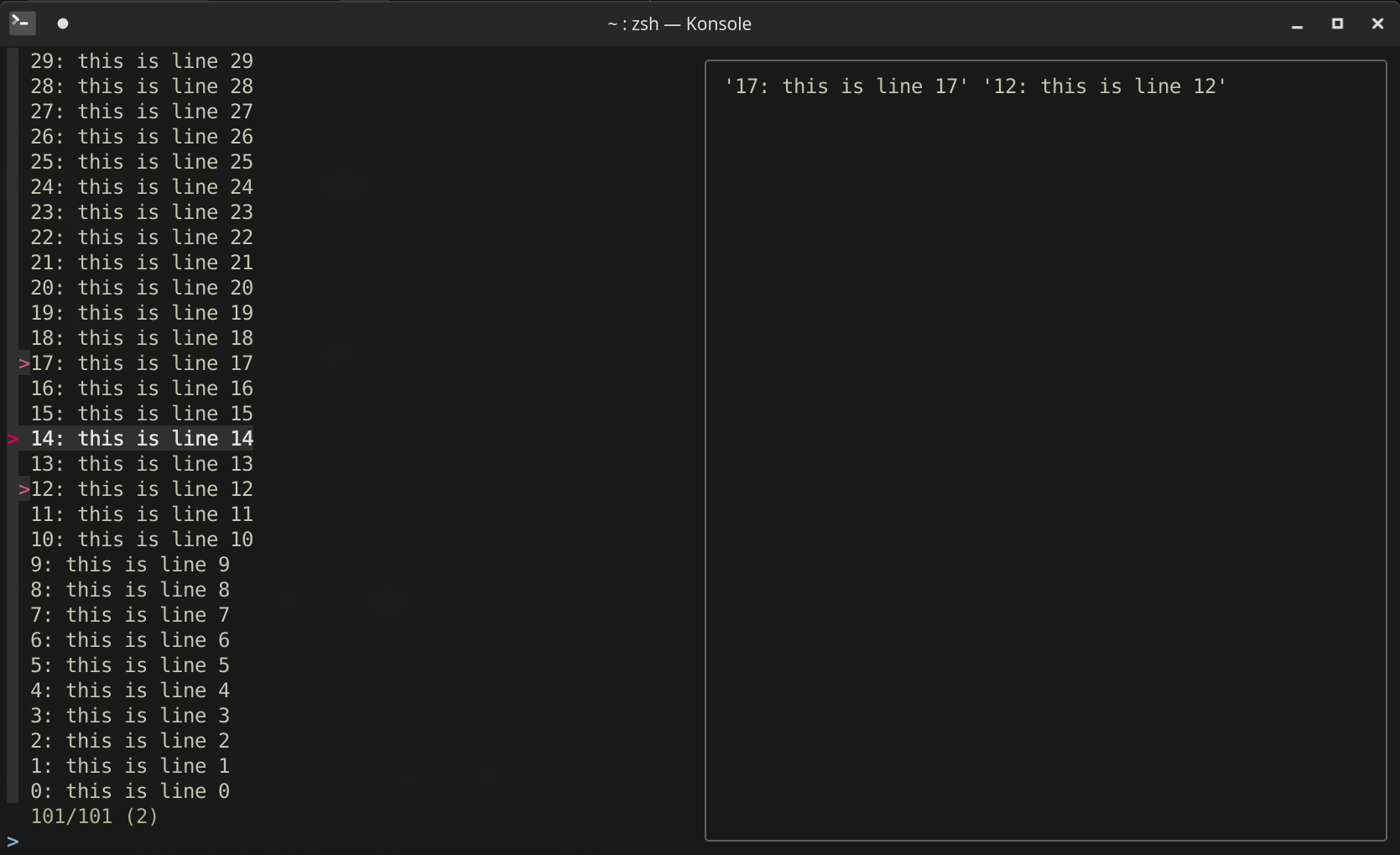
I gave it a shot:
for i in {0..100}; do echo "$i: this is line $i"; done | fzf --multi --preview='cat << EOF
{+}
EOF
'
(current line if nothing's selected)
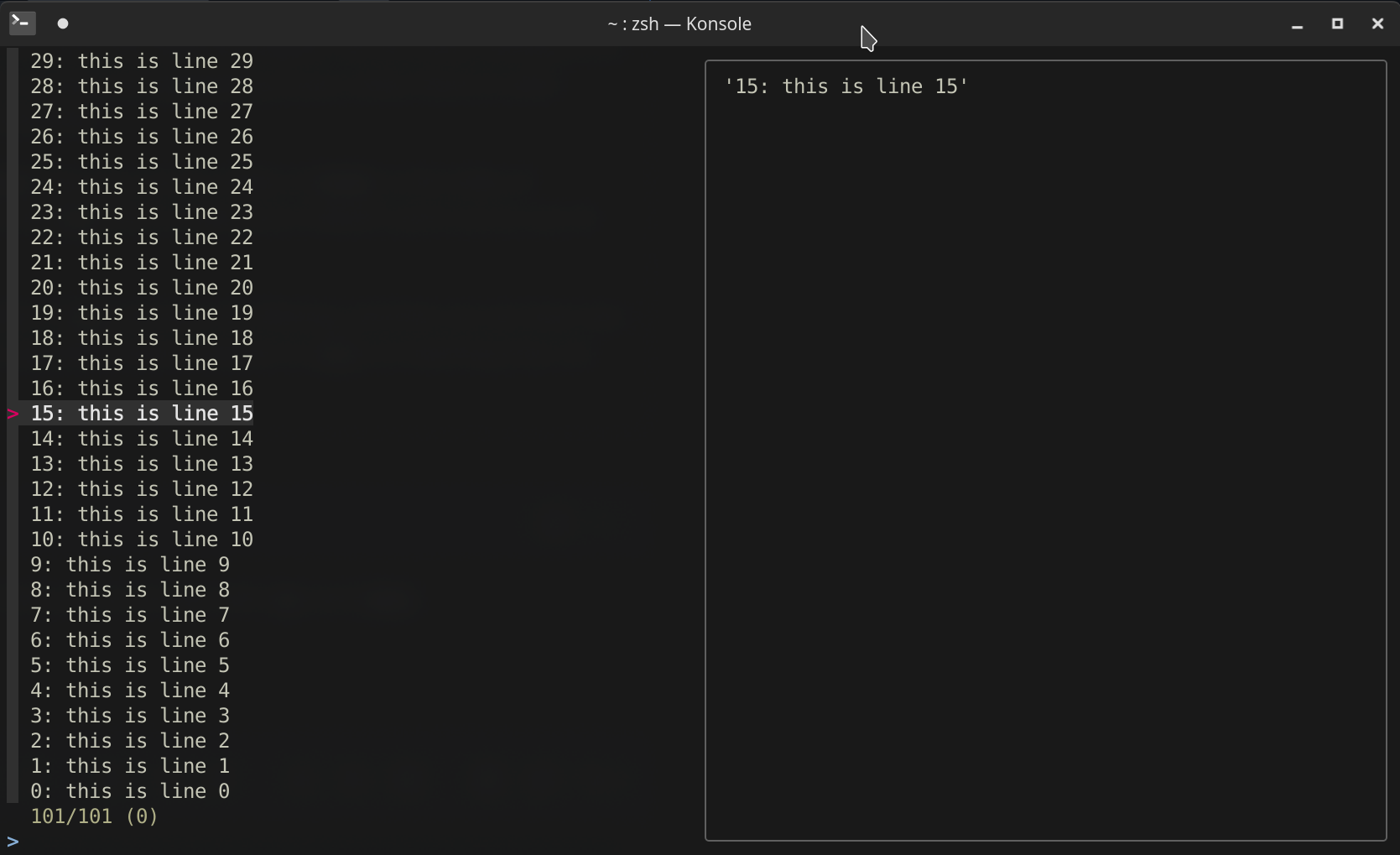 (selected lines)
And {+1}:
for i in {0..100}; do echo "$i: this is line $i"; done | fzf --multi --preview='cat << EOF
{+1}
EOF
'
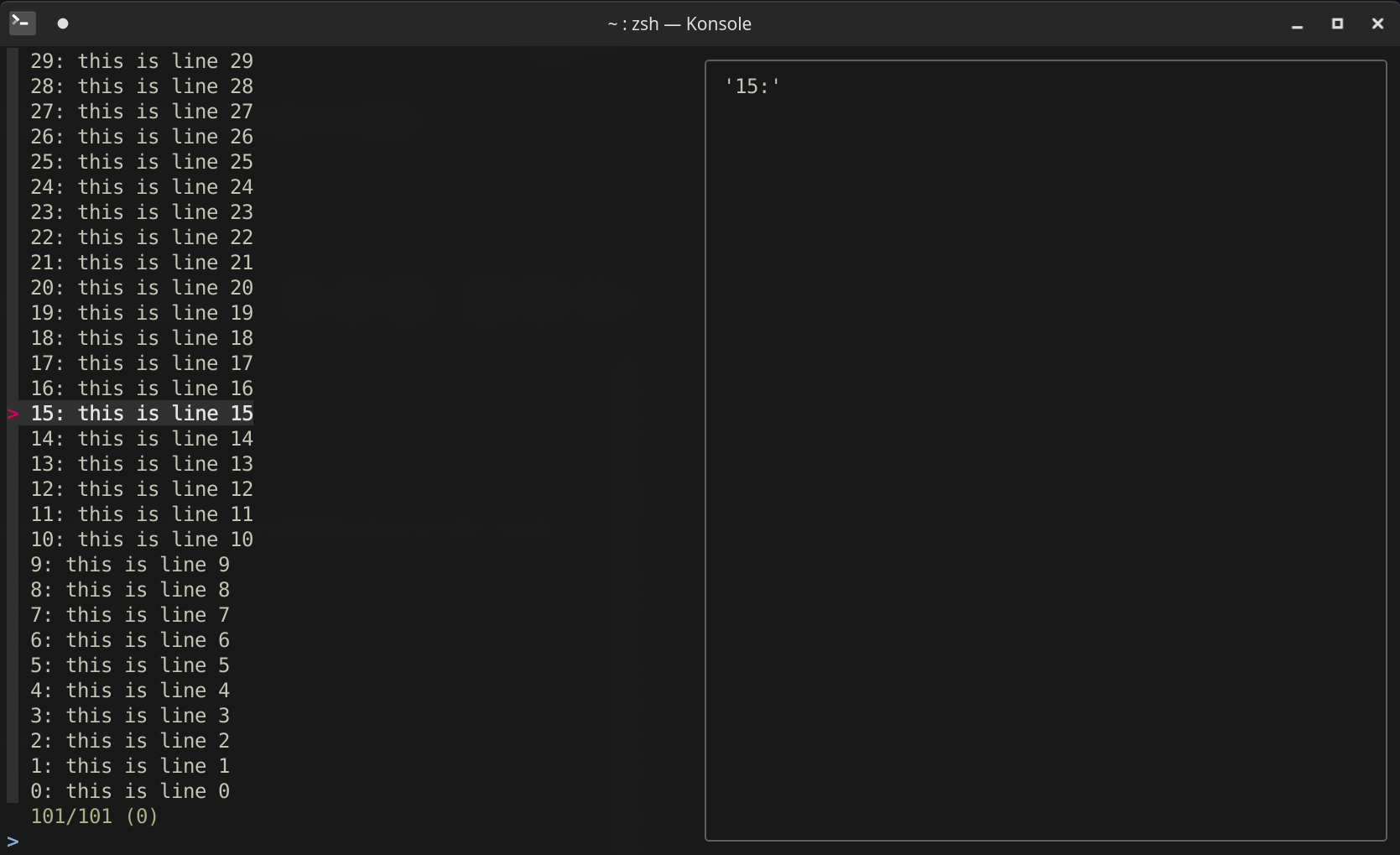
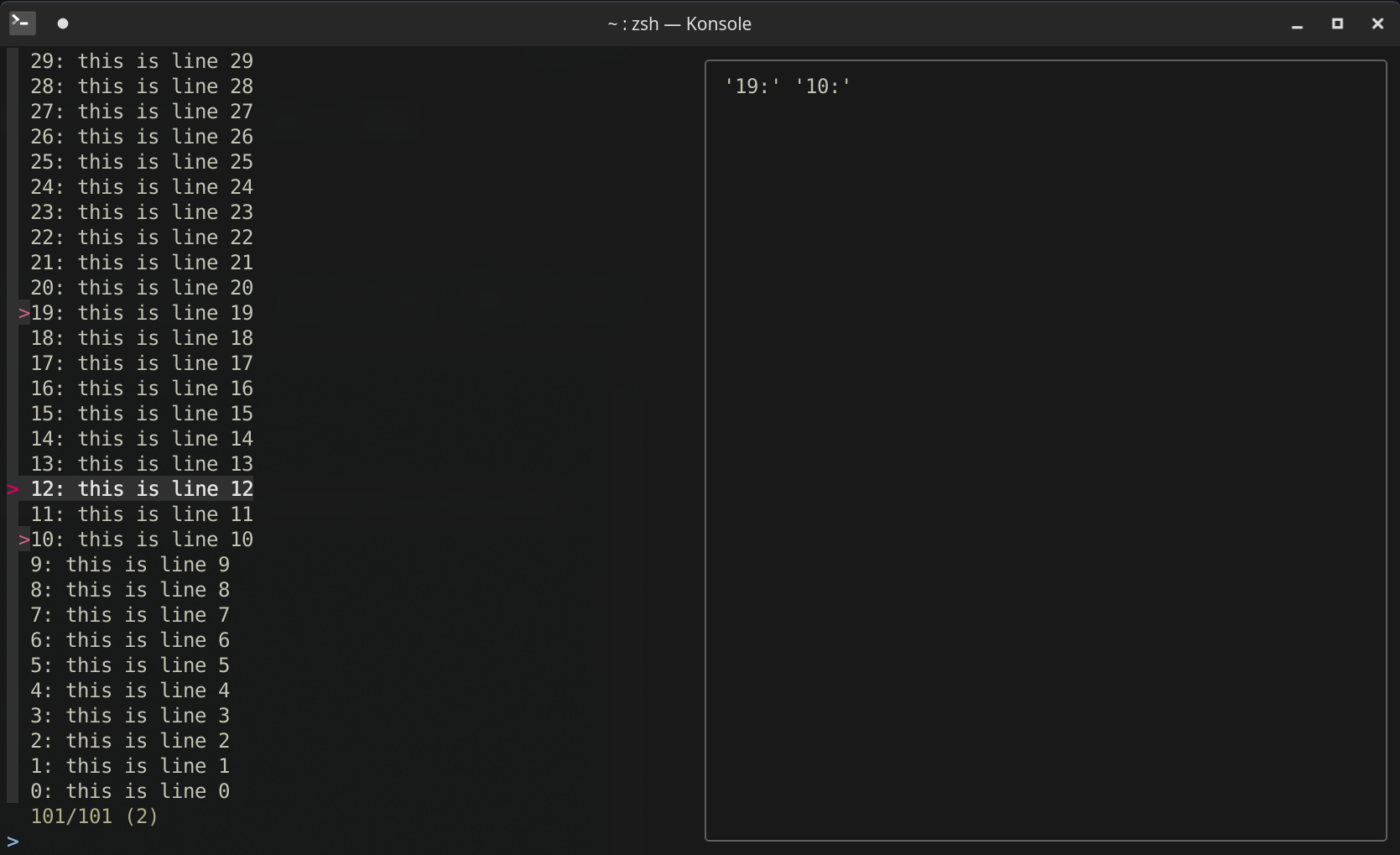
Am I missing something here?
I think you understand it.
What do you think is going to be better than execute-expand and jump?
Can you show us what your use case looks like? Perhaps, I or someone else may be able to help?
@crocket Still, I think execute-expand and jump are cool ideas, but don't help too much in my case.
You can try out my use case mentioned in the issue description by adding my git aliases to your ~/.gitconfig. Here's a screenshot:
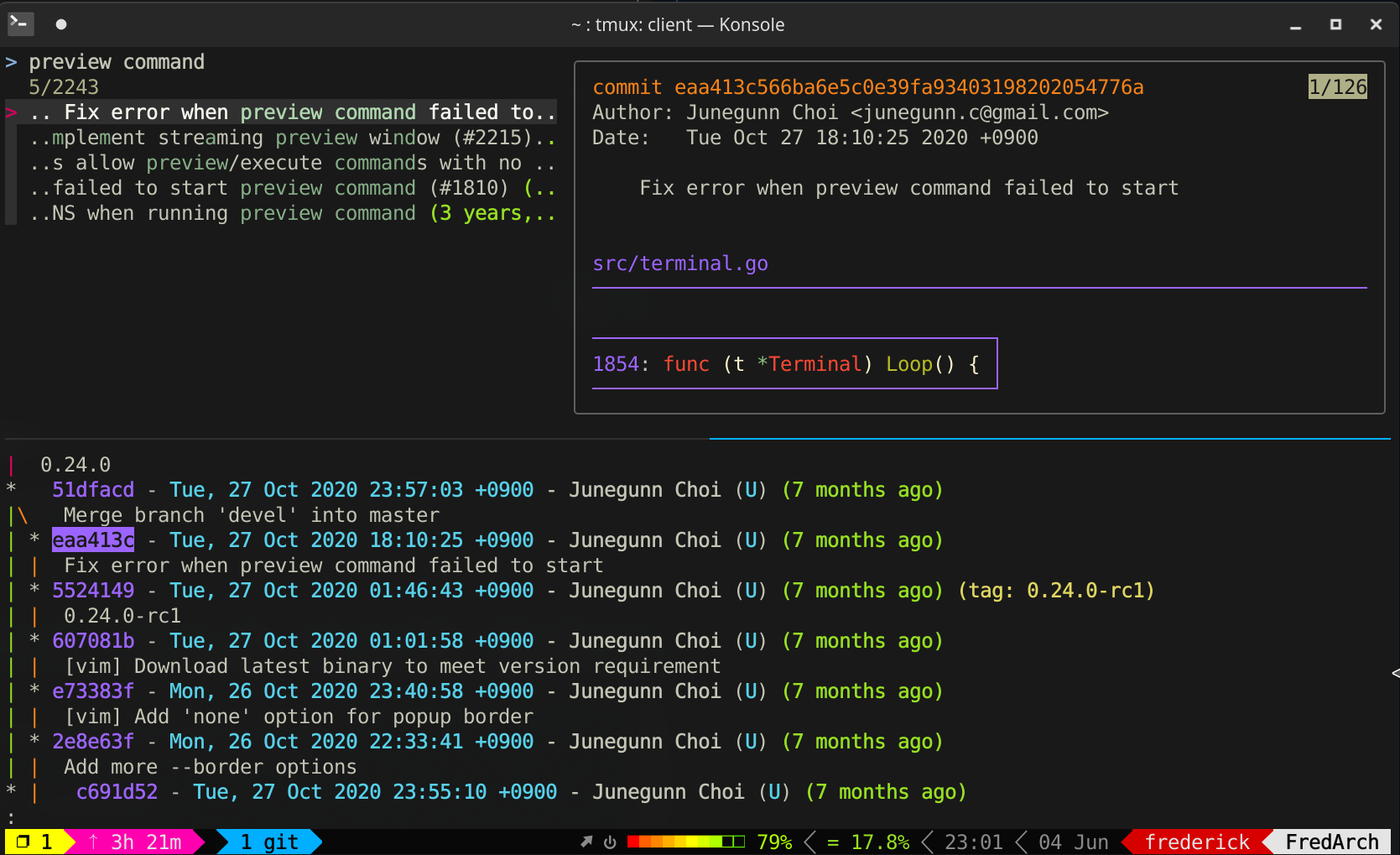
As you see, fzf (upper pane) can help me find a commit, e.g. eaa413c, but if I then want to know its position in the log graph, which branch it's in, when the branch was merged, what commits come before/after it, I have to search it in the bottom pane (git lg in my .gitconfig).
So I'd like the list in fzf to be left unfiltered, but still it updates the counter and highlights my query in matching lines. Then when I Ctrl-j/k, it jumps among the matching commits/lines currently shown in my fzf screenshot. And perhaps instead of jump(index), something like jump-match(0) jump-match(+1) jump-match(-1) would work better for me.
Hope this clarifies what I need.
@crocket And by the way, as I mentioned this can be done in vim using gv.vim:
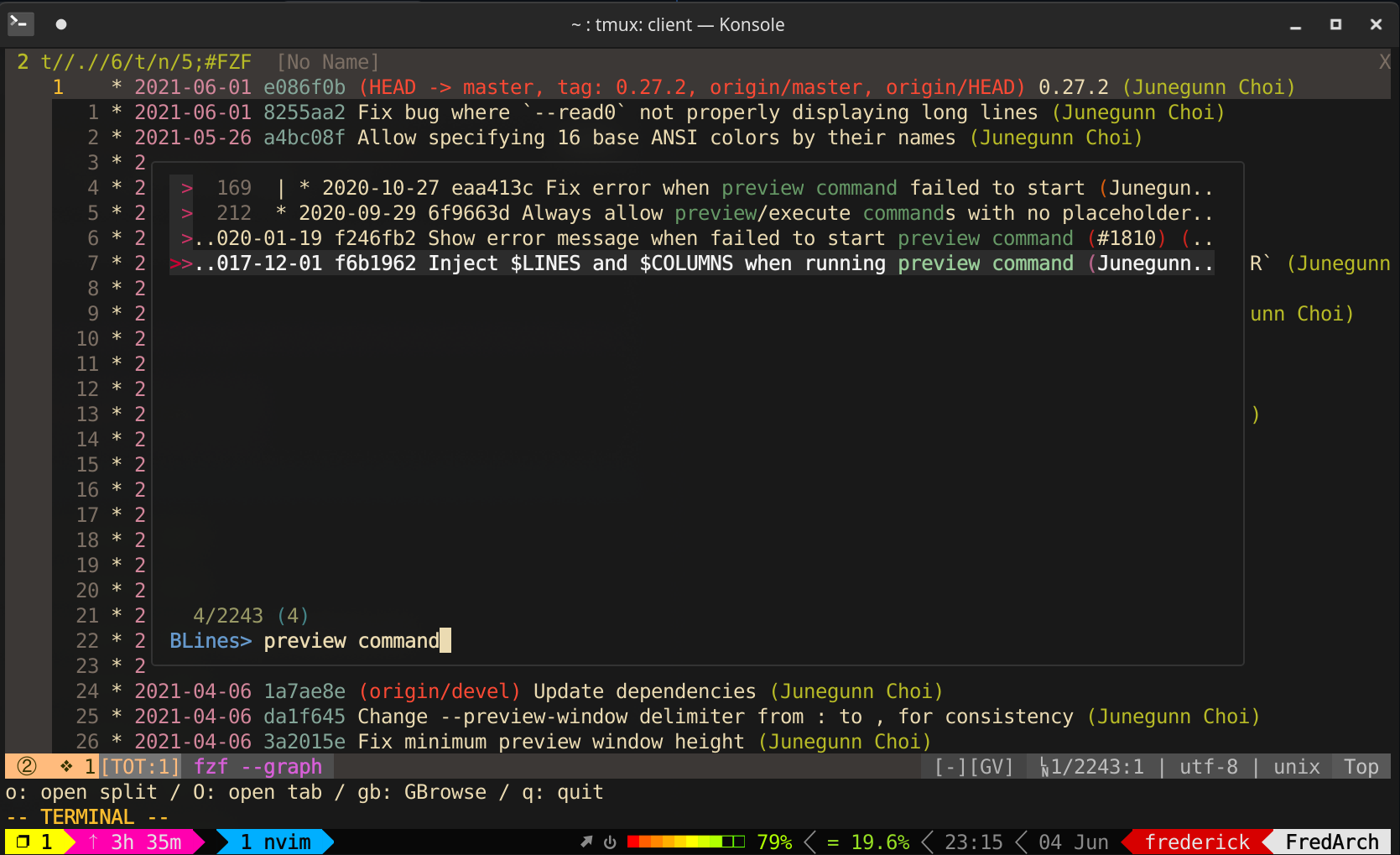
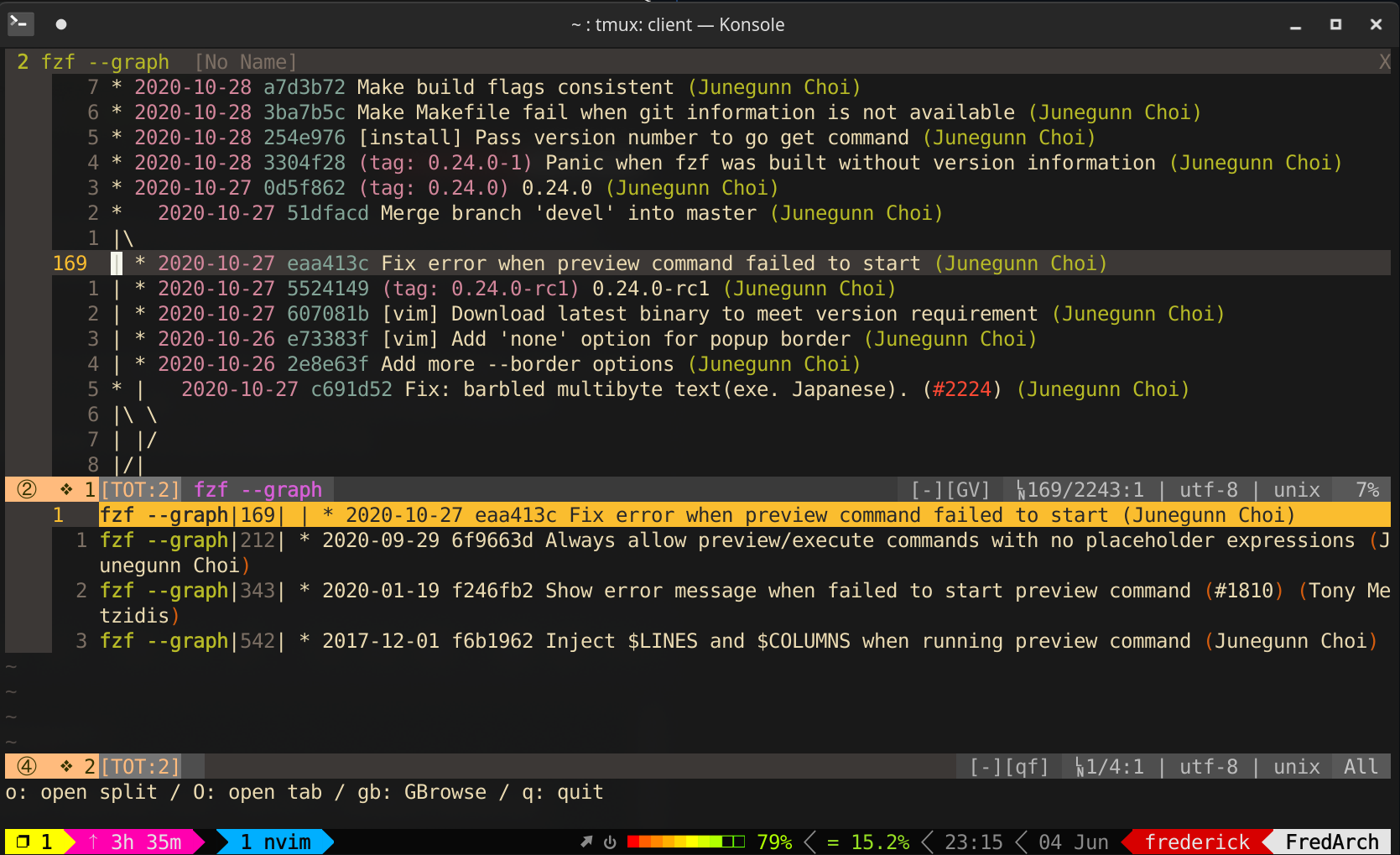 (I can
 :cn :cp etc)
I added a new binding to show full log graph in less: https://git.tsundere.moe/Frederick888/frederick-settings/blob/9e41d20bec757900211d63c74fe4f87cdca37c43/.gitconfig#L80-82
But still it involves regenerating the log graph, and isn't very convenient when I want to jump between matches.
I suggest new commands.
set-search-text(search-text)- If
search-textis empty, prompt for a search text. - If it is not empty, set search text to the given argument.
- A regular expression would be cool.
- If
search-next- Prompts for a search text if it isn't already set.
- If search text is already set, jump to the next match.
search-prev- Prompts for a search text if it isn't already set.
- If search text is already set, jump to the previous match.
This is exactly the use case I am after; jumping through a git log without filtering the list.
So glad so see someone is investigating this. I hope you can achieve the solution @Frederick888!

@sabrehagen I currently use https://git.tsundere.moe/Frederick888/frederick-settings/-/blob/4c493bc14f08e57dab16112497f0c993a02e14bc/.gitconfig#L150-L152 as a workaround.
@sabrehagen I currently use https://git.tsundere.moe/Frederick888/frederick-settings/-/blob/4c493bc14f08e57dab16112497f0c993a02e14bc/.gitconfig#L150-L152 as a workaround.
What does it do?
@crocket It's a hack which uses the git-lgl alias, which is also in this file, to open another history graph in less, then uses the commit hash you were looking at in fzf to locate it in less.
Edit: For your reference, git-lg = 'log graph', 'lga' = log graph --all, 'lgl' = log graph lite.
Elegant solution would be:
git log --oneline | fzf.exe --preview "git log --oneline" --preview-window "+{n}-1/2"
but the following also works:
git log --oneline | nl | fzf.exe --preview "git log --oneline" --preview-window "+{1}-1/2"
You can fuzzy search as usual, but the preview window will show your current item with full context.

I would also like a feature like this. I would love to use fzf to do incremental search within a kitty terminal. I'm currently using
fzf --ansi --tac --no-sort --no-mouse --exact --extended -i
When searching, this filters the results. That's helpful in finding matching lines, but I want to see the context of those lines. Being able to search without filtering would be incredibly useful for this kind of use-case.

see the context
You might want to try the new track action as suggested in https://github.com/junegunn/fzf/blob/master/CHANGELOG.md#0400

That does help, but it still requires you to delete the query string which isn't ideal. Sometimes you might actually be looking for something that spans multiple lines, for example.
Additionally, a preview window doesn't really help in this case since the underlying is from STDIN and can't be regenerated. I could wrap the whole thing by writing to a tempfile but that's frankly kind of awful.