

 juanfranblanco
Source "@openzeppelin/contracts...." not found: File import callback not supported
Hi all,
I need some help trying to make this extension work with the @openzeppelin/contracts NPM package. I know issues like this have been raised in the past, but I tried a lot of things and I still keep getting the same error (or similar). Here's what I do to initialize a simple Solidity project:
mkdir ack && cd ack truffle init truffle create all DeedRepository npm init -y npm install @openzeppelin/contracts
Then I open VS Code and edit my DeedRepository contract like this,
// SPDX-License-Identifier: MIT
pragma solidity >=0.8.7;

import "@openzeppelin/contracts/token/ERC721/ERC721.sol";

contract DeedRepository is ERC721 {
  constructor(string memory _name, string memory _symbol) ERC721(_name, _symbol) {}
}
Here's a picture where you can see both the directory structure and the code side-by-side:

And the ERC721.sol contract is in there as well

The original error
Even before trying to compile this contract, I already have an error and a warning from the extension:

Btw, these are my default settings. I see no mention of Solidity in there at first,

So I go ahead anyway and try to compile the contract by right-clicking on the screen and selecting "Solidity: Compile Contract". This is the compiler output:

1st solution
I read on the Project Structure and Remappings section of the README that I should add a couple of settings. I add them so that the settings file looks like this:

Second error
Then I try to compile the contract again the same way as before, by right-clicking on the screen and selecting "Solidity: Compile Contract". I get a slightly different output this time, but still no luck:


Keep in mind that the full path underlined in red on the image above actually exists on my PC.
Compiling the code through solc
I thought this might be a configuration issue with the extension itself, so I tried to compile the contract by calling solc directly

Reading solc docs, I see that there are a couple of arguments that I can set to tell the compiler where to look for dependencies. So I call it again and pass those arguments. It works:

Conclusion
I'm guessing that the values for the following settings
"solidity.packageDefaultDependenciesContractsDirectory": "", "solidity.packageDefaultDependenciesDirectory": "node_modules"
eventually make their way into compiler arguments, but I can't seem to find the appropriate values. Could someone please help me find the correct values given my project structure?
PS, compiling through the extension works if given a relative path

I really would like to make it work with the following import syntax, though
import "@openzeppelin/contracts/token/ERC721/ERC721.sol";

I am having the same issue.
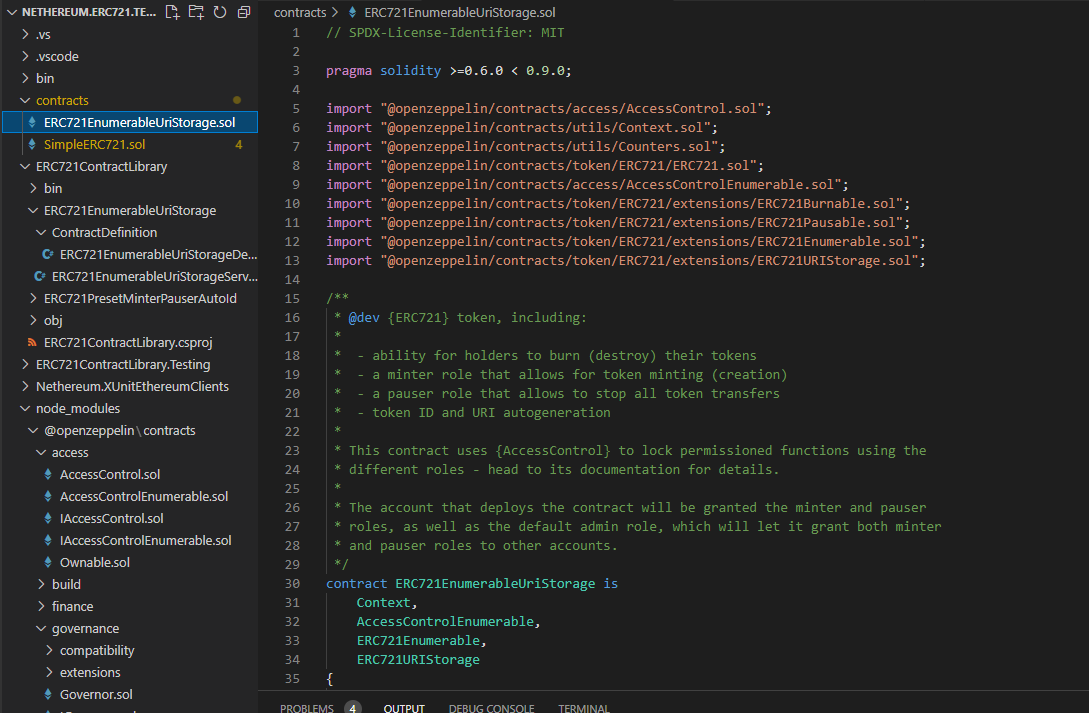
My root folder looks like this:
- contracts
- node_modules
- scripts
- test
.gitignore
hardhat.config.js
package.json
README.md
yarn.lock

you need to set the dependencies directory in settings relative to your root, this is normally node_modules, but you may other subdirectories to then get to "@openzeppelin".

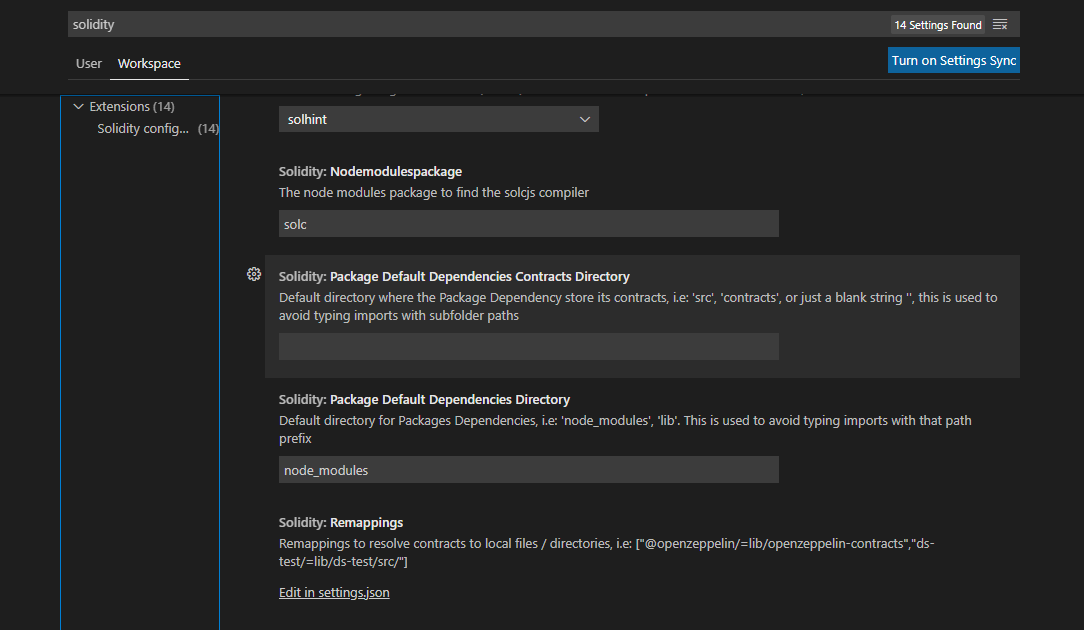
I am having the same issue. @openzeppelin/contracts is installed, and my contracts compile fine, but the extension flags the imports as "not found".


Not great, but the best solution I have found so far is to downgrade extension version to v0.0.135


Can anyone zip your project (removing anything confidential) so i can reproduce it? I don't have any issues here.
@juanfranblanco
I get the same issue. Now I upload the project zip(confidential .env file is removed) and two screenshot.
hardhat-turorial.zip

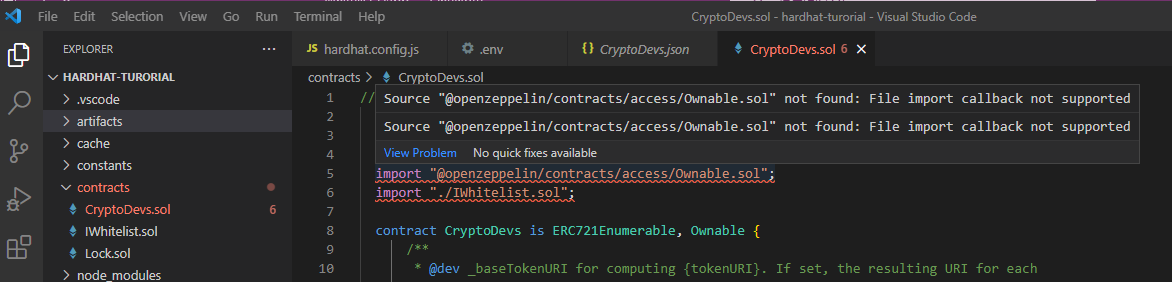
The difference is I use hardhat and it compiler ok.

I manually add this in .vscode/setting.json and it works for me
"solidity.remappingsUnix": ["@openzeppelin/=node_modules/@openzeppelin/"]
source: https://stackoverflow.com/a/72168392

I manually add this in
.vscode/setting.jsonand it works for me"solidity.remappingsUnix": ["@openzeppelin/=node_modules/@openzeppelin/"]source: https://stackoverflow.com/a/72168392
I had the same issue and this quick fix help me.

I can confirm that adding the remappingsUnix setting in .vscode/setting.json works on MacOs with a similar project structure.
@juanfranblanco I think it is safe to close this issue.

I manually add this in
.vscode/setting.jsonand it works for me"solidity.remappingsUnix": ["@openzeppelin/=node_modules/@openzeppelin/"]source: https://stackoverflow.com/a/72168392
This worked great for me too thank you! 🎉

I manually add this in
.vscode/setting.jsonand it works for me"solidity.remappingsUnix": ["@openzeppelin/=node_modules/@openzeppelin/"]source: https://stackoverflow.com/a/72168392
thanks! worked!


ok it worked.. but only I remapped both remappings and ramappingsWindows..... idk should it be both or not, I'm too tired spending so much time on this stupid error

Ah you did it in the settings, yes you can do both, the idea is that paths might be different for Unix and windows so the project settings can be shared. Or just use remapping.txt.
Ah you did it in the settings, yes you can do both, the idea is that paths might be different for Unix and windows so the project settings can be shared. Or just use remapping.txt.
yes but I continued to write a contract and the errors just appeared again out of nowhere....... so I had to switch to another vscode extension((((((((
I had to come back because others caused even more troubles, btw could you tell why it takes so much time for the extension to check the code for errors? can it be changed somewhere to be near-instant? thank you
["@openzeppelin/=node_modules/@openzeppelin/"]
That works for me, thank you

@1111Eugene are you working on a setting with multiple projects? Monorepo?
The extension needs to identify where is the root in that scenario so if you have foundry.toml, hardhat.config, truffle or remapping.txt file there it will use that as the root. So on your screenshot that will be the sol folder. Try copy and pasting your remappings into a remappings.txt file on the sol folder. Or open the sol folder directly, which it maybe why you see the issue again.
I manually add this in
.vscode/setting.jsonand it works for me"solidity.remappingsUnix": ["@openzeppelin/=node_modules/@openzeppelin/"]source: https://stackoverflow.com/a/72168392
This is the answer. Thanks!!

This
"solidity.remappingsUnix": ["@openzeppelin/=node_modules/@openzeppelin/"]
and
"solidity.packageDefaultDependenciesDirectory": "node_modules",
"solidity.packageDefaultDependenciesContractsDirectory": ""
and making sure that my remote compiler version was greater/equal to the solidity version of the openzeppelin file getting imported worked for me.
