

 jpillora
Add snapcraft.yaml
Hi
This PR adds support for building a snap package of cloud-torrent. Snaps are cross distro Linux software packages. One snap can be installed on Ubuntu. Additionally they can installed on Debian, Manjaro, Fedora, OpenSUSE and others. Making a snap of cloud-torrent enables you to provide automatic updates on your schedule to your users via the snap store (https://snapcraft.io/store)
If accepted, you can use snapcraft locally, a CI system such as travis or circle-ci, or our free build system (build.snapcraft.io) to create snaps and upload to the store.
To test this PR locally, I followed these steps in a Ubuntu machine:
snap install snapcraft --edge --classic
snap install multipass --edge --classic
git clone -b snap https://github.com/freyes/cloud-torrent
cd cloud-torrent
snapcraft
The generated .snap file from the tip of master can be installed with:
snap install cloud-torrent_0.8.25-1-gf673f07_amd64.snap --dangerous
(the --dangerous is necessary because we’re installing an app which hasn’t gone through the snap store review process)
Once installed, the cloud-torrent command can be executed.
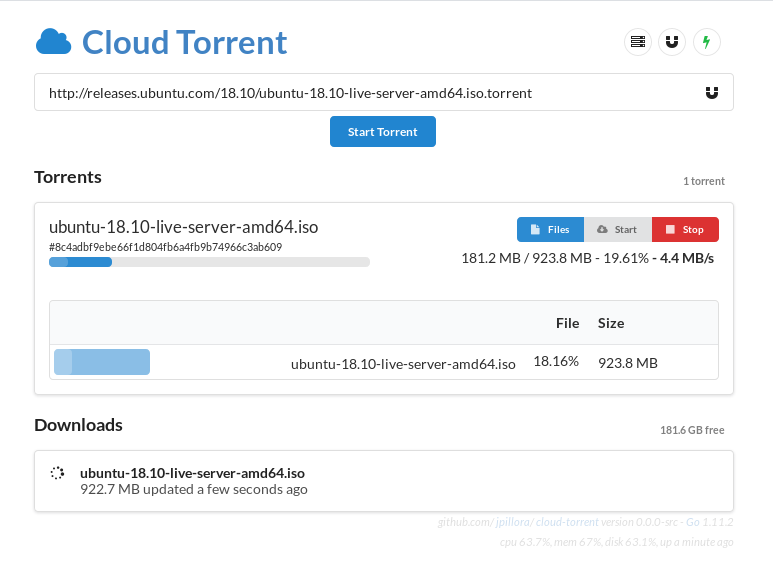
Results from my test run using cloud-torrent to download an Ubuntu iso:
$  which cloud-torrent
/snap/bin/cloud-torrent
$  cloud-torrent -o
2018/12/05 11:26:05 Using local static files
2018/12/05 11:26:05 Listening at http://0.0.0.0:3000
2018/12/05 11:26:06 Loaded new search providers
^C
$  ls downloads/
ubuntu-18.10-live-server-amd64.iso
$  file downloads/ubuntu-18.10-live-server-amd64.iso
downloads/ubuntu-18.10-live-server-amd64.iso: DOS/MBR boot sector; partition 2 : ID=0xef, start-CHS (0x3ff,254,63), end-CHS (0x3ff,254,63), startsector 1730156, 4928 sectors
If landed, you will need to:
- Register an account in the snap store https://snapcraft.io/account
- Register the ‘cloud-torrent’ name in the store
snapcraft login
snapcraft register cloud-torrent
- Upload a built snap to the store
snapcraft push cloud-torrent_0.8.25-1-gf673f07_amd64.snap --release edge - Test installing on a clean Ubuntu machine (or any other supported distro)
snap install cloud-torrent --edge
The store supports multiple risk levels as “channels” with the edge channel typically used to host the latest build from git master. Stable is where stable releases are pushed. Optionally beta and candidate channels can also be used if needed.
Once you are happy, you can push a stable release to the stable channel.
