
jsonpath
 jsonpath copied to clipboard
 joshbuddy
Does not match properly on double equals `==` expression when field name has a dot in it
@Skarlso
Hello, thank you for this great gem!
I think this is a bug.
I took a crack at fixing this, but wasn't able to figure out exactly where I should intervene in the parsing process to make it work, so I'm bringing it up here.
See this failing test: https://github.com/tgnla/jsonpath/commit/c79944886503aae275e8945257b3185a12f48f01
Happy to provide more info upon request, and if you can point me in the right direction I may be able to get it working myself.
Thanks again.

To make it clearer:
I want to filter on json data that looks like this:
{
   "resources":[
      {
         "name":"igloo-1",
         "type":"Types.igloos",
         "foo":{
            "bar":"baz"
         }
      },
      {
         "name":"igloo-2",
         "type":"Types.igloos"
      },
      {
         "name":"brick-house-1",
         "type":"Types.brickHouses"
      }
   ]
}
I would expect a jsonpath string that looks like this:
$.resources[*][?(@['type'] == 'Types.igloos')].name
to find
[ {
     "name":"igloo-1",
     "type":"Types.igloos",
     "foo":{
        "bar":"baz"
     }
  },  {
     "name":"igloo-2",
     "type":"Types.igloos"
  }
]
but it finds
[]
Hello! Thank you for reporting! :) I will check this out as soon as I can! :)

Okay, this is not going to be possible without messing up everything that's built around . being an identifier. What I can do is, make the regex a bit more strict in terms of if you don't want . to be handled as an identifier for a call, you have to escape it. Put two or one \ in front of the dot. Something like this:
$.resources[*][?(@['type'] == 'Types\\.igloos')].name
This way, jsonpath will know that . should not be handled as an identifier.
It's actually harder than that, because the . makes it so that the identifier is not handled as a word, but two words. :/
Thanks for looking into this.
fwiw, it appears not all jsonpath implementations support this.
https://jsonpath.herokuapp.com/
Jayway does

Gatling does

Nebhale does not
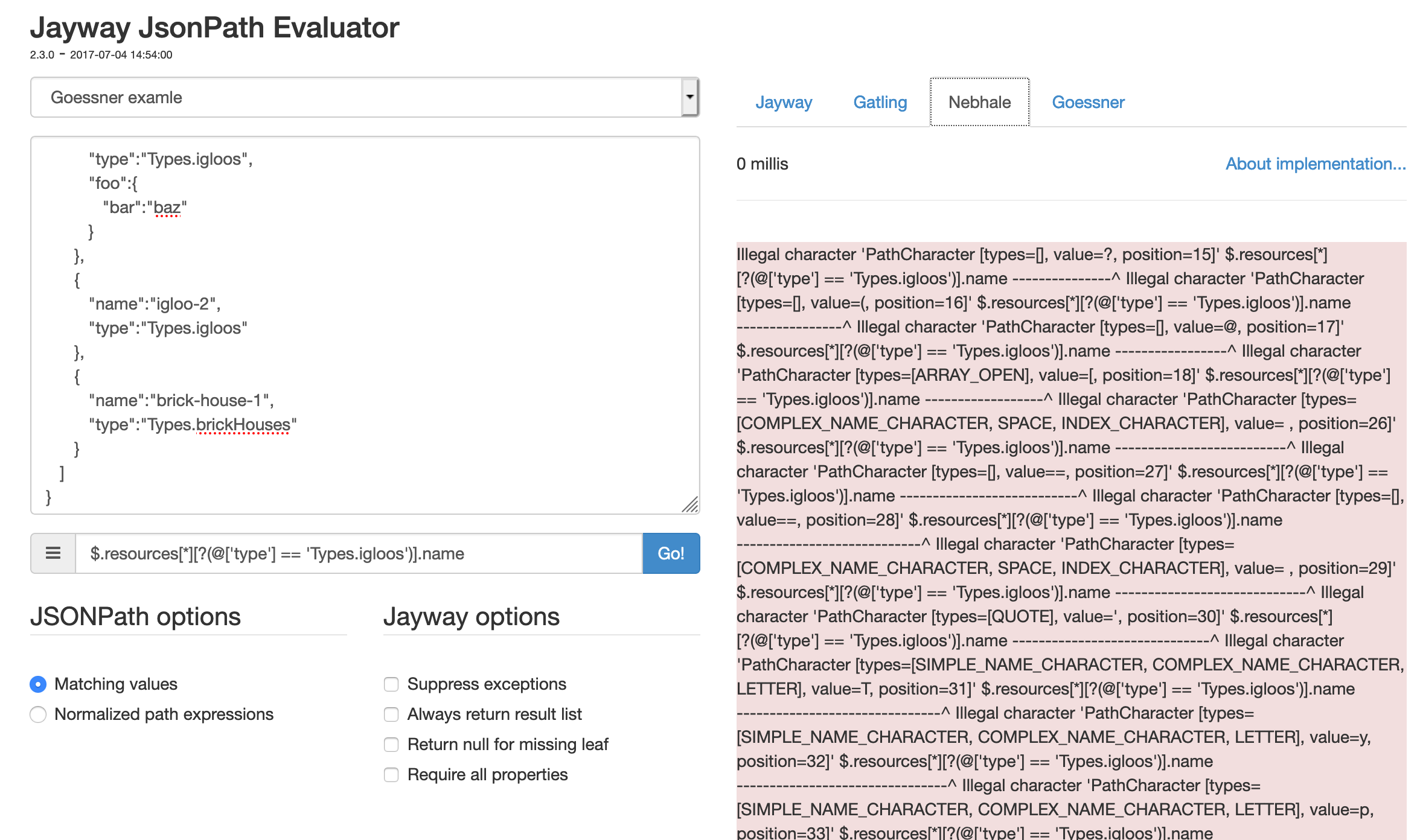
Goessner does not

Yeah there are some problems with doing this, but I'll figure something out! :))
@tgnla Yo. So, as a workaround for now, until I figure something out... This actually works:
"$.resources[*][?(@.type == 'Types.igloos')].name"
Notice how I'm using @.type instead of @['type'].
Hello, first of all congratulations for this gem, it is extremely useful.
I have a question related to this issue, it is a very similar case. I am working on a query given the value of a datum. This value can be any text and specifically I have had problems when in this text there is a comma ,.
Example:
$.data[?(@.option == 'Hello, world')]
I checked this issue (https://github.com/joshbuddy/jsonpath/issues/120) and I saw that even though it is open, the problem indicated with the . point is already solved. At least that's what it looks like when running the test with that case (provided above https://github.com/joshbuddy/jsonpath/issues/120#issue-508079198):
def test_object_field_with_dot
  data = {
    'resources' => [
      { 'name' => 'igloo-1',
        'type' => 'Types.igloos', 'foo' => { 'bar' => 'baz'} },
      { 'name' => 'igloo-2',
        'type' => 'Types.igloos' },
      { 'name' => 'brick-house-1',
        'type' => 'Types.brickHouses' }
    ]
  }
  jp = JsonPath.new("$.resources[*][?(@['type'] == 'Types.igloos')].name")
  assert_equal(%w[igloo-1 igloo-2], jp.on(data))
end

In my case, with the comma, I built a test based on the previous one and this is what I got as error:
def test_comma_in_value
    data = {
      'data' => [{
        'option' => 'Hi world',
        'case' => 'without_comma'
      }, {
        'option' => 'Hello, world',
        'case' => 'with_comma'
      }]
    }
    jp = JsonPath.new("$.data[?(@.option == 'Hello, world')].case")
    assert_equal(%w(with_comma), jp.on(data))
  end

Checking the lines indicated in the backtrace, maybe my problem is related with this split (https://github.com/joshbuddy/jsonpath/blob/master/lib/jsonpath/enumerable.rb#L55):
[expr[1, expr.size - 2].split(',').each do |sub_path|]
Here we divide the expression, but since the value we ask for has a comma in it, it divides it incorrectly.
Anyway, I'm not 100% sure if the error exposed in this test is really a issue or if I'm doing something wrong in the query, so I would appreciate your feedback. And in case it really is a issue, I would appreciate any indication to see how to contribute to fix it.
Thanks
