

 jorisdg
Support for VSTS
Thanks so much for sharing this library! This has been incredibly valuable at our company for a number of years. However, we have decided to migrate away from TFS to VSTS, and I was wondering if you might know of similar powershell scripts and build definitions that would be compatible with VSTS.
Thanks in advance for your help! Dave

Much of the logic is in libraries that are then used by the workflow tasks. For the new build system the tasks should be replicated either as powershell cmdlets in C# or in PowerShell modules. I know some people who have done this, I will ask again if they're willing to either fork or update my repository and share their work.

Actually, check the develop-vnext branch that @dan-we created. I'm not sure if that is fully working yet though.
You can check out the community module:
https://archive.codeplex.com/?p=dynamicsaxbuild#187250
or check this out:
https://github.com/d365collaborative/ax2012_tools

Yes, the develop-vnext branch has a PowerShell module added to cover most of the build activities. My team has used it somewhat but not extensively, since many of our builds are still running on the XAML platform.

Thanks for the tips, everyone. I will check out the develop-vnext branch.
@dan-we do you have any instructions for getting this project working with VSTS? I have never done anything with custom code like this before with VSTS, and would appreciate any advice you might have.
@dvmorris I need to get a VSTS build template created and added to the project as well as documentation for installing the PS module and setting up the build definition. I'll have the build definition added in soon.
In brief, the module can be installed to the standard location for user modules (~\Documents\WindowsPowerShell\Modules) and then the build definition steps invoke cmdlets from that module using inline PowerShell script tasks.
Thanks! I am having trouble getting the VSTS project. Is there supposed to be a solution file for the VSTS project? I noticed that there is a solution file for the TFS project, and I am getting all kinds of build errors when I just open the VSTS csproj file and try to build it.
@dvmorris Just added a solution now in CodeCrib.AX.VSTS.
Previously one would have to build CodeCrib.AX.TFS, but that also built the legacy XAML build libraries -- not good for scenarios just wanting the vNext build.
Note that CodeCrib.AX.Manage has an AXUtilLib reference which you may need to fix up for your build system by locating the assembly in your installed Microsoft Dynamics AX 2012 Management Utilities component.
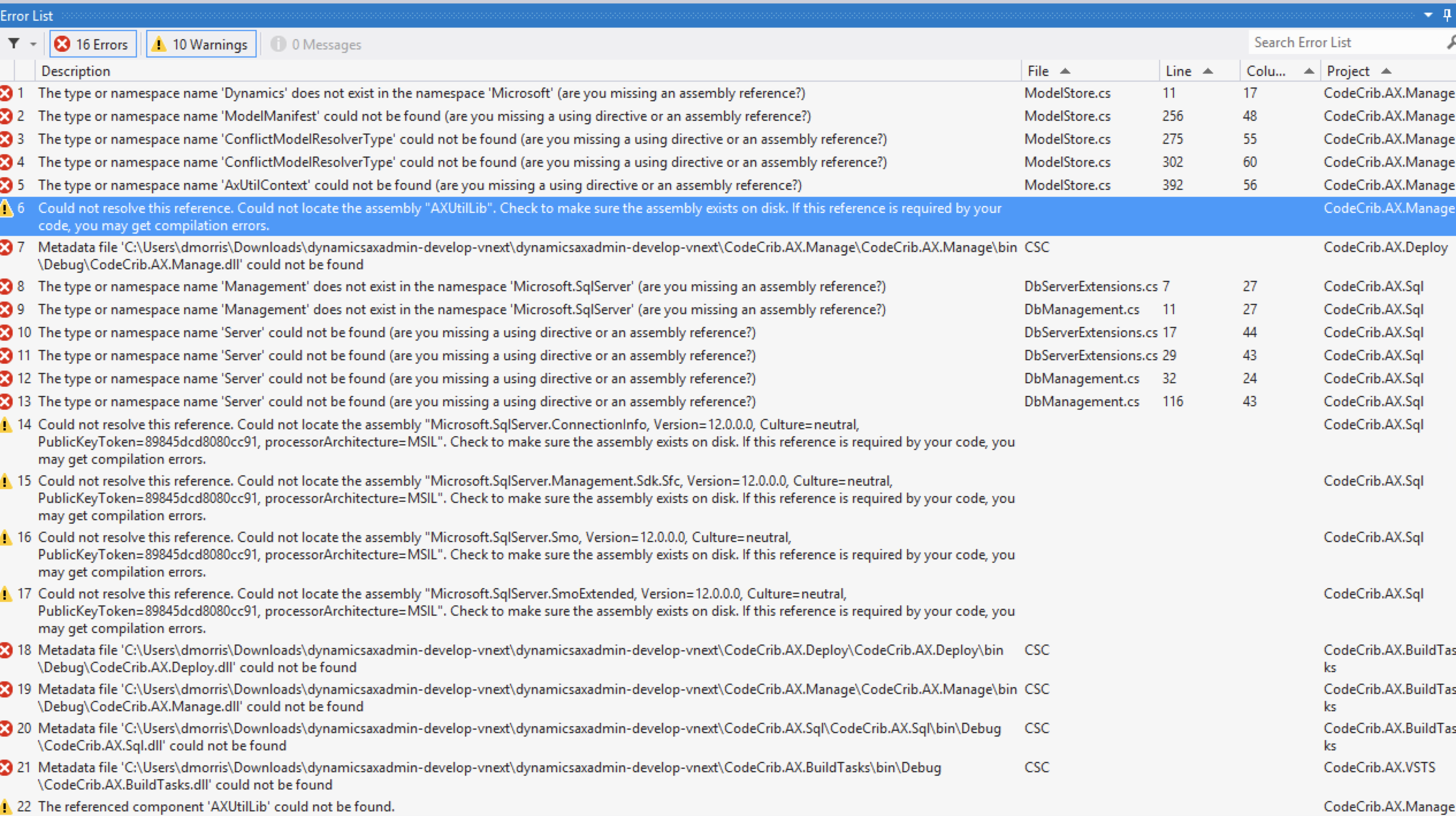
I am also getting a number of other errors when I try to build the VSTS solution. I am still trying to locate the AXUtilLib.dll file, but in the meantime, I noticed that you reference libraries from SQL Server 2014, and I only have 2012 installed. Is it necessary to have version 12 of the dll's for this solution?
I was able to resolve some of them, but now I have hit another blocker. This code uses c# 7 syntax, and it's not available in VS 2012. I also don't have enough disk space to install VS 2015 or 2017, so I'm kind of stuck now.
I was able to refactor the C# 7 code and I got the full project to compile in VS 2012. However, I followed the instructions to install the contents of the Release folder in the VSTS project to ~\Documents\WindowsPowerShell\CodeCrib.AX.VSTS, and the PowerShell commands are not available. Am I missing a step there?
I figured out that the documentation referenced the wrong installation folder for the PowerShell modules, and I created a pull request to fix the docs.