

 jonls
jonls
2 Redshift icons in the notification bar
Describe the bug In the notification bar, there are 2 Redshift icons after restart.
- [ x] I have checked the FAQ and my issue is not mention there.
To Reproduce I just restarted a computer. I've seen this issue before i uninstalled it, and then reinstalled. There are now always 2 icons, no matter the restart.
Expected behavior Obviously, there should only be 1 icon.
Error output/logs/screenshots
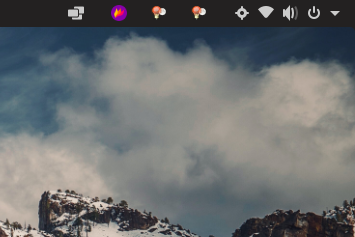
Software versions (please complete the following information):
- OS: Pop!OS
- Redshift version: 1.12
- Distribution: Pop!_OS 21.04
- Redshift installed from: using apt-get

I have the same problem in debian 13 with xfce 4.18. Also only one of the two shows the text "redshift-gtk" when I hover it with the mouse.
The weird thing is that it only happens when I start redshift from "Settings > Session and Startup > Application Autostart" in the login, if I close it and launch it from a terminal with "redshift-gtk" it works correctly and shows a single icon.
As it says here, I only see one redshift process running and it is more of a status bar implementation problem. A solution I found for xfce is to go to "Settings > Panel Preferences > Items tab > Status tray Plugin" where it shows two redshift: one in "Status Notifiers" and one in "Systray Icons" and hide one of the two.
