

 johnste
Finicky does not match RegEx in handlers
I'm no MacOS Mojave (10.14.6). I've been using Finicky for a couple weeks only to redirect all traffic to a default browser, however today I tried making a handler to redirect only one domain to another browser, and discovered the rule has no effect, apparently.
I generated my config file from the Finicky Kickstarter applet. Here is what I've got:
// ~/.finicky.js

module.exports = {
  defaultBrowser: "Firefox",
  rewrite: [
    {
      // Redirect all urls to use https
      match: ({ url }) => url.protocol === "http",
      url: { protocol: "https" }
    }
  ],
handlers: [
    {
      match: /^https?:\/\/.*postman\.co\/.*$/,
      browser: "Postman GUI.app"
    },
    {
      match: /^https:\/\/.*$/,
      browser: "Firefox"
    }
  ]
};
Is there something wrong with any part of my config file?
EDIT: My apologies. It looks like Finicky is behaving (mostly?) correctly, and Postman is the problem.
Basically, I am learning web development and just got set up with Postman today. I downloaded the "desktop" app, but it is now just an agent that connects your computer's filesystem to their web app. I wanted to run the web app in its own copy of Firefox, so I set it up, and set up Finicky to redirect any Postman URLs to the Postman Firefox app I made. That is actually working correctly.
However, for some reason, if I click the button in the status bar for the Postman agent, and then click "Open Postman", the Postman agent app opens https://www.postman.co/ in my regular copy of Firefox, which is really weird because normally, without Finicky, due to the way my browsers are set up, links will open in a different one of my browsers, so I don't know how the Postman agent status bar app is managing to open its URL in my regular copy of Firefox.
So, I don't know if that's the fault of the Postman agent app using some non-standard method to launch a URL or if Finicky just isn't written to handle such instances of a URL launch, but just wanted to update this post when I realized Finicky is at least partially working for me.

I tried downloading postman to try this for myself. I didn't find the Postman GUI app you're using but the one I downloaded from here starts, though it doesn't seem to populate the url anywhere.
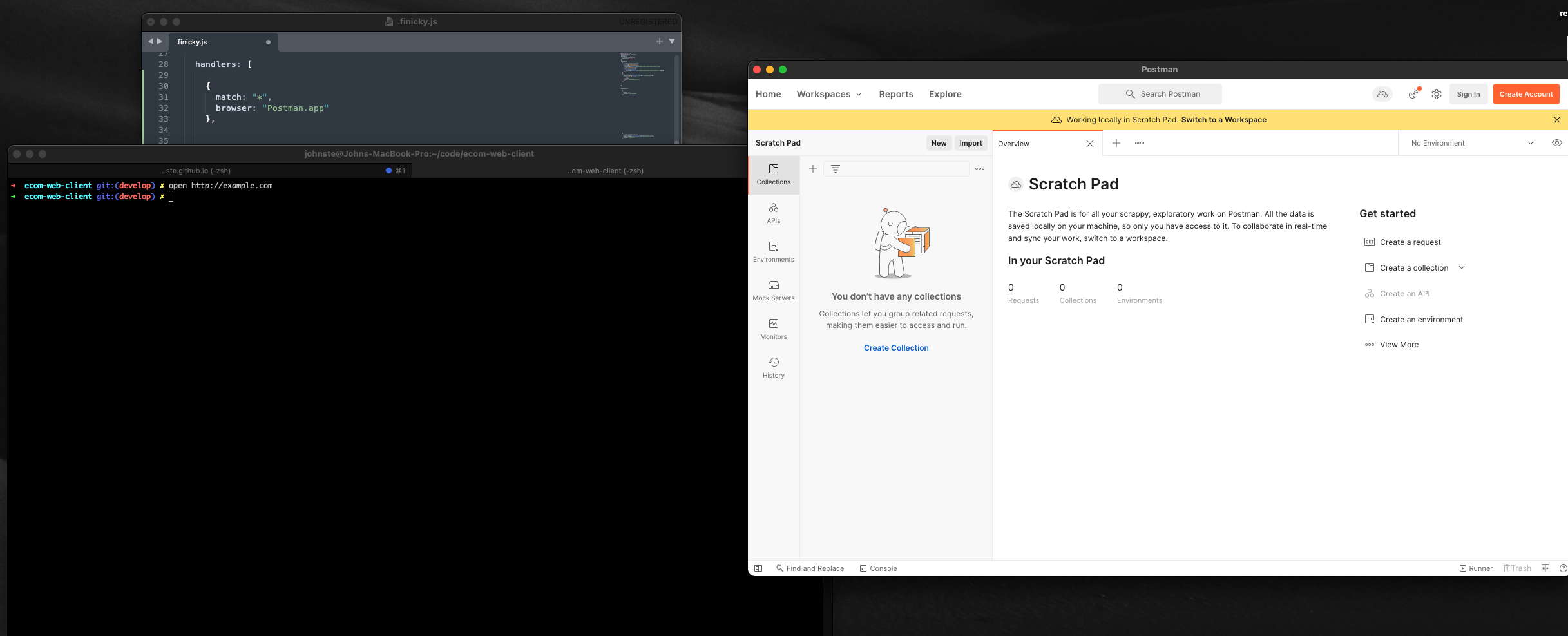

I might have been unclear previously; the "Postman GUI" app is just a copy of Firefox customized to be a single-site browser for postman.co and its web app. So I basically have a separate Firefox browser just for interacting with the Postman web app, and I have named it "Postman GUI.app" in my /Applications folder. You can see it addressed in the Finicky config file I posted.
The Postman desktop app is the one you linked in your last comment. It puts an icon in your menu/status bar and if you click that icon, the top-most menu item is "Open Postman", which launches the URL for the Postman website. On my computer, however it's doing that is causing it to open my regular copy of Firefox, not the special copy I set up for Postman and named "Postman GUI.app". However, if click on the link "https://postman.co/" elsewhere in my system but no in a browser, Finicky correctly directs the opening of the URL to my "Postman GUI.app" browser.
So, it seems to me that the official Postman desktop app from the Postman site that sits in the status bar is doing something differently to open that URL than the standard method, and that is causing Finicky to not handle it correctly. But I'm not a dev so that's a layman's interpretation on my end.
EDIT: Do you mind me asking what version of MacOS you're on? I'm on 10.14.6. I just looked at your screenshots your posted here and I see you've got a desktop app version of Postman running there. I downloaded that same app from that link you posted, "Postman Agent.app", but when I run it on my computer, all I get is the status bar icon, and it drops down with the options "Open Postman", "Check for Updates", etc. I think what's going on is you're on a newer version of MacOS and so a full desktop app loads and runs but on my older version of MacOS, all I get is the status bar icon and the option to load the web app into my default browser.
Ok, I think I understand your setup. I tried reproducing the steps you've taken but it doesn't look like Postman adds the menu bar icon for me so unfortunately I can't try that step.
The postman app version I'm using is 8.9.1, it's the newest version available. I'm on MacOS 11.4
I was facing a similar issue, not with postman but with another app. Then I found #153 (and associated PR) that solves the problem. The examples given on the issue are for chrome/brave; for firefox there might be a way of passing args to the browser so that the web app accepts URLs to open when invoked.
