kit

kit copied to clipboard
 johnlindquist
Text input prompt becomes unresponsive after entering a reserved script name
- Click “Open Kit.app prompt” in the Script Kit menubar menu to bring up its “home screen” window.
- Click New, then New Script.
- Type “test” as name of script and hit Enter.
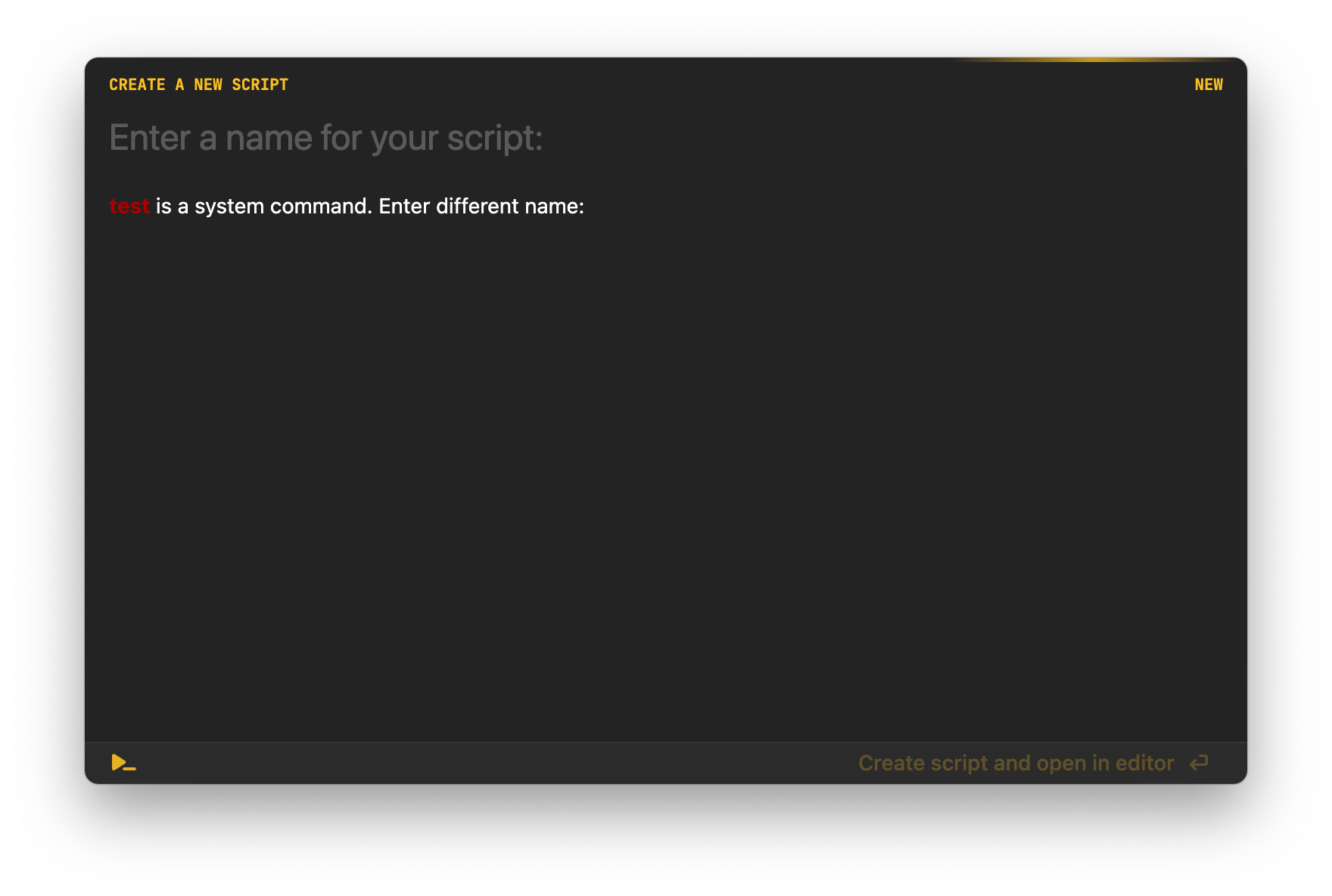
- Kit.app displays the attached screen, prompting for a different name to be entered, but further typing has no effect: the text input appears to be unresponsive.
- The GUI app still responds normally to mouse click and menu actions. Once this window is dismissed repeating step 1 brings up the original window, which works normally.
This behavior is reproducible.
ScriptKit 1.40.62. macOS 12.6 (21G115)