
my-calendar
 my-calendar copied to clipboard
 joedolson
Show projected scheduled dates when setting a repetition pattern.
Adding a Repetition Pattern like so:
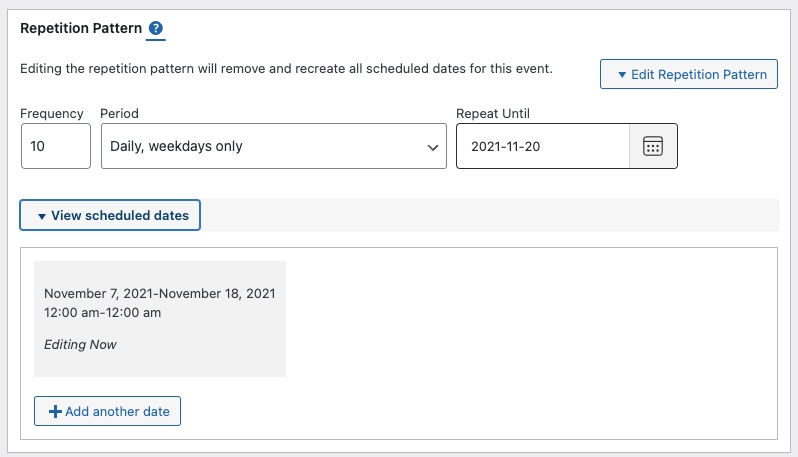
Clicking View scheduled dates should list all the dates from the Repetition Pattern along with the Editing Now original date.
It should be possible to go in and adjust the dates. It could then switch the Period from whatever was selected to become Custom. As the user has now begun adjusting the scheduled repeated dates.
This means for Add Events and Edit Events. That in the drop down one can select Period Custom and + Add another date would show up to where one can add custom dates.
Or If one selects another Period option these dates would show up under View scheduled dates when editing the event. Beginning to adjust the scheduled dates would switch the drop down to Custom. As one would not follow the Period listed in the drop down.

Do you mean that it should show those dates dynamically, as soon as it's been selected? Because it does show those dates when you're editing, after saving. If you mean dynamically, that's definitely a "not gonna happen in this version".

Let's just move it to 3.4.0 and then take a closer look at it again then.
This is low priority, and doesn't really fit that well with the other priorities for 3.5. Bumping to future release.