
vscode-circuitpython
 vscode-circuitpython copied to clipboard
 joedevivo
Choose CircuitPython Board' Error
Hi Joe,
Thanks for adding our board to the VSCode CircuitPython extension. I tried it out this morning, and I get the following error:
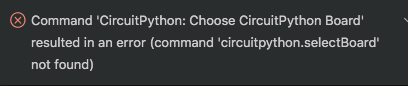
Any ideas?
Thanks! Jason


Hi Joe,
macOS 10.14.6
J
From: Joe DeVivo [email protected] Reply-To: joedevivo/vscode-circuitpython [email protected] Date: Monday, June 1, 2020 at 5:57 PM To: joedevivo/vscode-circuitpython [email protected] Cc: Jason Pecor [email protected], Author [email protected] Subject: Re: [joedevivo/vscode-circuitpython] Choose CircuitPython Board' Error (#16)
Which OS are you running on?
— You are receiving this because you authored the thread. Reply to this email directly, view it on GitHubhttps://github.com/joedevivo/vscode-circuitpython/issues/16#issuecomment-637168521, or unsubscribehttps://github.com/notifications/unsubscribe-auth/ADLVFMAYH6OZEQB765RU2X3RUQW5HANCNFSM4NQCF2TA.

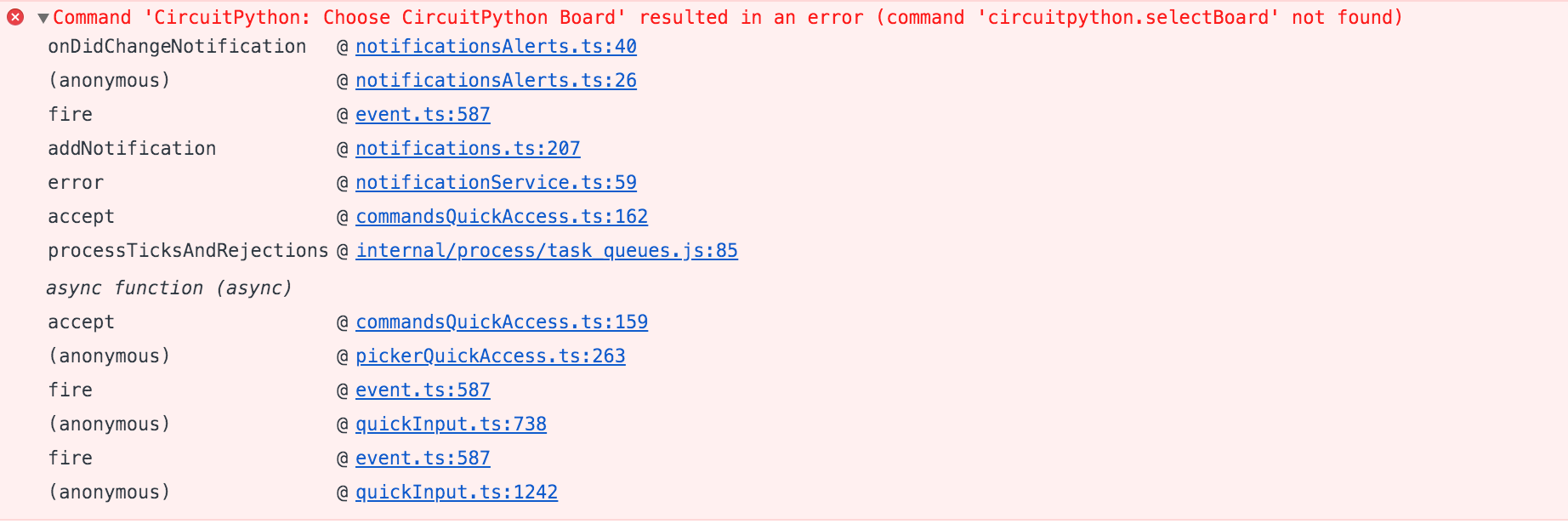
it seems like they're failing for different reasons.
The first error looks like there's an error happening on the initialization of the extension, which then fails to register the code that is invoked when the selectBoard command is run, but the Open Serial Monitor command is actually running and trying to modify something that doesn't exist.
Can you see anything relevant if you open up the extension host log?
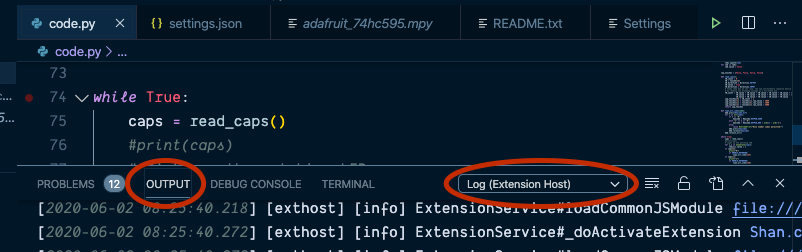
In the process of trying to capture some useful output for you, I uninstalled the extension and started from scratch. After doing so, things seemed to be working. I could connect to my board, and the serial monitor worked.
But then I closed VSCode, and when I restarted, I got the board connection error. Uninstalling/reinstalling the CP extension gets it going again.
Here's a screencast of the process if it helps:
https://youtu.be/lpR2FzLd-IU
At this point I think I want to take some time this evening to put together a release with a debug option that can output more useful information. In the mean time, if you can show me the contents of your workspace's .vscode/settings.json in both the working state, and then after you restart.
After that, try doing what you did to reproduce, but add one step. When you're closing vscode, us the trash can icon to manually destroy the serial monitor before exit, it might be holding on to the serial port even after you exit
Yes, I can help with that. Probably can't get a look at it until later tonight, though.
Didn't get to the info capture stuff you requested last night. I'll do that today, but I need to focus on some other tasks for a bit. Sorry for the delay.
One thing I realized this morning is that I was not using the extension in a folder/workspace, but just with single files. Could that be causing a problem?
I'll try it this AM in the context of an open folder and see what I can learn.
Yup! That reproduces is. I'll work on fixing it, but for now open /Volumes/CIRCUITPY as a workspace and it's all good.
Thanks for confirming.
I'd like to suggest being able to open the project folder somewhere other than the /CIRCUITPY volume. I actually prefer to not directly edit code.py on the actual device. I have found that VSCode doesn't handle the drive disappearing very well. It tends to hang.
I generally edit the source file in a project directory on my drive and then do a copy of that source file to code.py on the device. That also allows me to maintain a gitub repo of the original source.
I've recently been testing a mild automation step for doing that copy process by using when-changed. (https://github.com/joh/when-changed). It's been working pretty slick. When I save my source file, when-changed sees the update and copies it to code.py on the device.
I was thinking that kind of background activity would be a handy addition to your extension.
Any thoughts along these lines? Am I off in the weeds?
Oh I'm sorry, I wasn't clear there. It will work opening from ANY workspace folder, but not if you open a code.pyfile on its own. The biggest issue with doing it another way, is that to get the python autocompletion working, I had to write a set of paths in the project's .vscode/settings.json file's python.autoComplete.extraPaths and I'll need to dig into the python extension to see if there's another way to do it, but I asked about it at the last vscode python twitch stream, and they said it wasn't something that could be set programmatically.
So yeah, while the best experience currently is on the board directly, I do already have some code (that's not currently used) for monitoring physical disks, which should be enough to figure out based on your chosen board (and serial port maybe?) which disk to sync to.
If you're using a workspace on your computer's disk, all the libraries be downloaded there, and not directly to your device.
The one thing I want to figure out is if it's possible to do a batch operation. As you know, file change on disk will restart the board. If I have to copy ten files, I'd like to copy them all before it restarts, but that might not be possible.
Anyway, give it a try using your whole git project directory as the workspace. That should get you everything except the copying of code.py to the controller.
^^ that trivial case of "copy only code.py to board" is probably straight forward enough to get in relatively quickly, exposing most of the issues it'll have in the process, like what happens if you have the serial port open when you copy the file...
For the moment, I'd like that to be a manual process. Monitoring the files could wind up copying too often, especially if you've got autosaving set up.
Thanks for the clarification. This helps.
Yes, I understand wanting to keep the copying as an independent process right now. Okay by me.
Anything else I can do to help right now? Thanks for your quick support!
I'm seeing the same thing on Windows 10.
My output is as follows:
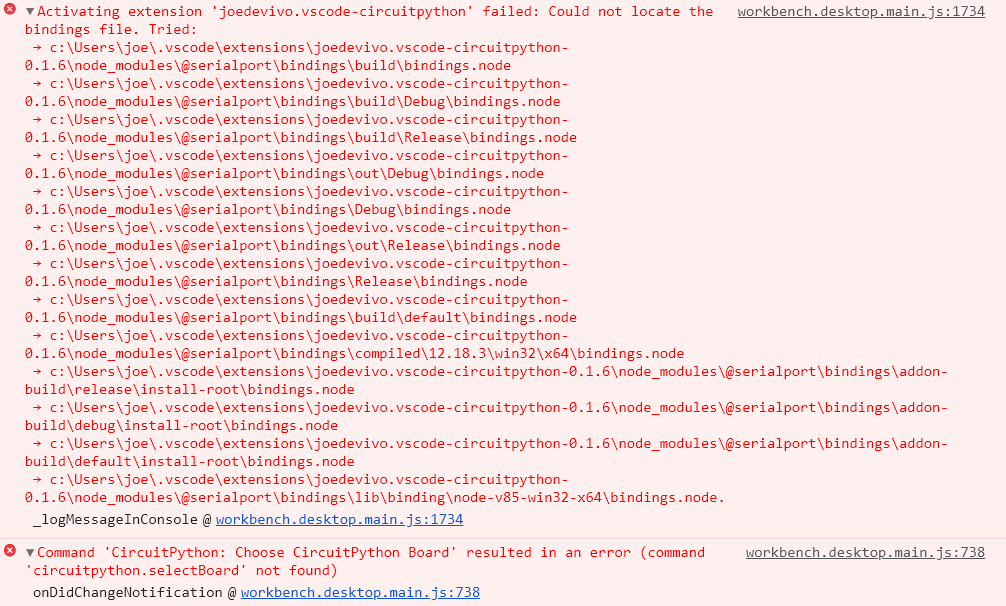
I am opening the CIRCUITPY volume (E:) directly in VSCode. None of the paths it is searching for exist in my case.
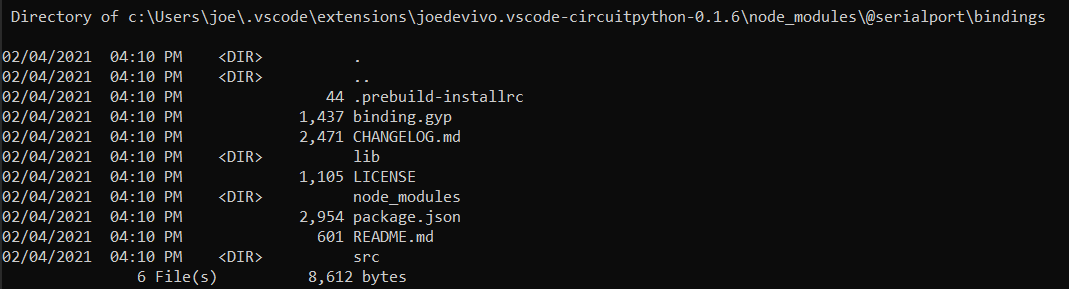
Is this any help in resolving it?
Thanks!
