

 jobisoft
Office 365 sync not working
Your environment
TbSync version:2.19 Thunderbird version:
[ ] Yes, I have installed the latest available beta version from https://tbsync.jobisoft.de and my issue is not yet fixed, I can still reproduce it.
Expected behavior
...
Actual behavior
...
Steps to reproduce
...
To help resolving your issue, enable debug logging (TbSync Account Manager -> Help) and send me the debug.log via e-mail (use the title of your issue as subject of the email).

I don't know what behaviour @dondilip has (if it's not syncing properly or at all) but mine problem is with the sync when I dismiss some event on remote Office365 calendar. Once I'll do that, TbSync account manager starts to say, that "Account needs to be synchronized, at least one item is out of sync." and stops sync my calendar until I'll open TbSync account manager and do sync manually with "Synchronize now" button. It's quite frustrating as plugin do not show this state anywhere and only way user can know about this situation is to open TbSync account manager pro-actively. Anyway I'm not sure if event dismissing should do some changes to remote calendar. I'll provide debug log later today when this problem occurs again.
TbSync version: 2.21 (updated on March 25, 2021) Provider for Exchange ActiveSync version: 1.20 (updated on March 25, 2021)
I did not install addons from beta channel ( https://tbsync.jobisoft.de/beta/TB78/ ) as file dates there are older than update dates of stable versions I'm using.

Just to add... I tried to create a debug log, but it did not create any record when that situation happened, sadly :(
I am seeing the same behaviour: TbSync 2.22 Thunderbird 78.13.0 Ubuntu 20.04

tbsync is never doing auto sync, only scheduled sync and that is independent of the message you got. It will resolve on next scheduled sync.

I have the option set to sync every 15 min. This has no effect. Syncing manually works perfectly.

This sync button in the TB calendar view also has no effect. The manual sync only works from within the TbSync gui.
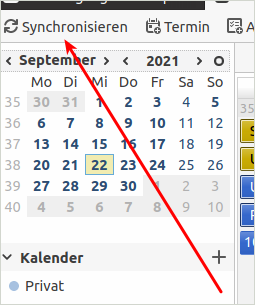
I have the option set to sync every 15 min. This has no effect. Syncing manually works perfectly.
That would be a bug.
I've just done another round of testing. This time everything worked as expected. So, I'll keep quiet until I can reliably reproduce this. :( Sorry for the noise.