
kotlin-cli-starter
 kotlin-cli-starter copied to clipboard
 jmfayard
Life is too short for Bash programming
A starter project to build command-line tools in Kotlin Multiplatform
Contains a re-implementation of a real world CLI tool: git-standup

Installation
You can install using one of the options listed below
| Source | Command |
|---|---|
| Node | npm install -g kotlin-cli-starter |
| Installer | curl -L https://raw.githubusercontent.com/jmfayard/kotlin-cli-starter/main/installer.sh | sudo sh |
| Tests | ./gradlew allTests |
| Kotlin All Platforms | Run ./gradlew allRun |
| Kotlin JVM | Run ./gradlew run |
| Kotlin Native | Run ./gradlew install then $ git standup |
| Kotlin Node.JS | Run ./gradlew jsNodeRun |
Why?
Being able to write your own command-line tools is a great skill to have. Automate all the things!
You can write the CLI tools in Kotlin and reap the benefits of using
- a modern programming language
- modern IDE support
- modern practices such as unit testing and continuous integration
- leverage Kotlin multiplatform libraries
- run your code on the JVM and benefit from a wealth of Java libraries
- or build a native executable, which starts very fast and can be deployed on a computer without the JVM
My strong opinion - weakly held - is that there are only two good kind of Bash scripts:
- the ones that are five lines long or less
- the ones that are written and maintained by others
Work in progress
We want to support Windows, publish on Homebrew and simplify support of shell completion.
Look at the issues https://github.com/jmfayard/kotlin-cli-starter/issues
What the template contains
The template
- can be run
- with Kotlin/Native via
$ ./gradlew installand thengit-standup - on the JVM with
$ ./gradlew run - on Node.JS with
$ ./gradlew jsNodeRun. The package is published on https://www.npmjs.com/package/kotlin-cli-starter
- with Kotlin/Native via
- has tests that can also be run both
- natively
$ ./gradlew nativeTest - on the JVM
$ ./gradlew desktopTest - on Node.js
$ ./gradlew jsTest
- natively
- has continuous integration powered by GitHub actions. The code and the tests are run both on native and on the JVM, both on Ubuntu and macOS. See .github/workflows/runOnGitHub.yml
- includes those libraries
- ktor-client to make HTTP calls - Note: only in the branch ktor-client See https://github.com/jmfayard/kotlin-cli-starter/issues/15
- Okio multiplatform allows reading and writing files
- kotlin.test for multi-platform testing
- CliKt which parses the command-line arguments in a typesafe way and automatically generates the help and Bash/Zsh/Fish auto-completion
- mordant to have colors and styles in the terminal
- kotlinx.serialization which provides Kotlin multiplatform / multi-format serialization
- kotlinx.coroutines
- gradle refreshVersions to simplify dependency management
- contains a work-around of the missing
runBlocking { ... }in commonTests - contains an API to work with Files and execute shell subcommands.
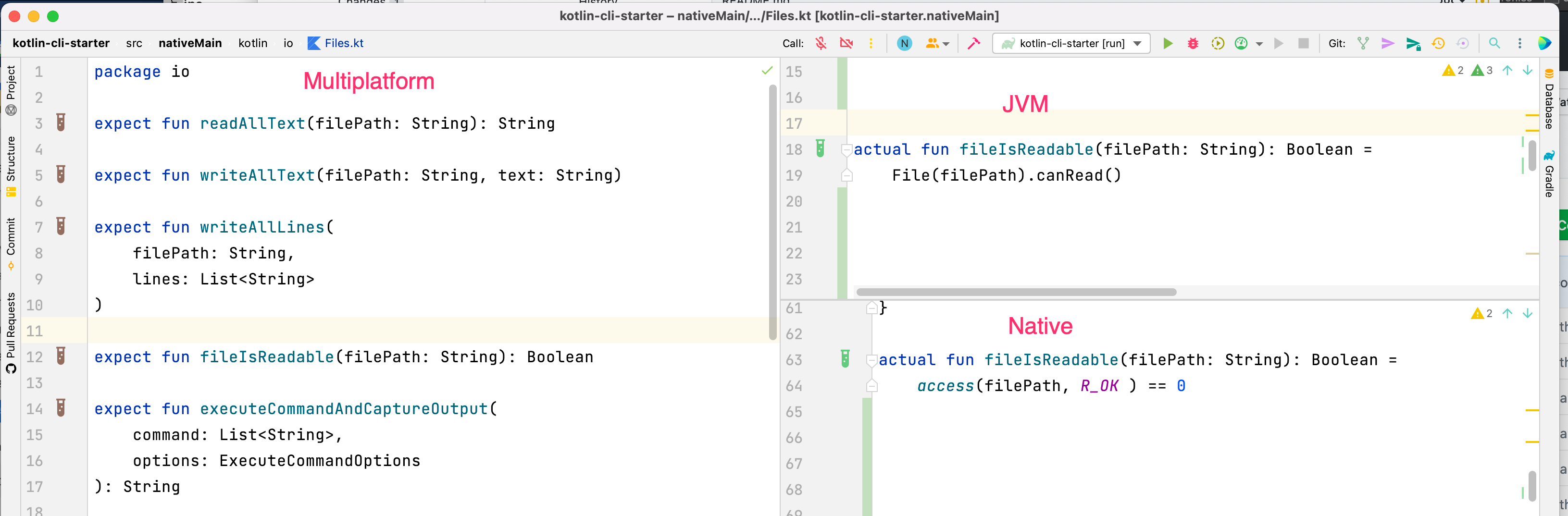
The template reimplements git-standup
The template reimplements git-standup so that you can learn and find inspiration from a real world example.
Simply run it in and it will give you the output from the last working day
Open a directory having multiple repositories and run
$ ./gradlew install
$ git standup

This will show you all your commits since the last working day in all the repositories inside.
There is auto-completion to see the options

git standup --help
Usage: git-standup [OPTIONS]

  Recall what you did on the last working day ..or be nosy and find what
  someone else did.

Options:
  --generate-completion [bash|zsh|fish]
  -a, --author TEXT                Specify author to restrict search to
  -b, --branch TEXT                Specify branch to restrict search to
                                   (unset: all branches, "$remote/$branch" to
                                   include fetches)
  [... and much more options....]

Examples: git-standup -a "John Doe" -w "MON-FRI" -m 3
CUSTOMIZE_ME
So are you ready to write your own command-line tool?
Have you an idea of what you want to write yet?
You can find some inspiration in 15 Command Line Tools which Spark Joy in Your Terminal
Then click on Use this GitHub template
There are comments starting with CUSTOMIZE_ME in all places you need to customize
Find them with Edit > File > Find in Files

Built with kotlin-cli-starter
- git-standup
- httpie.kt
- ...
Have you used the template to build something? Please advertise it here 🙏🏻
 jmfayard