

 jlord
jlord
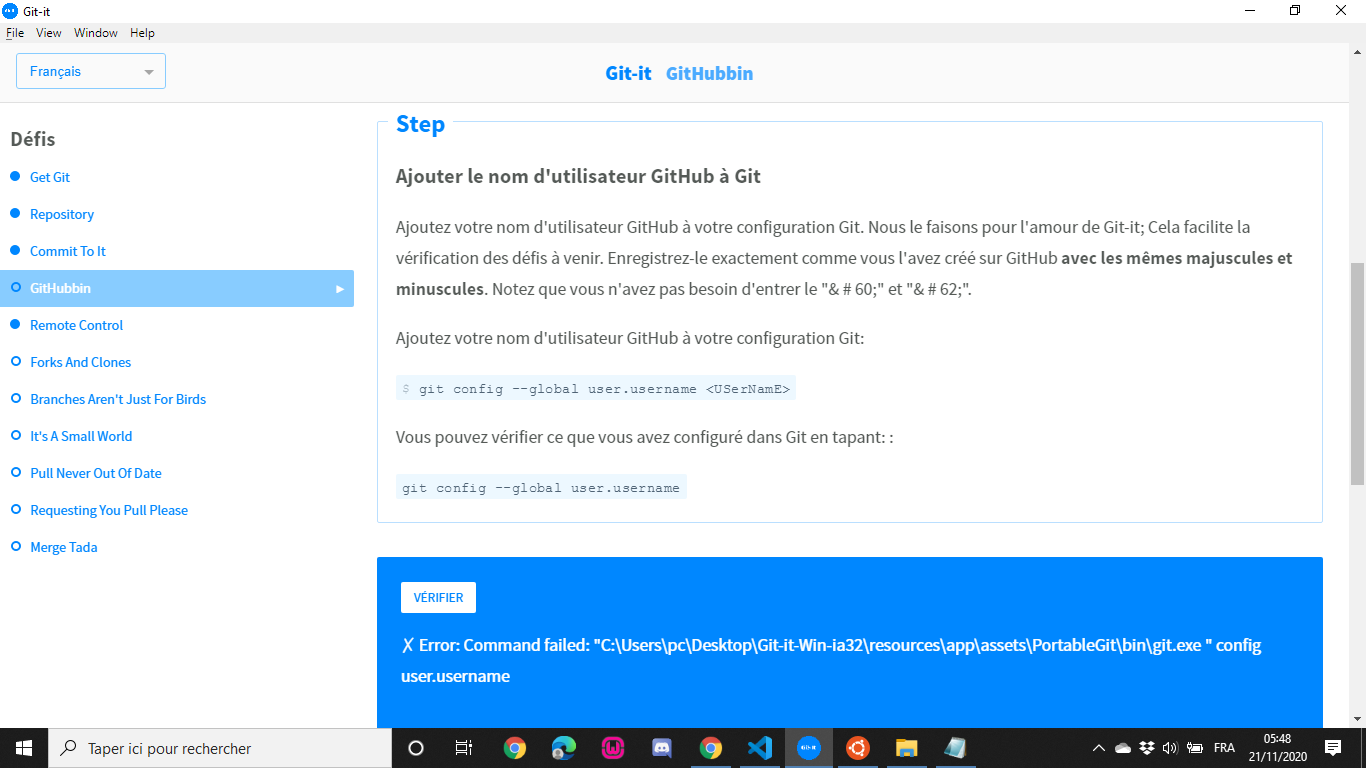
Error: Command failed: "C:\Users\pc\Desktop\Git-it-Win-ia32\resources\app\assets\PortableGit\bin\git.exe " config user.username
**### GitHubbin
**
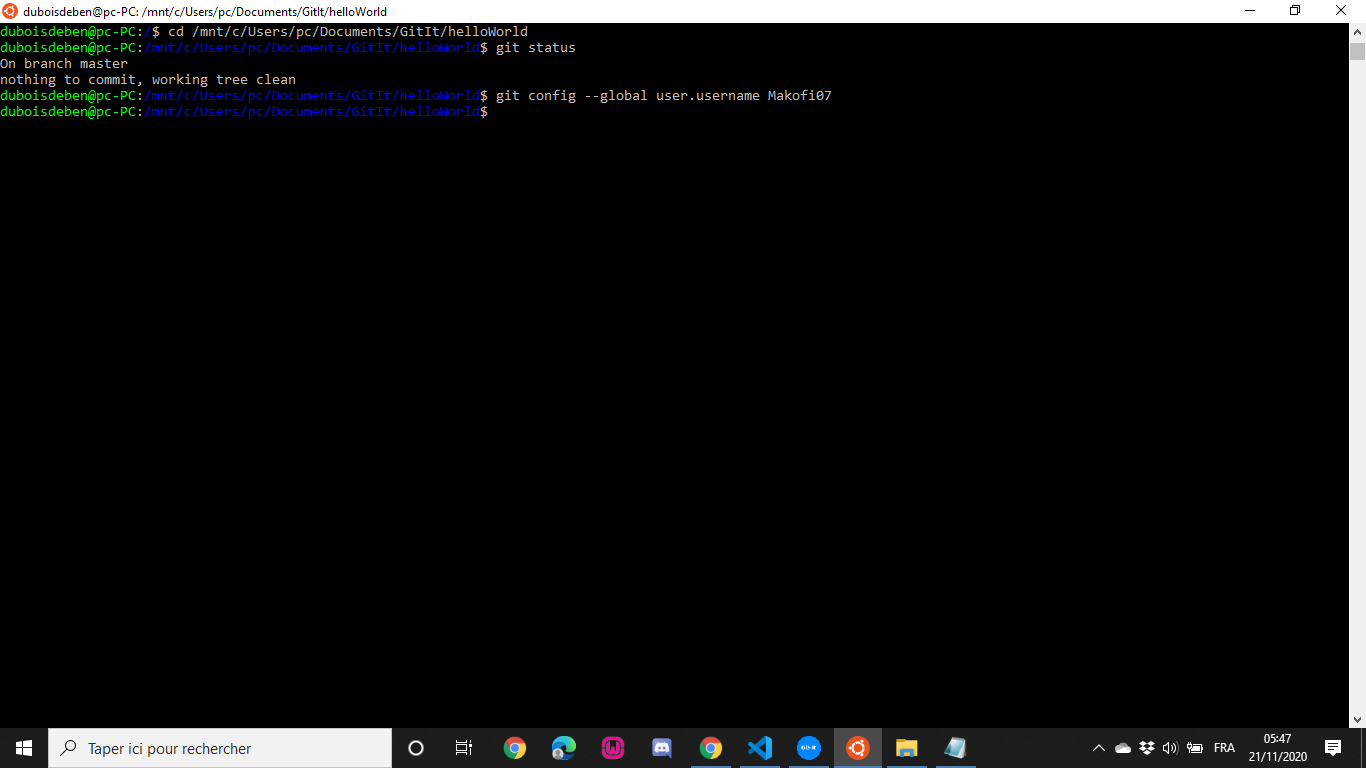
in this module GitHub and Git Usernames match. To be clear about it I made the command git config --list
The error message persists and for the rest of the module I have to enter my username and password each time. I followed the error path to type in this location git config --global user.username I did this also in hello-world I said to myself it must be done in a specific place. I also searched on the search engines but nothing helped and there I decided to use google translate and send you an issue We'll see what it feels like to do that. I am a beginner

Hey @Makofi07,
The Problem is the usage oft two different 'machines'. While Git-it is running in your Windows Computer, the Git you are using is running inside your WSL-Ubuntu. So if you globally configure the username in your WSL, this is only configured globally within your WSL, but not in your Windows-machine, where Git-it is looking for it. Three possible ways i could imagine for you:
- Either install Git on your windows-machine from git-scm.com, use the then installed git-bash for the challenges and configure your username there again. Then everything is running on your windows-machine.
- Or use the Git-it package for Linux inside your WSL then running everything within the WSL-Environment. This I didn't test yet, so I can't tell you more about.
- ~~Or configure the user.username within your hello world folder locally so just without the '--global' option. This configuration is then stored only within that repository so I think git-it should be able to access it in your current setup. (Didn't test it.) However, keep in mind, that the configuration then is only within that repo, so you will have to set it up on every repo separately, and esp. need to do it again, when you get to the patchwork-challenges (from forks and clones on...)~~ Edit: Just recognized this third way does not work, Git-it is looking globally for your username.
Hope that helps! ;)
Greets :) Jonas
