

 jimradford
Limited ways to efficiently distinguish sessions (color)
Is your feature request related to a problem? Please describe. I use SuperPuTTY with many sessions, some of which are on similar servers. Yet it is very important to distinguish these servers, because one can be a development (testing) server, while another one hosts the production instance of the same code.
PuTTY already enables to change settings, such as the terminal's background color, which allows to prevent confusion in SuperPuTTY. However:
- If a session is not yet open, it can take a bit of time to identify it among other sessions.
- If a session is open but not in the foreground, it can take a second or so each time to identify it among other open sessions, by reading names.
- Even if distinguishing by session window background is already possible, it requires configuration by creating a matching PuTTY profile, which I find inconvenient (it takes a couple more minutes).
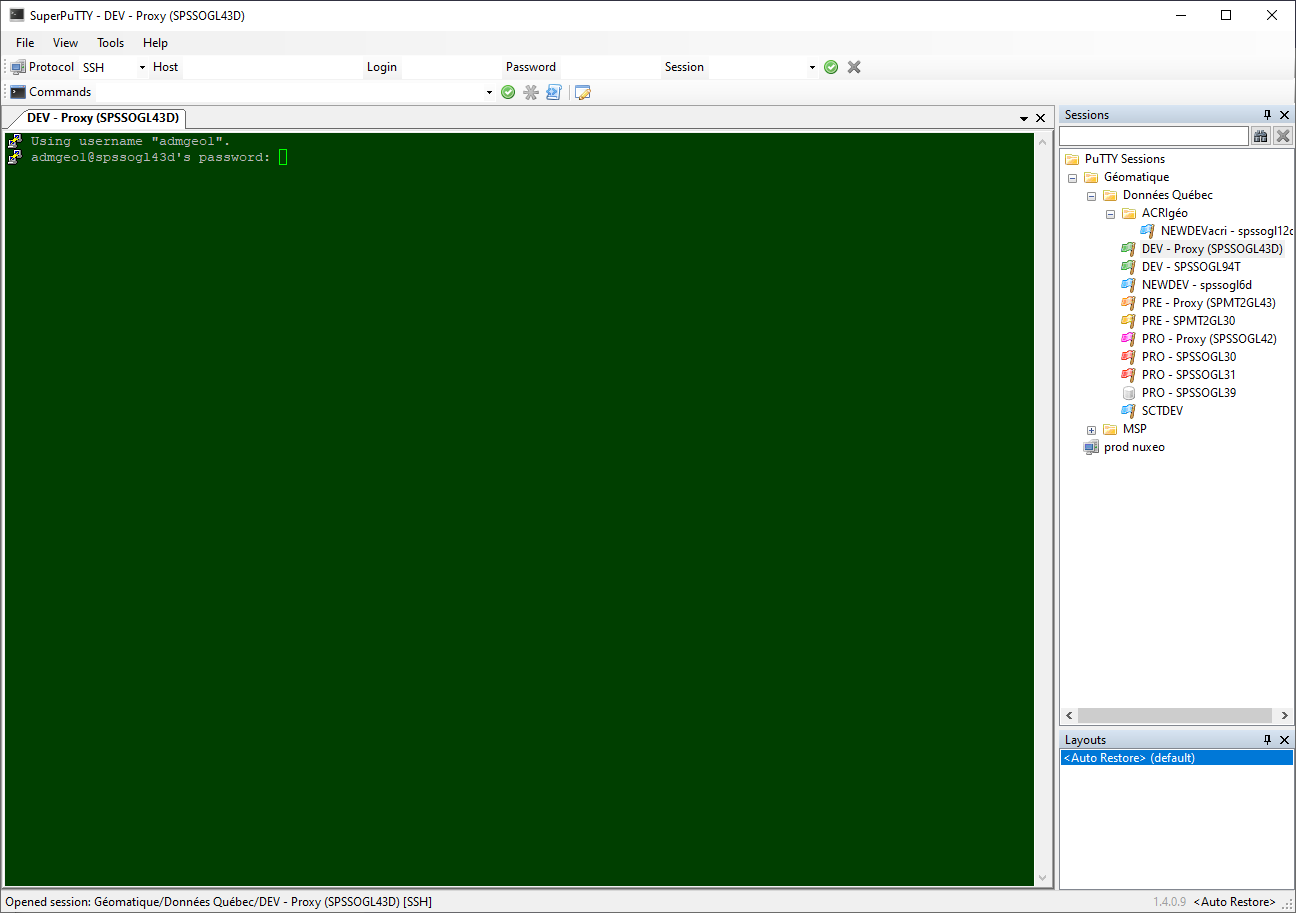
Describe the solution you'd like Many things can be done to help with this, but my main recommendation is to allow assigning a color to each session. This is already possible to a certain degree thanks to the connection icon which can be chosen at the bottom left. The choices include 7 flags which have different colors. I find the green (development), yellow (integration) and red (production) flags particularly useful. Unfortunately:
- It is not possible to choose all colours.
- Using the icon to set the color prevents using it for other means. For example, I cannot both assign the yellow flag and the database icon to our integration database server.
- The icon is only shown in the session definitions pane.
I recommend to allow setting an arbitrary color and use it:
- In the session definitions pane, possibly as the background color for the session's name (instead of white).
- In session tabs, possibly as the background color. This would require rethinking how the current tab is indicated. This could be done with shape or border color.
- Ideally, as a terminal background color, but this is more complicated.
- Ideally, as a WinSCP folder background color. I am not sure if WinSCP supports that without defining a site, so this could be more complicated. But WinSCP adapts its font color to the background color (with a dark background, its font can change from black to white).
Describe alternatives you've considered Unicode has colored characters, such as a red circle. These could be used to distinguish quickly if these were properly supported. While SuperPuTTY does support such Unicode characters in session names, they are unfortunately displayed monochrome.
Additional context
This affects SuperPuTTY 1.4.0.9. The following screenshot gives an idea of how I manage currently:
I understand this request is very open. Feel free to manipulate this ticket as you wish.
