jgthms
NO SUPPORT for button.dropdown-item inside .dropdown-content
This is about Bulma | Dropdown.
Overview of the problem
This is about the Bulma CSS framework
My browser is: Chrome
Description
There is no support for .dropdown-content button.dropdown-item.
Not always you need an <a href...> in the dropdown menu, because it may be for a js function. But you still want to be able to use tab on your keyboard, which is not possible on an anchor without href. Then it should be a button, but if you try to change a to button, it looks ugly.

Apparently there's some work done on it. See: https://github.com/jgthms/bulma/blob/master/sass/components/dropdown.sass#L66
I tried it, and expected buttons to look exactly like links with the dropdown-item class, but they don't:
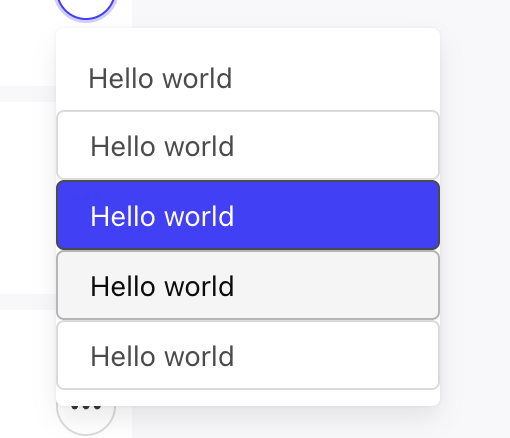
<div class="dropdown-content">
	<a href="#" class="dropdown-item">Hello world</a>
	<button class="button dropdown-item">Hello world</button>
	<button class="button dropdown-item is-active">Hello world</button>
	<button class="button dropdown-item">Hello world</button>
	<button class="button dropdown-item">Hello world</button>
</div>
Maybe the docs are missing something?
Edit:
I solved it by simply creating this rule after importing Bulma:
button.dropdown-item {
	border: none;
	border-radius: 0;
}
Seem to do the trick, although it's weird Bulma doesn't already do this.

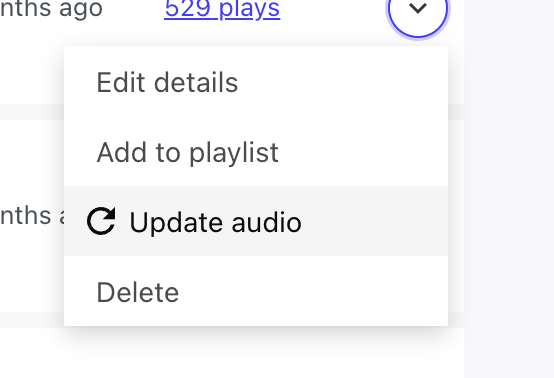
Icon support is also broken.
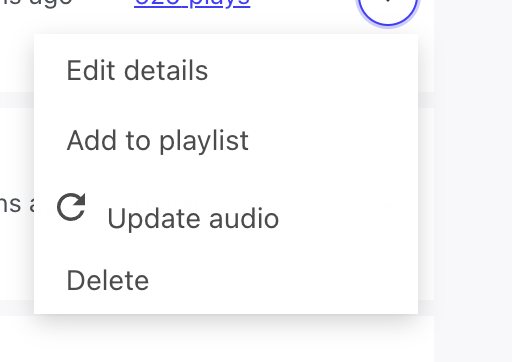
My fix:
button.dropdown-item {
	border: none;
	border-radius: 0;
	display: flex;
	justify-content: start;
}