

 jgraph
Line jumps sometimes don't appear as expected around overlapping lines
Preflight Checklist
- [x] I agree to follow the Code of Conduct that this project adheres to.
- [x] I have searched the issue tracker for a feature request that matches the one I want to file, without success.
Describe the bug Expected: A line jump appears where two lines cross, in the line that is further foreground than the other. If there are multiple overlapping lines in the same direction (parallel), line jumps are still rendered but may look funky--moving the crossing line to the front or to the back should render a line jump in that line or in all the others.
Actual: When there are multiple overlapping lines, a newly created crossing line (or an older crossing line moved to the front) sometimes intersects the other lines without a line jump. Sometimes moving the crossing line backwards a few steps in the order makes it render the line jump. Sometimes moving the crossing line to the back does not cause the other lines to render their line jumps as expected. Sometimes reversing the arrow in the crossing line causes it to render the line jump.
To Reproduce Steps to reproduce the behavior:
- Create 5 ellipses, and arrange them in rows of 1, 2, 2 like the screenshots. I've labeled mine A, B, C, D, E
- Draw an arrow edge from the bottom of A down between B and C into the side of any of the others.
- Change this arrow's style to Orthogonal, Rounded, and set its line jumps to any besides None (examples below use "gap"). Set this as the default style.
- Draw similar lines to the others, such that you have 4 outgoing edges from the bottom of A. You may need to move some to get them to overlap.
- Draw an edge from the top of B to the top of C.
- See the line jump does not appear.
- Try arranging this new line to front, back, forwards, backwards. Try reversing it.
- Try moving A to the side.
Expected behavior Line jumps always appear where two lines cross, even if one of those lines is actually more than 2 edges that overlap.
Screenshots
After setting up the ellipses and arrows

I moved it onto the gridlines to confirm it's not that.
The crossing line was in front. A line gap only appeared after sending it backwards 3x
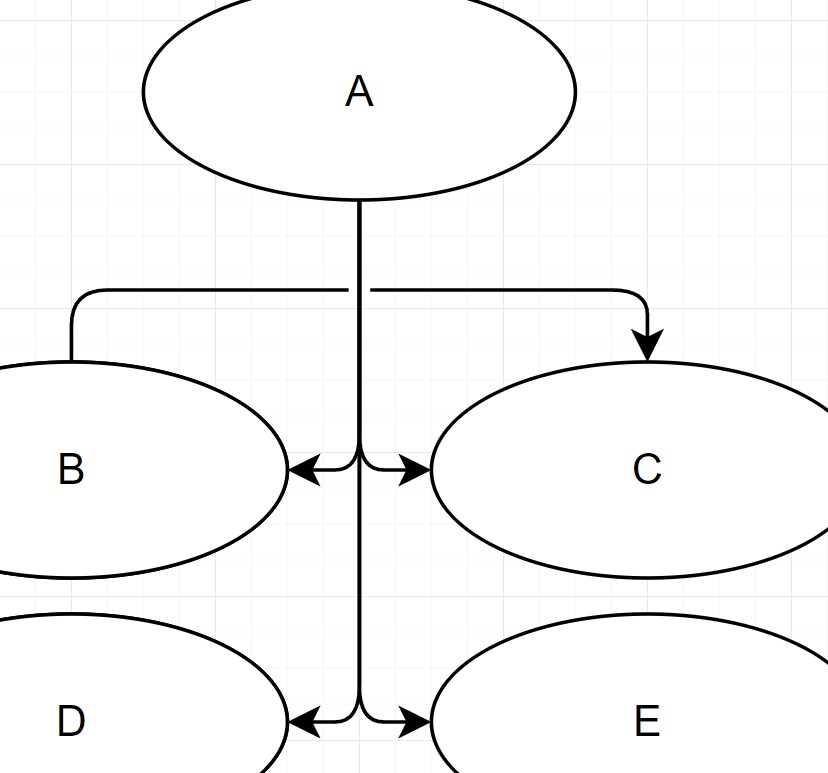
Moving A to the side resulted in 1 line jump out of 2 expected
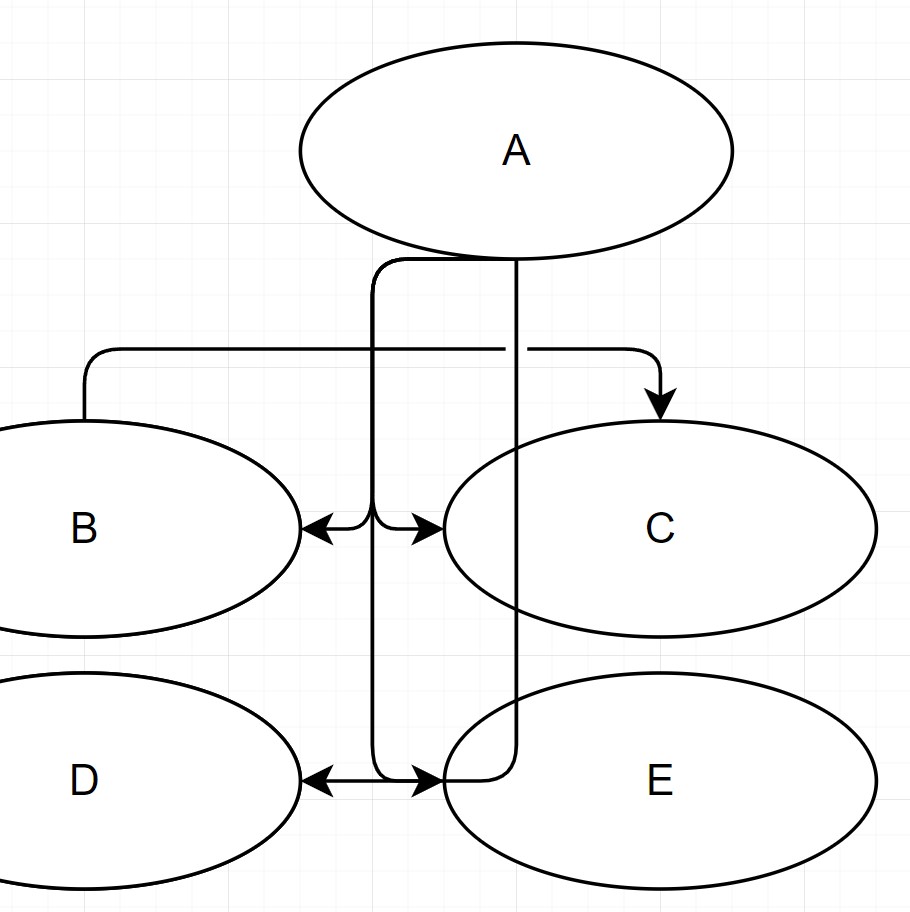
Reversing the line rendered both line jumps
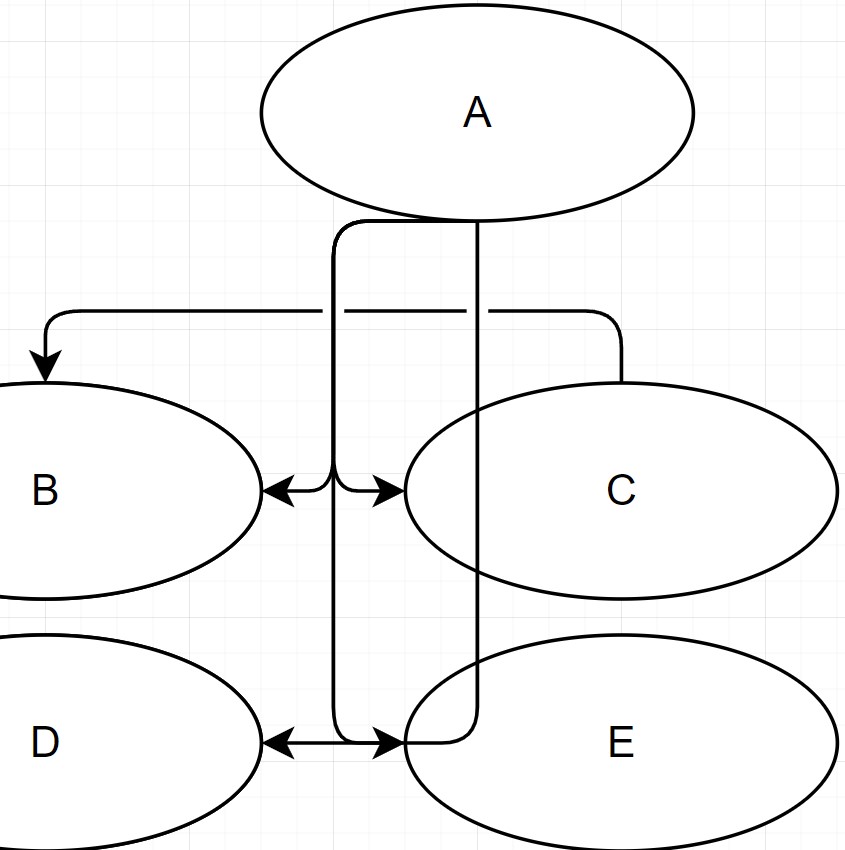
With the original direction, moving A to the side until the second line jump did not apply made the first appear
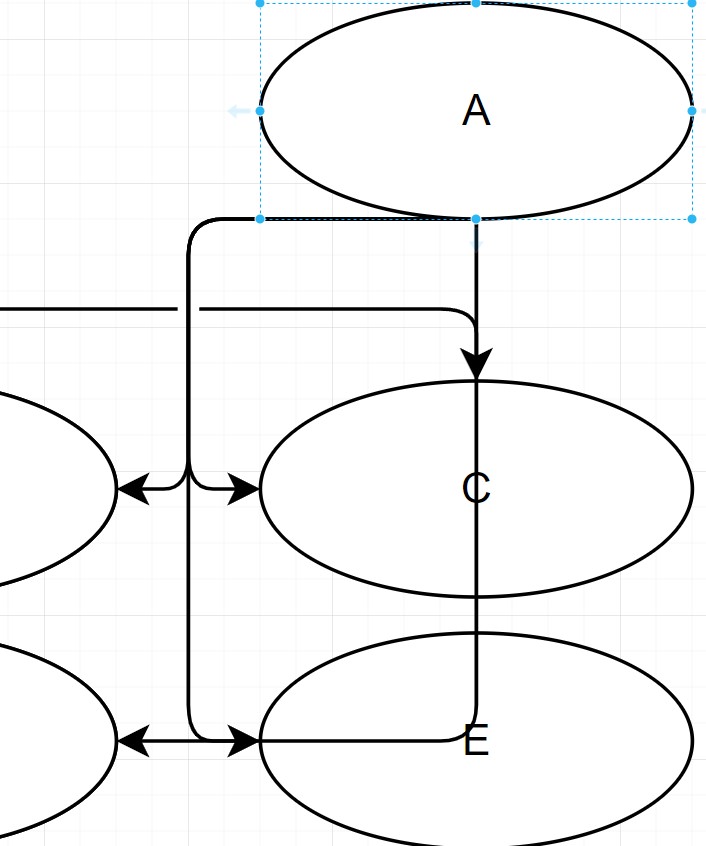
draw.io version (In the Help->About menu of the draw.io editor):
- draw.io version: 16.6.2
Desktop (please complete the following information):
- OS: Windows 10
- Browser: Chrome
- Version: 98.0.4758.102
Additional context

Thanks for the detailed report. I'd like to test it. It'd be highly appreciated if you could attach a video showing all the performed steps and the result (it would be easier to follow your steps that way) Also, attach the diagram file please.
Thanks,

I was unable to replicate exactly in the same way as I described, so I do not have a good video to attach. But it still occurs at random times. I continued playing around with the copy shown above (which used elements copied from my actual work) in gaps.drawio.xml.txt in a state similar to the third screenshot.
but I was also eventually able to get it to appear in a completely fresh file in test.drawio.xml.txt.
Here's another example I just encountered: Line jumps don't appear when the intersection is at a sharp turn, as it is the case for the middle line:
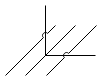

@fkohrt
This behavior can be seen when the line is dragged over line in the back (Chrome Incognito and 20.0.4)
but if the line in question is moved only 1pt lft/right, line jump shows.
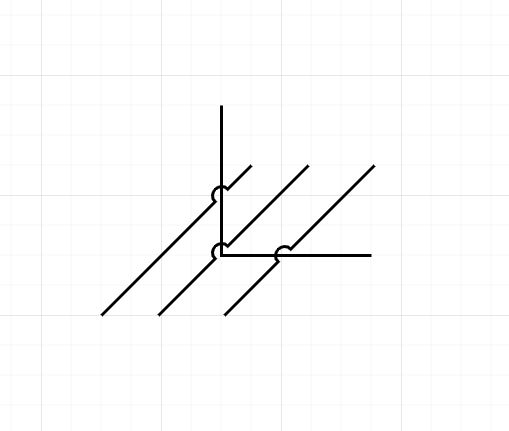
This issue has been automatically marked as stale because it has not had recent activity. It will be closed if no further activity occurs. Thank you for your contributions. See the FAQ for more information.
![stale[bot] avatar](https://avatars.githubusercontent.com/in/1724?v=4 "Published by a pub.dev verified publisher")
The issue still persists. Overlapping line fails to adhere to the line jumps ..
Overlapping:
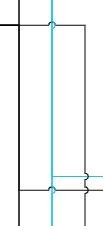
Same after Separating:
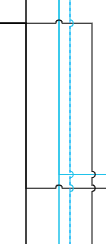
The way it appears, the last line that I added in overlapping is not following the previous ones and having jump of it own.


