

 jgraph
Can't add further custom shapes
I want to constitute a library with custom shapes: I could start to do it but now I can't progress more on this.
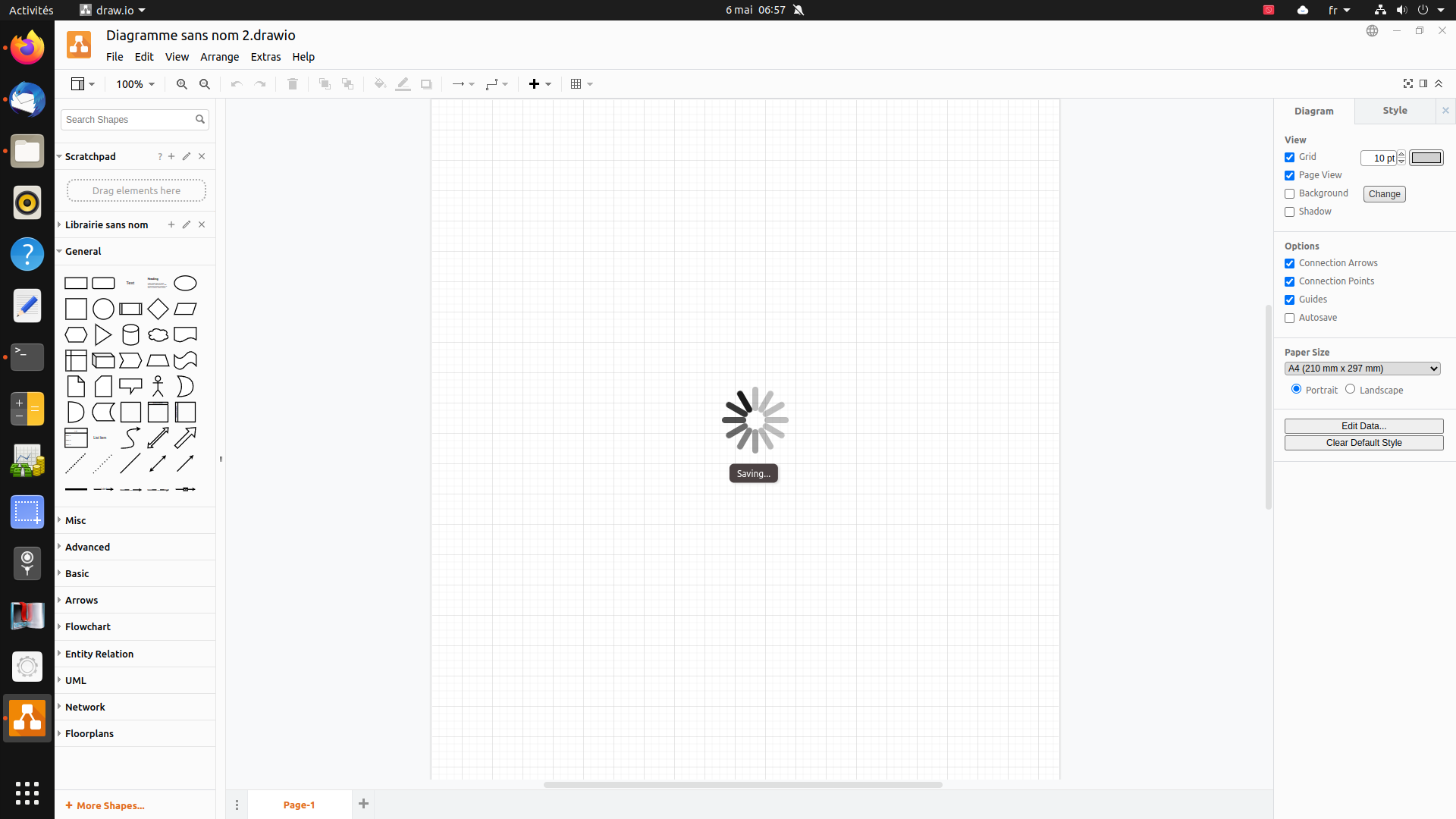
When I want to add an image a drawio subwindow opens and I can open an image file, however the linux window is not displayed on the foreground and I need to click on the dash bar on the drawio launch icon to display the linux open dialog and then select an image file. Then, I click "Save" in the drawio subwindow and it displays a sort of turning circle saying "Saving..." which never stops: actually again the linux save dialog windows is not on the foreground and I need to click on the dash ... During this the entire system becomes slow but I can get the second image appear in the drawio subwindow. If I click again the "Save" button nothing happens but I can only click on the "Cancel" button, however the rotating circle continues to rotate endlessly saying "Saving...". I have no other choice than close the main drawio window to close it.
And now I just discovered another strange thing: once drawio is just opened, if I click on the little triangle on the left of the library name, the little representation of the shape appears (which is ok) but then if I click on the pen ("Edit"), the only thing which happens is the little grey triangle at the left of the library name turns back -90° and the little representation of the shape disappears. Actually, whatever I click, the "+" sign, the "pen" sign or the "x" sign: these actions only toggle the appearing/disapearing of the little shape. To be able to have the "pen" sign working I need to close drawio, reopen my drawio file and then the first action I must do to be able to open the drawio subwindow to add images is to click on the pen... but then I can't progress further and face the problem described on the previous paragraph...
All in all I could only get one shape in my library!
My system: Ubuntu 20.04.4 LTS Drawio version: 18.0.1 (up to date thanks to the snap package manager)

Hi,
Is it possible to attach a video showing all the performed steps and the results, please?
Thanks,

Sure. See attached doc.
https://user-images.githubusercontent.com/43229928/167500311-2db943b6-4129-4a97-9651-59dc852e120e.mp4
I too have this issue on the desktop version.
Preflight Checklist
- [x] I agree to follow the Code of Conduct that this project adheres to.
Describe the Bug If you close a custom library at any point after saving it, then reopen it, saving updates to that library will never work successfully after that, regardless of the session.
To Reproduce It's a very broad, easy to reproduce bug (IMO), so the above description and OP's original post covers this.
Troubleshooting Steps Taken to Attempt to Mitigate/Circumvent the Bug All of these steps were unsuccessful:
- Save library in different directory
- Save library as different name
- Reopen Draw.io program and reattempt
- Clear "loading/saving spinning circle" by clicking "pencil" edit icon on library -This does actually remove the loading icon, but does not change the fact that the library still does not save
Expected Behavior Custom Libraries should be able to save even after their instance is closed and they are reopened.
Screenshots The video posted above exactly replicates my issue as well
draw.io Version: 20.3.0
Desktop OS Build Info: Edition Windows 10 Enterprise Version 20H2 Installed on 9/16/2022 OS build 19042.2130 Experience Windows Feature Experience Pack 120.2212.4180.0
Additional context Other bug "issue" entries that seem to relate to this issue: https://github.com/jgraph/drawio-desktop/issues/1138#issue-1401274140 https://github.com/jgraph/drawio-desktop/issues/1084#issue-1331799253

No. I uninstalled it. I did not continue on my project (maybe I will later however).
I'm having the same issue as ndudde67 here. Saving to existing libraries never works, and you always get stuck with the spinning "saving" circle. The same operation on the web version works fine, and the website has no issue loading the library, or saving any edits. I'm experiencing the same symptoms, and have tried the same solutions, and received the same results.
Draw.io version is up to date at the time of writing, 20.8.10.
Windows 11 Pro 22H2 Build 22623.1180

