

 jgraph
16.4.0 - Installation fails LNK file error
Preflight Checklist
- [X ] I agree to follow the Code of Conduct that this project adheres to.
- [X ] I have searched the issue tracker for a feature request that matches the one I want to file, without success.
You must agree to search and the code of conduct. You must fill in this entire template. If you delete part/all or miss parts out your issue will be closed.
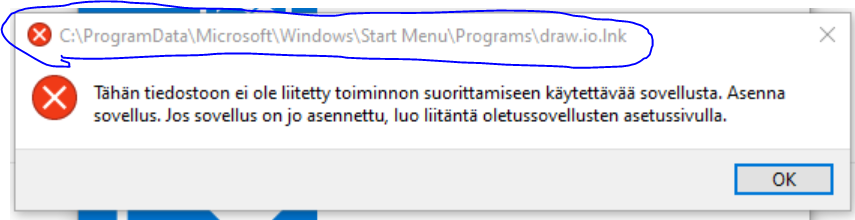
Describe the bug 16.4.0 version fails to install -LNK file eroor
To Reproduce Steps to reproduce the behavior:
- Tried to install: draw.io-16.4.0-windows-installer.exe, with Run As administrator, failed to LNK file
- Tried draw.io-16.4.0.msi, same result
- Logged to computer with Admin Account => Same results, uninstalled and re-installed several times
- See error Screenshot
Expected behavior Normal installation and success fully installed program
Screenshots
draw.io version (In the Help->About menu of the draw.io editor):
- draw.io version x.y.z
Desktop (please complete the following information):
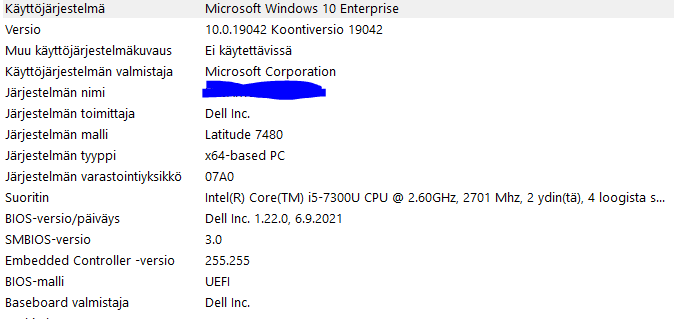
- Win 10
Additional context Add any other context about the problem here.
Steps done: Msiexec/uninstall draw.io-16.4.0.msi
Manually removed:
All Draw.io related files on computer All Draw.io references from registry Check Updates msiexec /i draw.io-16.4.0.msi ALLUSERS=1 /qn
-Same results
msiexec /uninstall draw.io-16.4.0.msi ALLUSERS=1 /qn
Elevated my work account to Admin Tried draw.io-16.4.0-windows-installer.exe, but same LNK error
Trid to manually launch C:\Program Files\draw.io\drawio.exe - Reports that no enoug rights to run it
Uninstalling again..manually, since cannot uninstall from add remove .. (see attachment)
Reboot
At this point I´ll surrender and use the below version, since it seems to be the only one which work after the unsuccessful installation attems.
draw.io-16.0.2-windows-no-installer.exe
