

 jfrog
jfrog
JFrog Audit task workingDirectory
We have JFrog 2.0.4 installed into our Azure DevOps subscription. Why doesn't the 'JFrog Audit' task support the 'workingDirectory' attribute, even though it seems to be there in the source code? It also doesn't work if directly added into the YAML pipeline definition. (sorry, I was wrong, it actually does work, I had an indentation typo in the YAML)
Our use case is to audit the frontend code of our application:
- project root contains the package.json for 'semantic release'
- frontend/package.json is the UI I would like to audit
https://github.com/jfrog/jfrog-azure-devops-extension/blob/2d601be7a54606a5043874dce7af3560b8f63390/tasks/JFrogAudit/task.json#L31
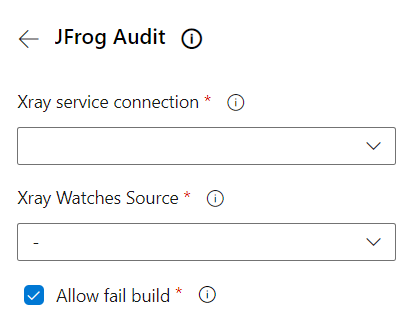

Also, it would't hurt if 'JFrog CLI V2' would support 'workingDirectory', for example for running 'jf audit-npm' in a subdirectory.
Hi @ToniA ,
Thank you for reporting this issue.
It seems that the workingDirectory attribute is indeed missing from the UI of the Audit task due to a bug in the visibility group. Glad you got it to work in the YAML form.
Supporting working directory in the JFrog CLI V2 task is a good idea.
We added both of these tasks to our backlog and will update once they are available. Thanks

Hi @ToniA ,
We recently released JFrog Azure DevOps Extension 2.1.0 which includes a fix for the workingDirectory at the JFrog Audit task, and support for workingDirectory at the JFrog CLI V2 task.
We'd appreciate your feedback for it.
Thanks