
V-Control
 V-Control copied to clipboard
Published
2 months ago
•
 jevonsflash
jevonsflash
An out-of-the-box .NET MAUI component library
V-Control




English | 中文
V-Control is a component library for .NET MAUI, providing a set of out-of-the-box UI controls to quickly build business-oriented app interfaces.

Features
- VButton - Button Component
- VCard - Card Component
- VCheckableCollection - Checkable Collection Component
- VCheckBox - Checkbox Component
- VCheckBoxButton - Checkbox Button Component
- VCheckBoxGroup - Checkbox Group Component
- VCollection - Collection View Component
- VDateNativePicker - Native Date Picker Component
- VDatePicker - Date Picker Component
- VEditor - Editor Component
- VExpander - Expander Component
- VFormItem - Form Component
- VIndicator - Progress Indicator Component
- VMenuCell - Menu Item Component
- VNumberEntry - Number Entry Component
- VPicker - Picker Component
- VRadioButton - Radio Button Component
- VRadioButtonGroup - Radio Button Group Component (Toggle Bar)
- VSearchBar - Search Bar Component
- VTagPicker - Tag Picker Component
- VTimeLine - Timeline Component
- VTopAppBar - Top App Bar Component
- VTouchContentView - Gesture Listener Component
- VUploader - File Upload Component
- VValidatingEntry - Validating Entry Component
- VValidatingPicker - Validating Picker Component
- VRichTextEditor - Rich Text Editor Component
- VEntry - Entry Component
- VPlaceholderView - Placeholder View Component
Todo
- VAutocomplete - Autocomplete Component
- VComparisonView - Comparison View Component
- VCalendar - Calendar Component
- Dark Mode
- BlazorApp-based Components
Quick Start
- Run the following command in your .NET MAUI project to install V-Control:
dotnet add package VControl
Or search for "V-Control" in NUGET and install it.
- In
MauiProgram, use.UseVControl()to add the V-Control handler in the MauiAppBuilder.
public static MauiApp CreateMauiApp()
{
    var builder = MauiApp.CreateBuilder();
    builder
        .UseMauiApp<App>()
        .UseVControl()   //👈 Add V-Control handler here
    var mauiApp = builder.Build();
    return mauiApp;
}
- Open the
App.xamlfile and add<v:VControlTheme />to the resources.
<?xml version = "1.0" encoding = "UTF-8" ?>
<Application xmlns="http://schemas.microsoft.com/dotnet/2021/maui"
             xmlns:x="http://schemas.microsoft.com/winfx/2009/xaml"
             xmlns:v="clr-namespace:VControl.Styles;assembly=VControl">
    <Application.Resources>
        <v:VControlTheme />
        ...
    </Application.Resources>
</Application>
Documentation
Visit V-Control Docs
Source Code and Samples
You can visit the GitHub to view the source code and examples for V-Control.
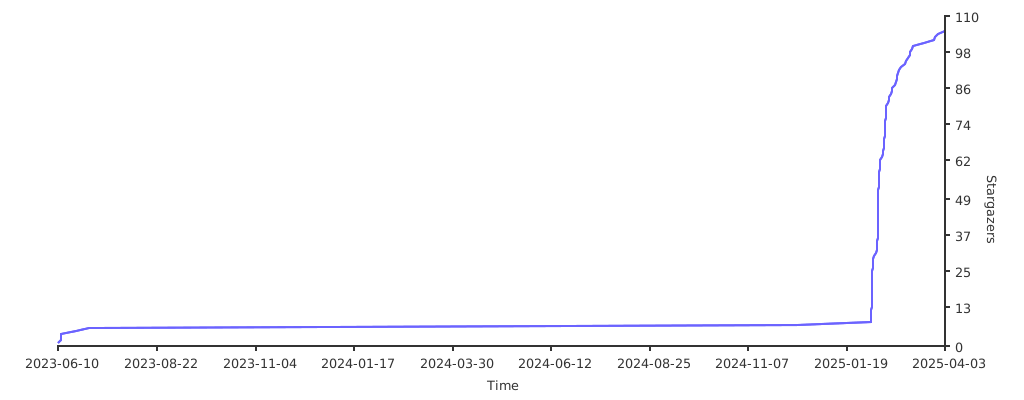
Stargazers over time
Metadata
150
Stars
17
Forks
150
Watchers
Owner
 jevonsflash
Metadata
An out-of-the-box .NET MAUI component library