

 jesseduffield
White non-bold text is displayed as black in neovim terminal
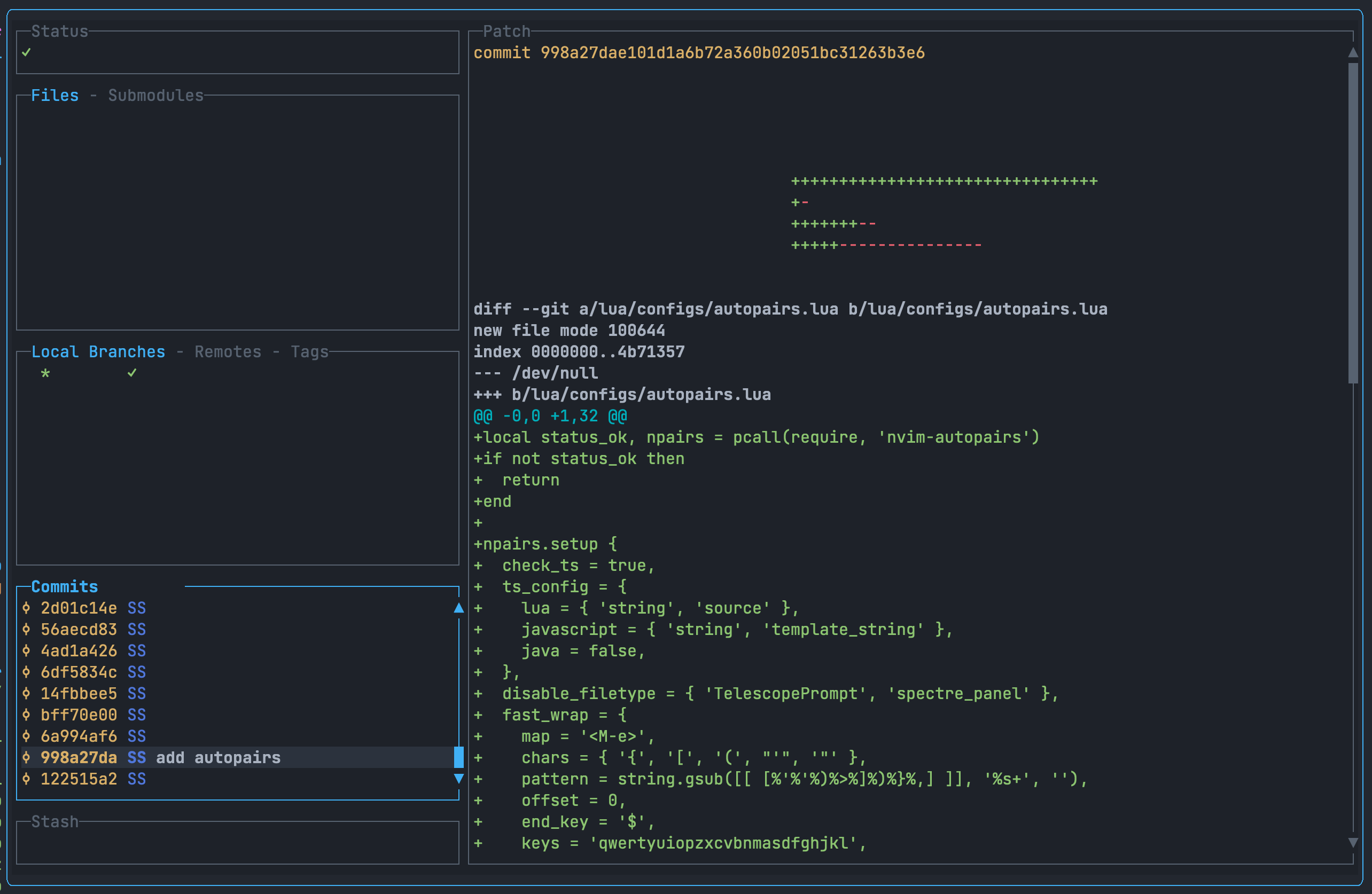
I use Alacritty terminal and when I start lazygit normally everything displays fine, but when I'm inside neovim and use toggleterm or native nvim terminal, some of the text blends in with the background. However, when I do the same thing and call lazygit from neovim, but in another terminal (in this case - Warp), everythings displays just fine. Also, when "invisible" text is hovered, it turns bold and becomes white.
Here is my lazygit config.yml:
gui:
  theme:
    activeBorderColor:
      - blue
      - bold
    inactiveBorderColor:
      - '#576270'
    optionsTextColor:
      - blue
    selectedLineBgColor:
      - '#2B323D'
    selectedRangeBgColor:
      - '#2B323D'
    cherryPickedCommitBgColor:
      - cyan
    cherryPickedCommitFgColor:
      - blue
    unstagedChangesColor:
      - red

  showFileTree: true
  showListFooter: false
  showRandomTip: false
  showBottomLine: false
  showCommandLog: true
  showIcons: true

disableStartupPopups: true

notARepository: 'skip'

keybinding:
  universal:
    return: 'q'

os:
  editCommand: 'nvim'
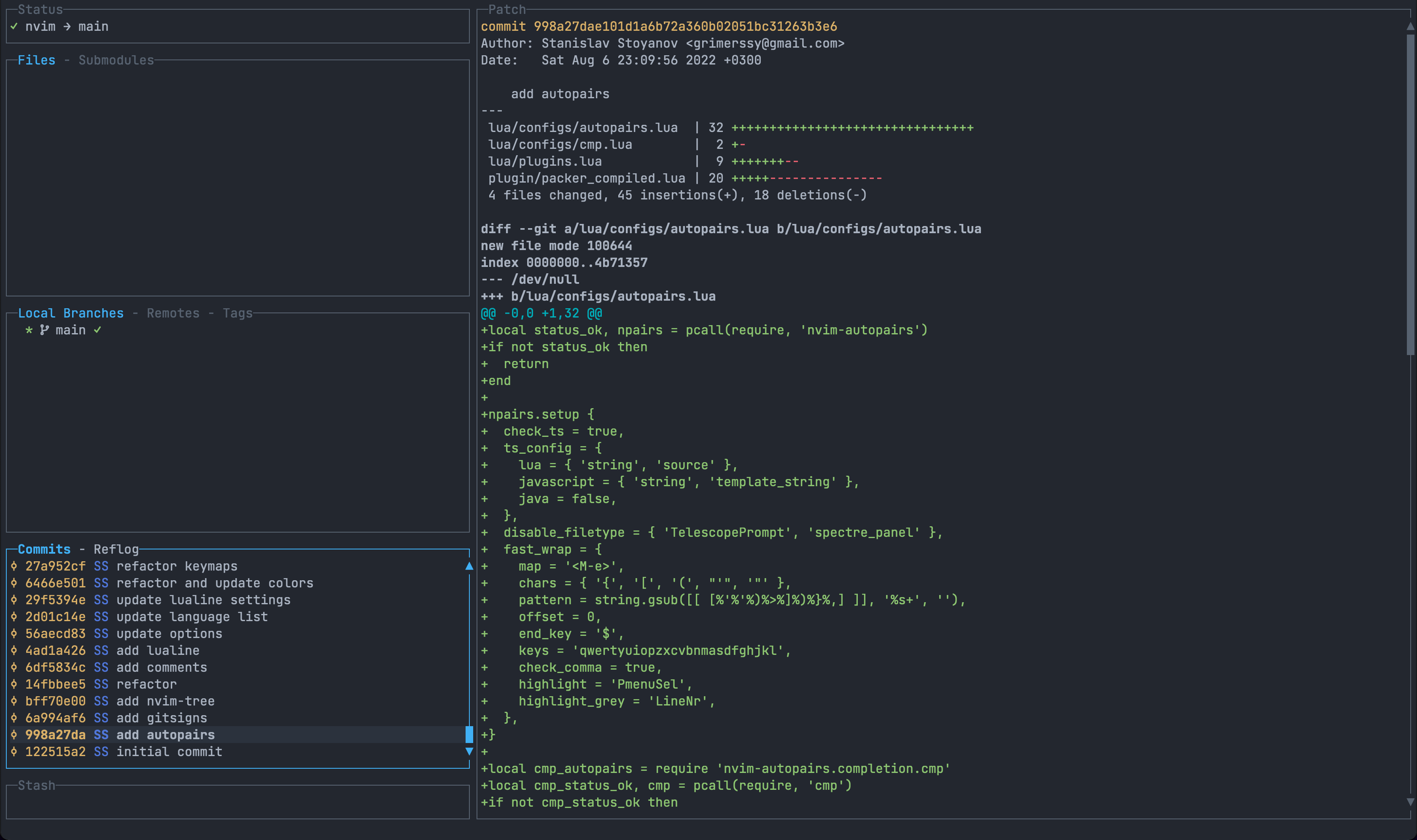
How it looks normally:
How it looks inside neovim:
Versions: MacOS: Monterey 12.4 Alacritty: 0.10.1 Neovim: 0.7.2 Lazygit: 0.35
Is there a way to fix this via configuration? I did not find any of highlight groups that might affect that behaviour. Note: I tried using both true and false as gui.theme.lightTheme.
