

 jenkinsci
[JENKINS-73700] Jenkins Credential updated but git doesn't use it
GitLab starting from 16.0 version does not have non-expiry access token. The original non-expiry token had become expired after one year. We recently updated the access token stored in the Jenkins Credential before the expiry. However, the updated access token was not correctly used.

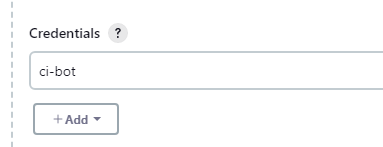
The credential ci-bot is used but the log showing the actual credential being used is not ci-bot.

i.e.

expected credential -> ci-bot:password1
actual credential used -> user1:password2
Originally reported by waynelwh, imported from: Jenkins Credential updated but git doesn't use it
- status: Open
- priority: Critical
- component(s): git-client-plugin, git-plugin, gitlab-api-plugin, gitlab-plugin
- label(s): plugin
- resolution: Unresolved
- votes: 0
- watchers: 4
- imported: 2025-12-02
Raw content of original issue
GitLab starting from 16.0 version does not have non-expiry access token. The original non-expiry token had become expired after one year. We recently updated the access token stored in the Jenkins Credential before the expiry. However, the updated access token was not correctly used.
The credential ci-bot is used but the log showing the actual credential being used is not ci-bot.
i.e.
expected credential -> ci-bot:password1 actual credential used -> user1:password2
- environment:
Jenkins 2.452.2, GitLab Branch Source 704.vc7f1202d7e14, GitLab API 530-91.v1f9a_fda_d654f, Git 5.2.2, Git client plugin 5.0.0, Git Parameter Plug-In 0.9.19, Git server Plugin 126.v0d945d8d2b_39, Windows
1 attachment

 markewaite:
- Original comment link
Raw content of original comment:
You'll need to provide more details so that others can duplicate the issue.  I'm unavailable for the next two weeks, so I won't attempt to duplicate the issue, but as far as I can tell from reading the description, it is unlikely that I will be able to duplicate the issue as described.  Needs step by step instructions.

You may have failed to update the credential definition that is saved on the Jenkins global configuration page.  You may have failed to update the credential definition in the Jenkins job definition.  Check them both.
You'll need to provide more details so that others can duplicate the issue. I'm unavailable for the next two weeks, so I won't attempt to duplicate the issue, but as far as I can tell from reading the description, it is unlikely that I will be able to duplicate the issue as described. Needs step by step instructions.
You may have failed to update the credential definition that is saved on the Jenkins global configuration page. You may have failed to update the credential definition in the Jenkins job definition. Check them both.
angus_yuen:
- Original comment link
Raw content of original comment:
Mark,
Thanks for your instant reply, I'm Angus and colleague of Wayne. Please find the information for our environment at below:
Existing Environment:
- GitLab (version 17.1.1): Serving as the source code repository.
- Jenkins (version 2.452.2): Acting as the CI pipeline executor.
CI Pipeline Procedure:
- Users update the code in GitLab and create a new Tab.
- Jenkins periodically polls the GitLab repository for new Tab with a service account token.
- Jenkins checks out the repository to retrieve information about the new Tab by service account token.
- Jenkins executes the CI pipeline, which includes fetching necessary libraries from a global trusted pipeline library repository, also using the service account token.
- The CI pipeline then tests, scans, and builds the code, after which it posts the results back to GitLab and pushes the artifact to Nexus.
Issue:
Initially, the service account token was set to never expire. However, after upgrading GitLab to version 16 last year, tokens are now configured to expire annually. We generated a new token in GitLab and updated the credentials in Jenkins accordingly. Despite this, the CI pipeline continues to fail. Upon investigation, we noticed that the updated token does not display the username and token as expected, leading to the pipeline’s inability to run successfully.
Mark,
Thanks for your instant reply, I'm Angus and colleague of Wayne. Please find the information for our environment at below:
Existing Environment:
- GitLab (version 17.1.1): Serving as the source code repository.
- Jenkins (version 2.452.2): Acting as the CI pipeline executor.
CI Pipeline Procedure:
- Users update the code in GitLab and create a new Tab.
- Jenkins periodically polls the GitLab repository for new Tab with a service account token.
- Jenkins checks out the repository to retrieve information about the new Tab by service account token.
- Jenkins executes the CI pipeline, which includes fetching necessary libraries from a global trusted pipeline library repository, also using the service account token.
- The CI pipeline then tests, scans, and builds the code, after which it posts the results back to GitLab and pushes the artifact to Nexus.
Issue:
Initially, the service account token was set to never expire. However, after upgrading GitLab to version 16 last year, tokens are now configured to expire annually. We generated a new token in GitLab and updated the credentials in Jenkins accordingly. Despite this, the CI pipeline continues to fail. Upon investigation, we noticed that the updated token does not display the username and token as expected, leading to the pipeline’s inability to run successfully.
slawomir_kozik:
- Original comment link
Raw content of original comment:
Hi angus_yuen
I believe we encounter the same issue lately on our Jenkins Server. For a long time, we were using technical user with non-expiry password. Lately we switched to the new user/password set and started issues with bb communication (Jenkins were not able to access to bb). After some investigation we found out that Jenkins still using old credential which were not valid at that point of time.
Going deep we find out that Jenkins is still using old credentials:
== Info: Re-using existing connection with host bb
Later we checked git ls-remote form Jenkins container which gave as some interesting output:
jenkins_container:/# GIT_CURL_VERBOSE=1 git ls-remote -h -- https://<bb_address>/project.git HEAD 10:04:23.575570 http.c:845 == Info: Couldn't find host bb in the .netrc file; using defaultsSo, we have actually found .netrc file in jenkins home directory which contained:
server:/path/to/jenkins/home# cat .netrc machine bb login not_valid_user password not_valid_password
After removing .netrc from jenkins home directory we were able to use new user credentials. Hope this may help with your issue.
At the moment we are not able to determine if file was created as Workaround for the issue with git plugin or it was created due to bug in some old plugin version (double checked and can not find the file on ewer instance of our Jenkins).
Best Regards
Slawomir
Hi angus_yuen
I believe we encounter the same issue lately on our Jenkins Server. For a long time, we were using technical user with non-expiry password. Lately we switched to the new user/password set and started issues with bb communication (Jenkins were not able to access to bb). After some investigation we found out that Jenkins still using old credential which were not valid at that point of time.
Going deep we find out that Jenkins is still using old credentials:
== Info: Re-using existing connection with host bb
Later we checked git ls-remote form Jenkins container which gave as some interesting output:
jenkins_container:/# GIT_CURL_VERBOSE=1 git ls-remote -h -- https:///project.git HEAD
10:04:23.575570 http.c:845              == Info: Couldn't find host bb in the .netrc file; using defaults
So, we have actually found .netrc file in jenkins home directory which contained:
server:/path/to/jenkins/home# cat .netrc
machine bb
                        login not_valid_user
                        password not_valid_password
After removing .netrc from jenkins home directory we were able to use new user credentials. Hope this may help with your issue.
At the moment we are not able to determine if file was created as Workaround for the issue with git plugin or it was created due to bug in some old plugin version (double checked and can not find the file on ewer instance of our Jenkins).
Best Regards
Slawomir