

 jenkinsci
[JENKINS-56104] Jenkins Github SCM building wrong branches
Jenkins version: 2.163
Github plugin version: 1.29.3
Git plugin version: 3.9.3
Git client plugin version: 2.7.6
Job Type: Multibranch Job
We're currently using the Github plugin so that commits to our repo trigger Github webhooks to our Jenkins server. For the most part, it works. However, at least a few times a week a build will be triggered for a branch that doesn't have a commit.
For instance, if I make a commit to ProjectA/develop, it thinks it detects a change and triggers a build for the 2 other branches, ProjectA/stage and ProjectA/master, even though those branches don't have any recent commits.
Here are more details based off our current issue:
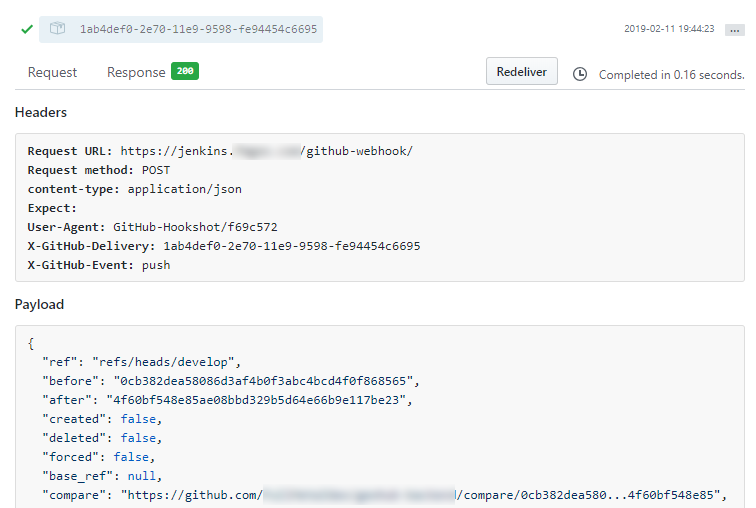
The webhook log from our github repo showing a push to the develop branch at 19:44:23 MST.

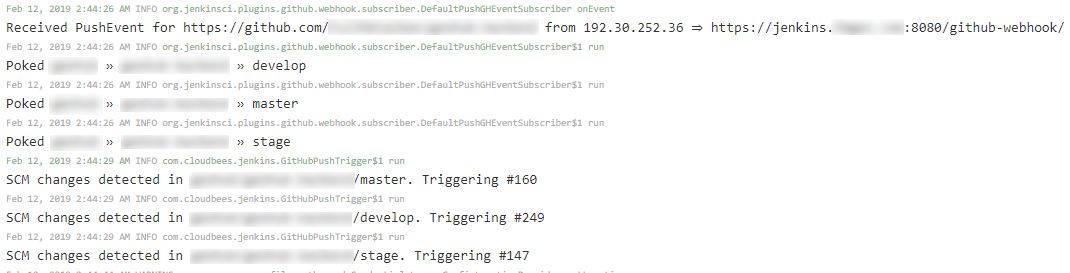
Here we see Jenkins receiving the hook and checking the branches for changes to build. Notice that it detects changes in all 3 configured branches even though develop was the one that triggered the build. Also note that our Jenkins server is set to UTC time so it's actually 19:44:26PM MST that it logged the PushEvent.

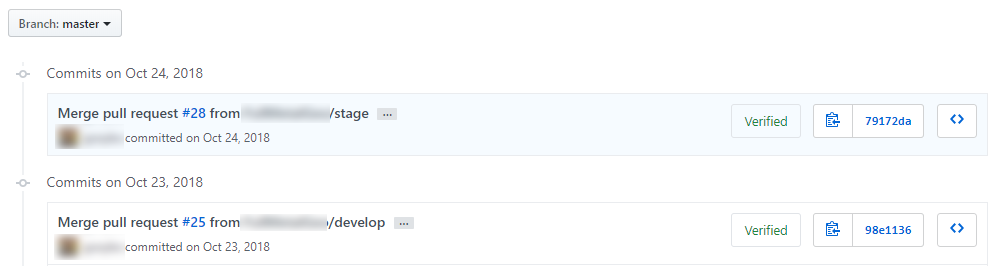
Here we can see the commits to he master branch. Last one was Oct 24, 2018. So there's definitely nothing new in there to build even though Jenkins thinks there is. 
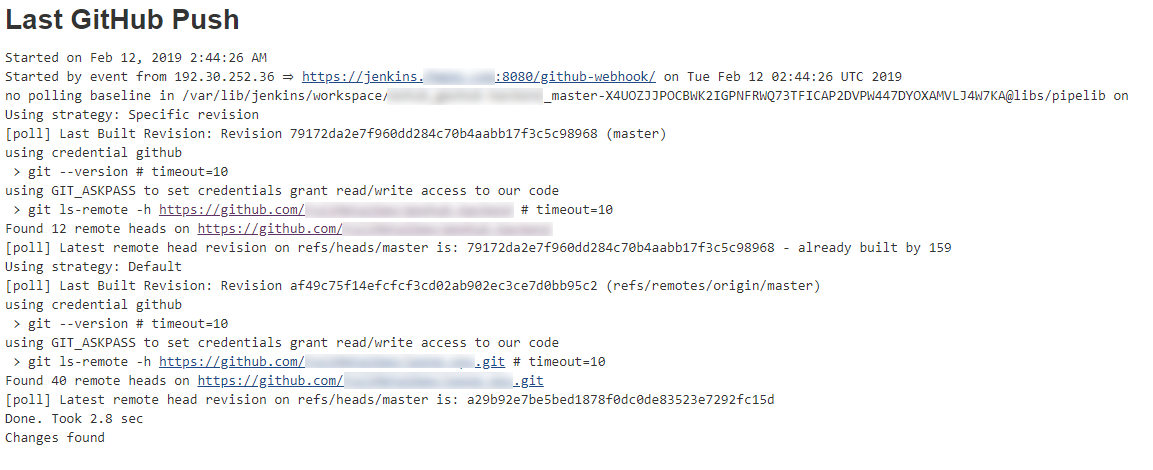
And just for the sake of completeness, here's the GitHub hook log from the master branch job.

Originally reported by  chizou, imported from: Jenkins Github SCM building wrong branches
- status: Open
- priority: Minor
- component(s): git-plugin, github-plugin
- resolution: Unresolved
- votes: 4
- watchers: 5
- imported: 2025-12-02
Raw content of original issue
Jenkins version: 2.163
Github plugin version: 1.29.3
Git plugin version: 3.9.3
Git client plugin version: 2.7.6
Job Type: Multibranch Job
We're currently using the Github plugin so that commits to our repo trigger Github webhooks to our Jenkins server. For the most part, it works. However, at least a few times a week a build will be triggered for a branch that doesn't have a commit.
For instance, if I make a commit to ProjectA/develop, it thinks it detects a change and triggers a build for the 2 other branches, ProjectA/stage and ProjectA/master, even though those branches don't have any recent commits.
Here are more details based off our current issue:
The webhook log from our github repo showing a push to the develop branch at 19:44:23 MST.
Here we see Jenkins receiving the hook and checking the branches for changes to build. Notice that it detects changes in all 3 configured branches even though develop was the one that triggered the build. Also note that our Jenkins server is set to UTC time so it's actually 19:44:26PM MST that it logged the PushEvent.
Here we can see the commits to he master branch. Last one was Oct 24, 2018. So there's definitely nothing new in there to build even though Jenkins thinks there is.
And just for the sake of completeness, here's the GitHub hook log from the master branch job.

 markewaite:
- Original comment link
Raw content of original comment:
I don't know how to duplicate the problem. Thanks for the good details in the report. I hope you'll discover additional details as you explore further.
I don't know how to duplicate the problem. Thanks for the good details in the report. I hope you'll discover additional details as you explore further.
chizou:
- Original comment link
Raw content of original comment:
Are there any suggestions on how I can get more debugging enabled to troubleshoot/fix this?
Are there any suggestions on how I can get more debugging enabled to troubleshoot/fix this?
markewaite:
- Original comment link
Raw content of original comment:
The git plugin output is already quite verbose, in large measure so that diagnosis of failures is a little easier.

You could try increasing the logging level of the git plugin and the git client plugin in case something is written to the system log file which might show a difference between the cases where it works and the cases where it fails.
The git plugin output is already quite verbose, in large measure so that diagnosis of failures is a little easier.
You could try increasing the logging level of the git plugin and the git client plugin in case something is written to the system log file which might show a difference between the cases where it works and the cases where it fails.