

 jellyfin
Live TV Channels Still Appear When I Have Removed Tuner
Describe the bug
I once added a tuner as M3U Tuner type and chosen a m3u file on local disk without XMLTV, and the TV channels appeared normally in front end of Live TV. But when I want to delete these channels by removing the M3U Tuner, they still appear in live TV channels.
System (please complete the following information):
- OS: Synology NAS(linux x64)
- Virtualization: Docker
- Clients: Browser
- Browser: Chrome, Safari
- Jellyfin Version: 10.4.3 and 10.5.0
- Playback: [Direct Play, Remux, Direct Stream, Transcode]
- Installed Plugins: Anime, Bookshelf, Fanart, IPTV, Next Pvr, Open Subtitles, Pushbullet Notifications, TMDB Box sets, TVHeadend
- Reverse Proxy: nginx
- Base URL: none
- Networking: Bridge
- Storage: local
To Reproduce
- Go to 'Dashboard -> Live TV'
- Click on 'Delete' menu item of a tuner box
- Click on 'Refresh Guide Data' button below ( Although I haven't own one data provider.)
- Go to "Home -> Live TV -> Guide ( or Channels)"
Expected behavior
It should provide a easy way to manage the imported channels of Live TV.
I don't know if this belongs to bug or an improvement, because jellyfin should provide a function to modify imported channels, but I can't find it.

Hi I run into the same problem. Did you find a solution by anychance? I made the mistake of adding a world wide iptv. So now I have over 5000 channels...

Hello same issue for me, I hope this problem can be corrected quickly.
OS: Synology NAS(linux x64)
Virtualization: Docker
Clients: Browser, Android & iOS App
Browser: Chrome, Safari
Jellyfin Version: 10.5.5
Playback: [Direct Play, Remux, Direct Stream]
Installed Plugins: AudioDB 10.5.5.0 / Email Notifications 4.0.0.0 / Fanart 4.0.0.0 / MusicBrainz 10.5.5.0 / Open Subtitles 7.0.0.0 / Playback Reporting 6.0.0.0 / Reports 6.0.0.0 /  TMDb Box Sets 5.0.0.0 / Trakt 9.0.0.0
Reverse Proxy: Synology
Base URL: none
Networking: Bridge
Storage: local




I stumbled on a fix for this issue.
- Remove your Tuner Devices and TV Guides from Live TV in your Dashboard.
- MOST IMPORTANT for me was to also go into plugins and uninstall Next PVR.
- Restart Jellyfin
- add your new play list and TV Guide in Live TV
- Refresh Guide Data. Your can also reinstall Next PVR at this point.
- That hopefully will refresh your Live TV

Same issue for me too.
Deleting tuners etc... and removing Next PVR did NOT fix the issue for me. I still have all the invalid channels listed along with their incorrect EPG.
Grrrrrrr.
I REALLY want to love Jellyfin but more and more 'minor' issues like this keep cropping up, making it difficult to not get annoyed :(
Jellyfin V10.6.4 on Windows 64

Try this:
- Close Jellyfin
- Open file explorer to: %ProgramData%\Jellyfin\Server\plugins or %UserProfile%\AppData\Local\jellyfin\plugins
- Delete the IPTV (or other plugin) folders you don't want
- Restart Jellyfin
- Profit

Try this:
1. Close Jellyfin

2. Open file explorer to:
   %ProgramData%\Jellyfin\Server\plugins
   or
   %UserProfile%\AppData\Local\jellyfin\plugins

3. Delete the IPTV (or other plugin) folders you don't want

4. Restart Jellyfin

5. Profit
OK, Kinda worked. It got rid of the stale data but now will not re-populate with new data. Sigh...
Any idea where that path is on linux or docker?
I didn't have to install a plug-in to get M3U tuner working, but I still can't get rid of these channels

A "solution" for docker on Synology NAS. Use at your own risk.
In docker instance's terminal,
rm /cache/*_channels
/cache/*_channels are M3U files. No reboot needed. M3U sources seems correct.
Thanks Crodps for the idea.

This issue has gone 120 days without comment. To avoid abandoned issues, it will be closed in 21 days if there are no new comments. If you're the original submitter of this issue, please comment confirming if this issue still affects you in the latest release or nightlies, or close the issue if it has been fixed. If you're another user also affected by this bug, please comment confirming so. Either action will remove the stale label. This bot exists to prevent issues from becoming stale and forgotten. Jellyfin is always moving forward, and bugs are often fixed as side effects of other changes. We therefore ask that bug report authors remain vigilant about their issues to ensure they are closed if fixed, or re-confirmed - perhaps with fresh logs or reproduction examples - regularly. If you have any questions you can reach us on Matrix or Social Media.
![stale[bot] avatar](https://avatars.githubusercontent.com/in/1724?v=4 "Published by a pub.dev verified publisher")

removing cache/channel files from appdata didn't work. you could remove the tunner and channels would disappear. but if you added a single m3u back you'd get not just that but entire original list. only workaround was to uninstall server, reinstall. then was able to get a small list imported. this is w/latest version 10.7.6

I was able to overcome this in 10.7.6 on a windows install.
- Shutdown Jellyfin
- uninstalled any plugins related to TV
- went to %ProgramData%\Jellyfin\config deleted livetv.xml
- %ProgramData%\Jellyfin\Server\metadata deleted entire livetv folder
- restart jellyfin and its a clean slate

Problem still persists in 10.7.7
The various ways provided here didn't seem to help. I don't want to entirely uninstall it as I just spent hours adding metadata to my files.

I want to add here, it seems that the old channels eventually disappear after a while on their own once you add new channels. It looks like the channels are stored in an sqlite database and deleted one by one inside of individual transactions, which is very slow.


Been really annoying me too. Was playing around with various iptv, before I know it I have 20k+ channels with no way to remove them

As of today, this is still happening, but at least I have found the solution to remove the TV section from the home screen so I don't see them again. I found the solution on reddit

I'm also affected (jellyfin in docker container with rasperry pi tvheadend)


Moved to a new m3u editor. Old m3u and new m3u seem to be mixed in together (old m3u removed previous to adding). LiveTV is listing channels wrong in the guide. Ive removed and added m3u edits a few times. I assume from reading this is a sql cleanup happening, slowly.... Some entries in the guide that I know should work from the epg xml are not.

+1 To this issue.
I've deleted all references to Live TV in
- data/metadata/livetv
- cache/*_channels
- cache/xmltv/*
Checking the dashboard there is no Tuner (HD Homerun OR M3U) and no EPG of any type. I can find no reference to it anywhere in the admin UI nor when searching the file system. The issue is that it still shows up on the home dashboard under the "On Now" section and under Live TV under the "Programs" section.

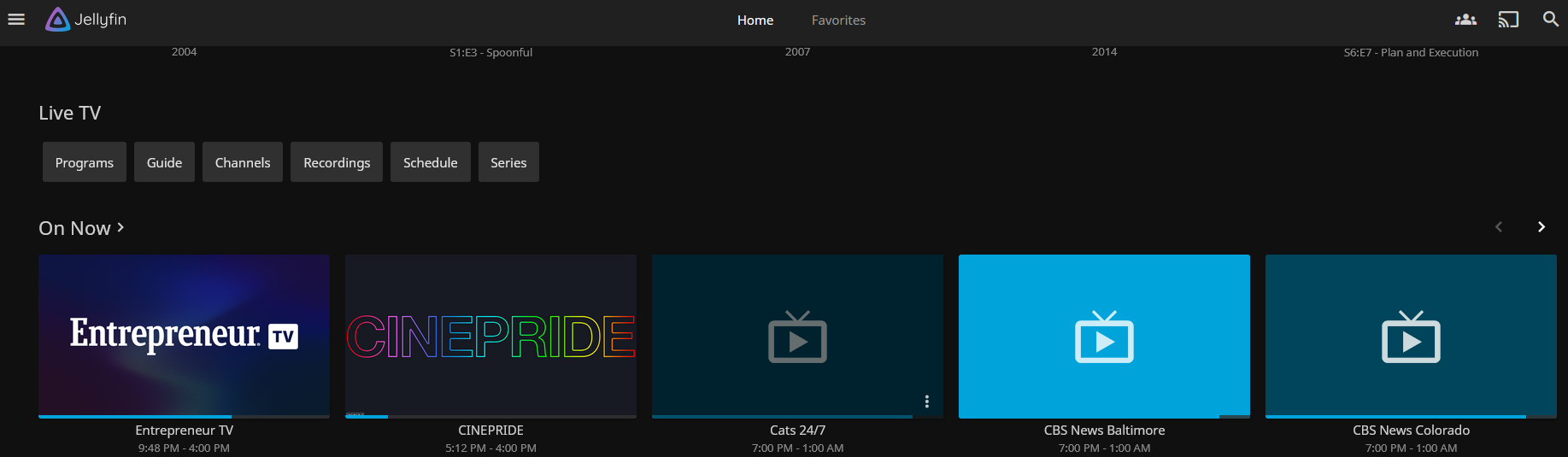
For Live TV, the Guide, Channels, Recordings, Schedule, and Series tabs are all correctly empty (as there is no M3U or XML) however if you go to the Programs tab you can still see all of it
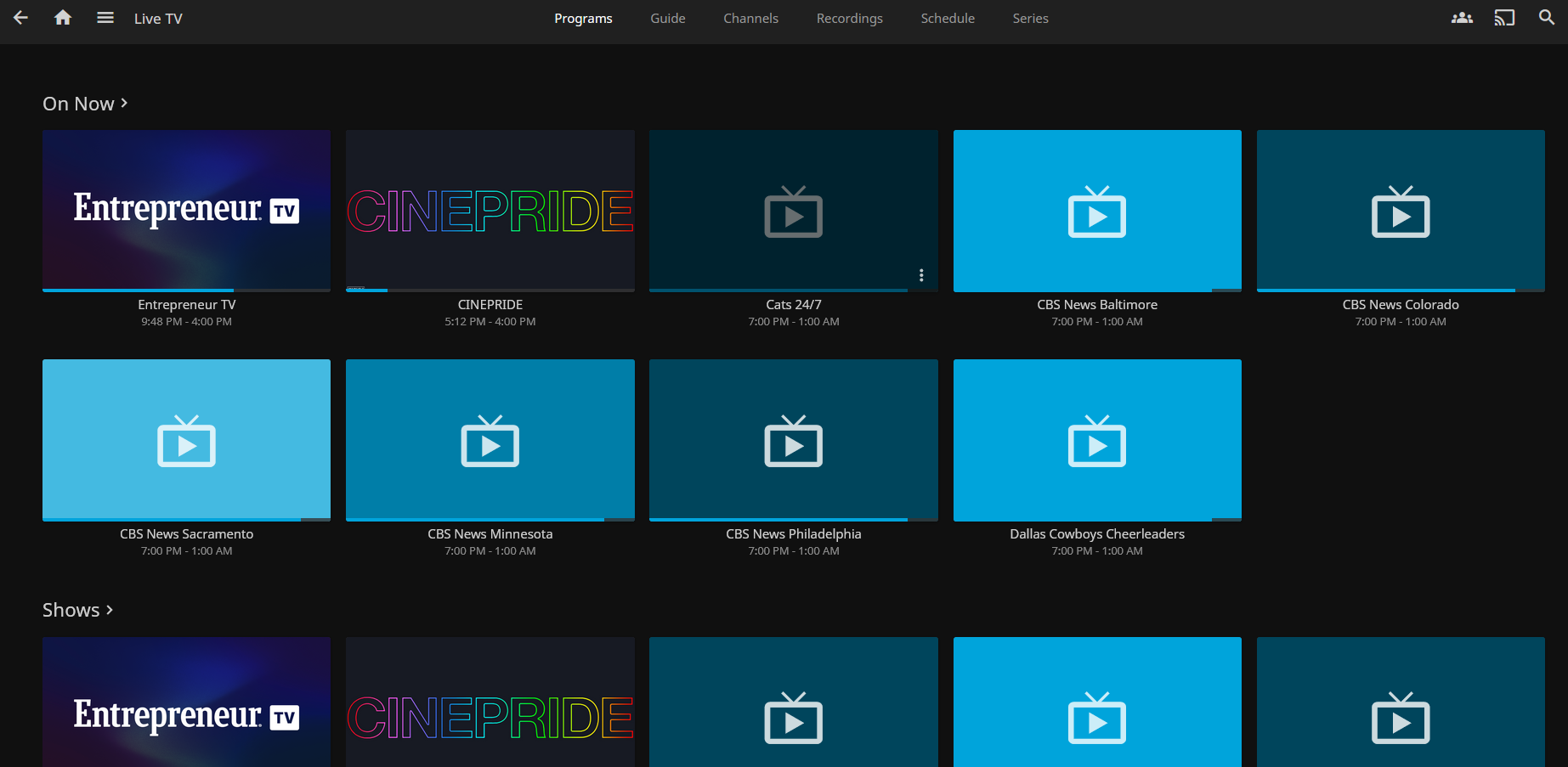
Any advice on how to property remove all references to that guide or channel would be greatly appreciated.
