

 jellyfin
Quality above 1080p 15Mbps does not display an image on tablet
Describe the bug When streaming 4k videos from Jellyfin to my Android tablet, I only get a black screen (I do hear the audio playing), however, if i lower the quality to a maximum of 1080p 15Mbps, the video functions as expected, this issue is not present on my phone or TV.
To Reproduce
- Set the quality above 1080p-15Mbps
- Get a black screen.
Screenshots
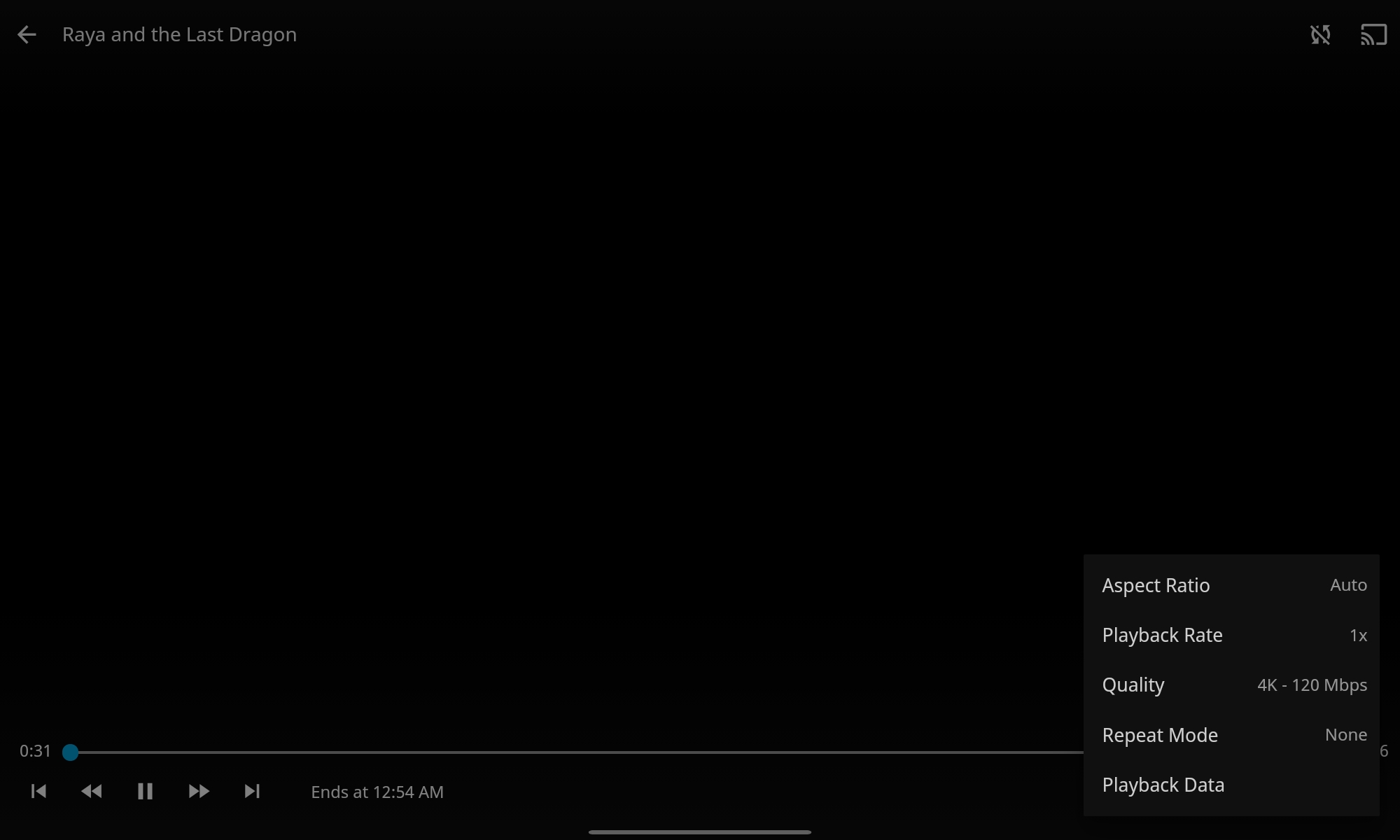
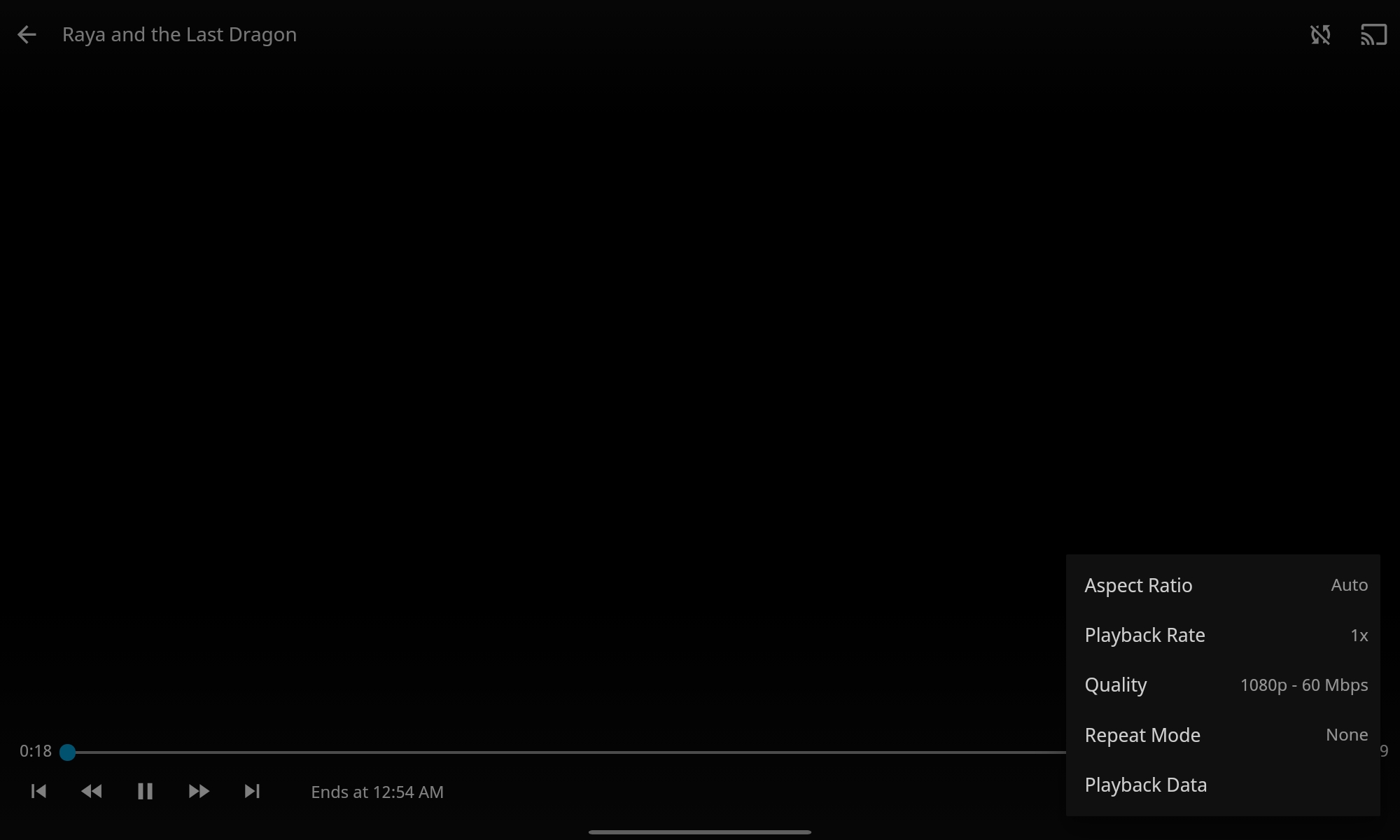

System (please complete the following information):
- App version: [2.2.3]
- Android version: [Android 10]
- Device manufacturer and model: [Samsung Tab A7]
- Jellyfin server version: [10.7.1]
- The type of video player implementation used: [web player] (video does not start with Native player)
Additional context I have tried with the Jellyfin Beta and stable client, no luck.
This issue is really weird considering it works on my phone and TV, would anybody know if this is fixable? thank you very, very much :)

This is probably unrelated to the bitrate, and instead caused by your tablet not supporting a certain codec profile/level. Lowering the bitrate enough forces a transcode which "fixes" that issue. Could you add some more (technical) information on the played file?

This is probably unrelated to the bitrate, and instead caused by your tablet not supporting a certain codec profile/level. Lowering the bitrate enough forces a transcode which "fixes" that issue. Could you add some more (technical) information on the played file?
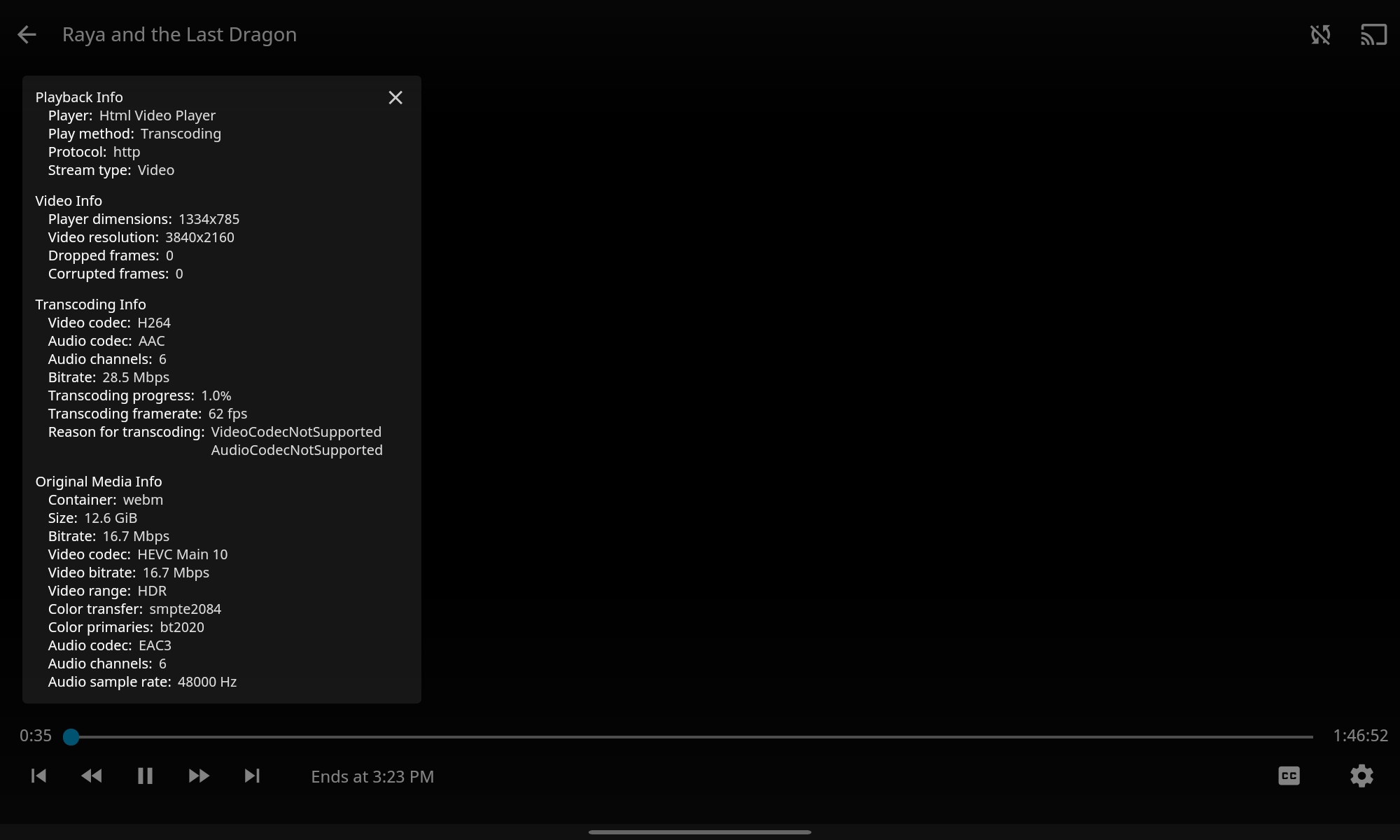
Absolutely, would this be the correct technical information?
(with 4k quality, black screen)
This issue has gone 120 days without comment. To avoid abandoned issues, it will be closed in 21 days if there are no new comments.
If you're the original submitter of this issue, please comment confirming if this issue still affects you in the latest release or master branch, or close the issue if it has been fixed. If you're another user also affected by this bug, please comment confirming so. Either action will remove the stale label.
This bot exists to prevent issues from becoming stale and forgotten. Jellyfin is always moving forward, and bugs are often fixed as side effects of other changes. We therefore ask that bug report authors remain vigilant about their issues to ensure they are closed if fixed, or re-confirmed - perhaps with fresh logs or reproduction examples - regularly. If you have any questions you can reach us on Matrix or Social Media.

Sorry for the late reply, it seems the higher bitrate is also transcoding. 62 fps transcoding framerate should normally be enough, but it could still be a server issue. Does it work in a browser when streaming with quality selected?
Sorry for the late reply, it seems the higher bitrate is also transcoding. 62 fps transcoding framerate should normally be enough, but it could still be a server issue. Does it work in a browser when streaming with quality selected?
Absolutely no problems (I am also sorry about the late reply, just saw the notification :p), the same black screen appears (rather just the thumbnail of the movie) when streaming via a browser when I select any quality above 1080p 20 Mbps
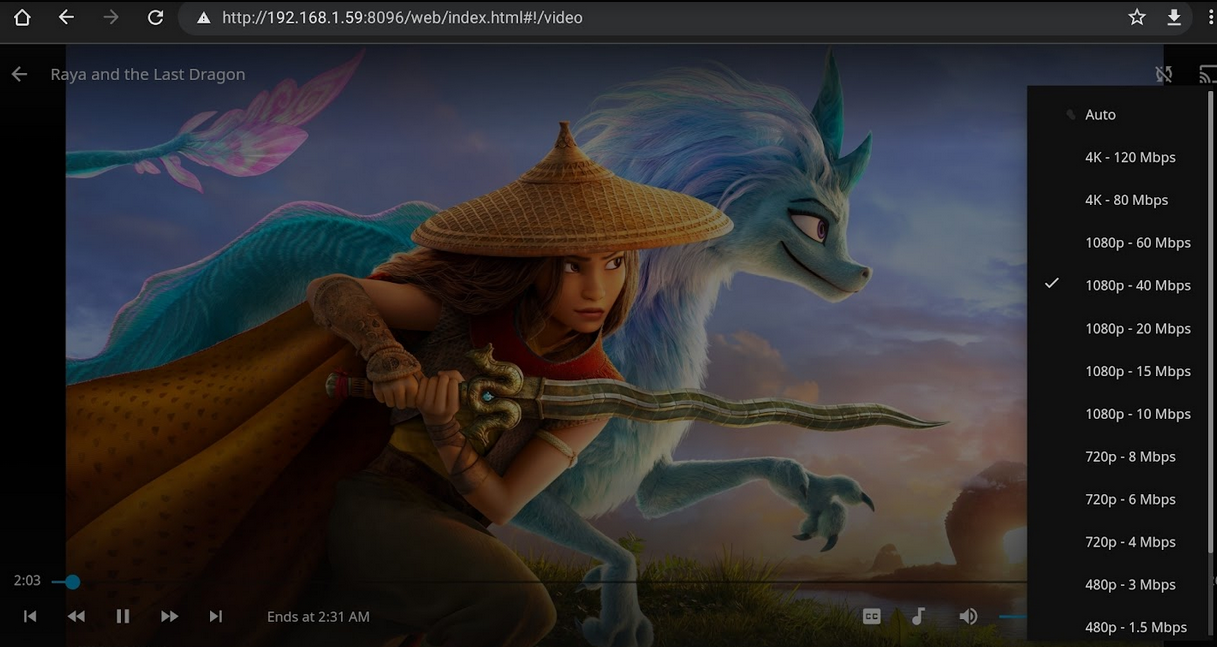
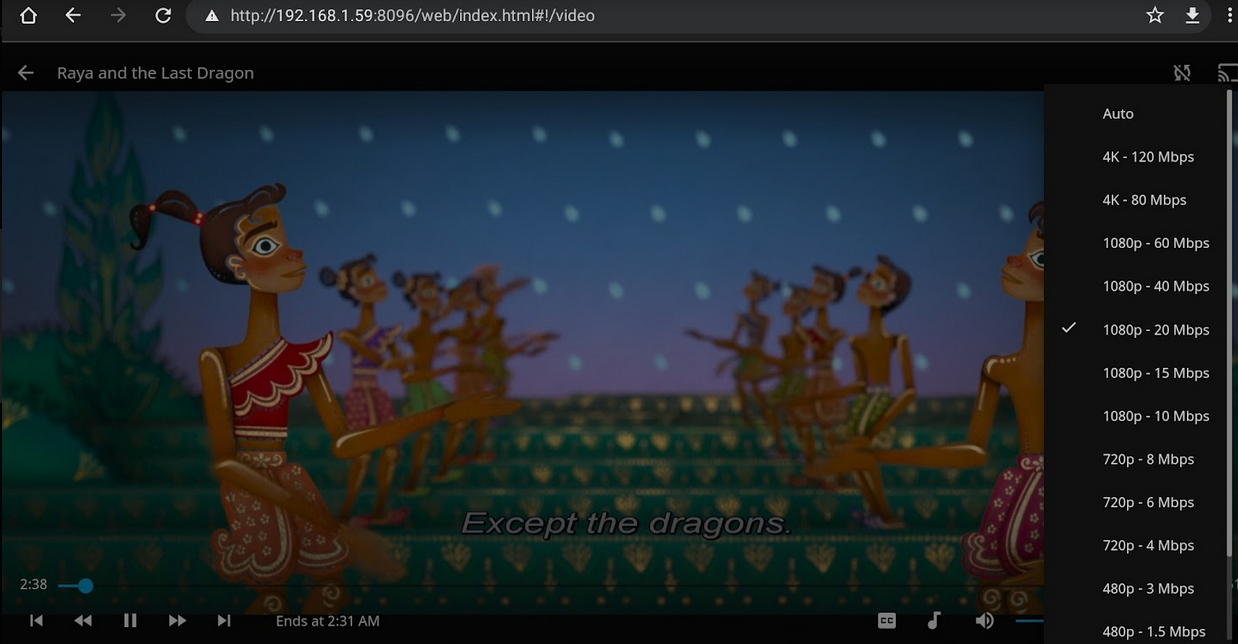
I see, it's possible the server cannot keep up with transcoding, or it's a server bug. You should check the ffmpeg transcoding logs on the server, those could give a hint on what's wrong.
I think my server should be keeping up with it? It has a Ryzen 5 1600x, a 1070ti and 32GB RAM, here's the transcoding log (I couldn't find anything in it)
This issue has gone 120 days without comment. To avoid abandoned issues, it will be closed in 21 days if there are no new comments.
If you're the original submitter of this issue, please comment confirming if this issue still affects you in the latest release or master branch, or close the issue if it has been fixed. If you're another user also affected by this bug, please comment confirming so. Either action will remove the stale label.
This bot exists to prevent issues from becoming stale and forgotten. Jellyfin is always moving forward, and bugs are often fixed as side effects of other changes. We therefore ask that bug report authors remain vigilant about their issues to ensure they are closed if fixed, or re-confirmed - perhaps with fresh logs or reproduction examples - regularly. If you have any questions you can reach us on Matrix or Social Media.
I should also add that this issue is present on the Samsung Tab A8 (2022) as well as the A7 (2020).
This issue has gone 120 days without comment. To avoid abandoned issues, it will be closed in 21 days if there are no new comments.
If you're the original submitter of this issue, please comment confirming if this issue still affects you in the latest release or master branch, or close the issue if it has been fixed. If you're another user also affected by this bug, please comment confirming so. Either action will remove the stale label.
This bot exists to prevent issues from becoming stale and forgotten. Jellyfin is always moving forward, and bugs are often fixed as side effects of other changes. We therefore ask that bug report authors remain vigilant about their issues to ensure they are closed if fixed, or re-confirmed - perhaps with fresh logs or reproduction examples - regularly. If you have any questions you can reach us on Matrix or Social Media.
This issue has gone 120 days without comment. To avoid abandoned issues, it will be closed in 21 days if there are no new comments.
If you're the original submitter of this issue, please comment confirming if this issue still affects you in the latest release or master branch, or close the issue if it has been fixed. If you're another user also affected by this bug, please comment confirming so. Either action will remove the stale label.
This bot exists to prevent issues from becoming stale and forgotten. Jellyfin is always moving forward, and bugs are often fixed as side effects of other changes. We therefore ask that bug report authors remain vigilant about their issues to ensure they are closed if fixed, or re-confirmed - perhaps with fresh logs or reproduction examples - regularly. If you have any questions you can reach us on Matrix or Social Media.
Issue is present. On top of that ExoPlayer ignores default transcode quality setting

Might something to do with device HDR support. Have tried multiple different android devices, some do tone mapping, and those that don't spit out an error untill you bump bitrate down to the point where it doesn't carry HDR data anymore.
Update. Turns out i didn't point to ffmpeg path correctly, because of which server-side tone mapping didn't work, leaving this task to an end device with mixed result.
This issue has gone 120 days without comment. To avoid abandoned issues, it will be closed in 21 days if there are no new comments.
If you're the original submitter of this issue, please comment confirming if this issue still affects you in the latest release or master branch, or close the issue if it has been fixed. If you're another user also affected by this bug, please comment confirming so. Either action will remove the stale label.
This bot exists to prevent issues from becoming stale and forgotten. Jellyfin is always moving forward, and bugs are often fixed as side effects of other changes. We therefore ask that bug report authors remain vigilant about their issues to ensure they are closed if fixed, or re-confirmed - perhaps with fresh logs or reproduction examples - regularly. If you have any questions you can reach us on Matrix or Social Media.