
notion-py
 notion-py copied to clipboard
 jamalex
How to upload image to field in a row in a collection?
Hi, thanks for the awesome work on this.
This works: rows[0].set_property("screenshot", "https://neurosphere.io/images/Produkt_komplett.png")
But how can I upload an image from my local files directly to this field?

Perhaps you could make a new ImageBlock, do upload_file, and then use the source and display_source from that? Then delete the ImageBlock when you're done?

@Cobertos good suggestion!
I tried it but it didn't work
# random page
randompage = client.get_block("https://www.notion.so/drowzee/random-98571d5817804919bba64f04b08960cf")

# add image block at random page
newchild = randompage.children.add_new(ImageBlock)
newchild.upload_file("Bilde1.png")

rows[0].set_property("img", newchild.source)
print(newchild.source)
print(newchild.display_source)
Both setting img to newchild.source and newchild.display_source gives this result:

I had the same issue with setting the source and display_source
property, https://github.com/jamalex/notion-py/issues/74
But I had success with using the .upload_file() method alone on a new ImageBlock and doing nothing else to it when done. Specifically line 22-36 of this file was working for me https://github.com/Cobertos/md2notion/blob/master/md2notion/upload.py
On Tue, Dec 17, 2019, 11:44 AM Lars Karbo [email protected] wrote:
@Cobertos https://github.com/Cobertos good suggestion!
I tried it but it didn't work
random page
randompage = client.get_block("https://www.notion.so/drowzee/random-98571d5817804919bba64f04b08960cf")
add image block at random page
newchild = randompage.children.add_new(ImageBlock) newchild.upload_file("Bilde1.png")
rows[0].set_property("img", newchild.source) print(newchild.source) print(newchild.display_source)
Both setting img to newchild.source and newchild.display_source gives this result:
[image: image] https://user-images.githubusercontent.com/10865165/71016035-d708ab00-20f4-11ea-8cd4-eeab257c5478.png
— You are receiving this because you were mentioned. Reply to this email directly, view it on GitHub https://github.com/jamalex/notion-py/issues/75?email_source=notifications&email_token=ABTSGCGOEUE5HMYMBSWE5U3QZD6W3A5CNFSM4JVL7VL2YY3PNVWWK3TUL52HS4DFVREXG43VMVBW63LNMVXHJKTDN5WW2ZLOORPWSZGOEHDFPIQ#issuecomment-566646690, or unsubscribe https://github.com/notifications/unsubscribe-auth/ABTSGCCLNOYWNSS6LGG4PALQZD6W3ANCNFSM4JVL7VLQ .
Yep, I managed to upload the image. The newblock block in my code is working.
What I can't do is add this image to a row in the collection
I also have a similar problem. I have a row in a table with a field named "Word". I would like to upload a word file but it does not work for me:
ub = EmbedOrUploadBlock(client, str(uuid.uuid4()))
ub.upload_file("myfile.docx")
I get this error:
Traceback (most recent call last):
  File "<stdin>", line 1, in <module>
  File "/Users/federico/repos/proposal-generator/venv/lib/python3.7/site-packages/notion/block.py", line 623, in upload_file
    self.display_source = data["url"]
  File "/Users/federico/repos/proposal-generator/venv/lib/python3.7/site-packages/notion/maps.py", line 46, in fset
    self.set(path, python_to_api(value), **kwargs)
  File "/Users/federico/repos/proposal-generator/venv/lib/python3.7/site-packages/notion/records.py", line 116, in set
    build_operation(id=self.id, path=path, args=value, table=self._table)
  File "/Users/federico/repos/proposal-generator/venv/lib/python3.7/site-packages/notion/client.py", line 186, in submit_transaction
    self.post("submitTransaction", data).json()
  File "/Users/federico/repos/proposal-generator/venv/lib/python3.7/site-packages/notion/client.py", line 158, in post
    "message", "There was an error (400) submitting the request."
requests.exceptions.HTTPError: Null value found in type column of block table.
I also tried assigning the block before upload the file with proposals_page.collection.get_rows()[0].word.append(ub) but it did not change the result

Now I managed to upload a File inside a page, but I cannot add it as field in a collection. I can get the URL of the File when added inside the page, and copy that url in the field, however if I do this a get an error when accessing it in Notion:
{"errorId":"64980b97-4c3b-4d9d-a838-0cc7b66a4d6d","name":"ValidationError","message":"User does not have access."}
This is what I do:
            fb = proposal_line.children.add_new(FileBlock)
            fb.upload_file(docx_filename)
            proposal_line.word = [fb.display_source]
As a result, I cannot open the file here:

But I can open it here:

My solutions was this:
def upload_file_to_row_property(client, row, path, property_name):
    mimetype = mimetypes.guess_type(path)[0] or "text/plain"
    filename = os.path.split(path)[-1]
    data = client.post("getUploadFileUrl", {"bucket": "secure", "name": filename, "contentType": mimetype}, ).json()
    # Return url, signedGetUrl, signedPutUrl
    mangled_property_name = [e["id"] for e in row.schema if e["name"] == property_name][0]

    with open(path, "rb") as f:
        response = requests.put(data["signedPutUrl"], data=f, headers={"Content-type": mimetype})
        response.raise_for_status()
    simpleurl = data['signedGetUrl'].split('?')[0]
    op1 = build_operation(id=row.id, path=["properties", mangled_property_name], args=[[filename, [["a", simpleurl]]]], table="block", command="set")
    file_id = simpleurl.split("/")[-2]
    op2 = build_operation(id=row.id, path=["file_ids"], args={"id": file_id}, table="block", command="listAfter")
    client.submit_transaction([op1, op2])
My solutions was this:
def upload_file_to_row_property(client, row, path, property_name):
    mimetype = mimetypes.guess_type(path)[0] or "text/plain"
    filename = os.path.split(path)[-1]
    data = client.post("getUploadFileUrl", {"bucket": "secure", "name": filename, "contentType": mimetype}, ).json()
    # Return url, signedGetUrl, signedPutUrl
    mangled_property_name = [e["id"] for e in row.schema if e["name"] == property_name][0]

    with open(path, "rb") as f:
        response = requests.put(data["signedPutUrl"], data=f, headers={"Content-type": mimetype})
        response.raise_for_status()
    simpleurl = data['signedGetUrl'].split('?')[0]
    op1 = build_operation(id=row.id, path=["properties", mangled_property_name], args=[[filename, [["a", simpleurl]]]], table="block", command="set")
    file_id = simpleurl.split("/")[-2]
    op2 = build_operation(id=row.id, path=["file_ids"], args={"id": file_id}, table="block", command="listAfter")
    client.submit_transaction([op1, op2])
Thank you very much. It helps me resolve a big problem.
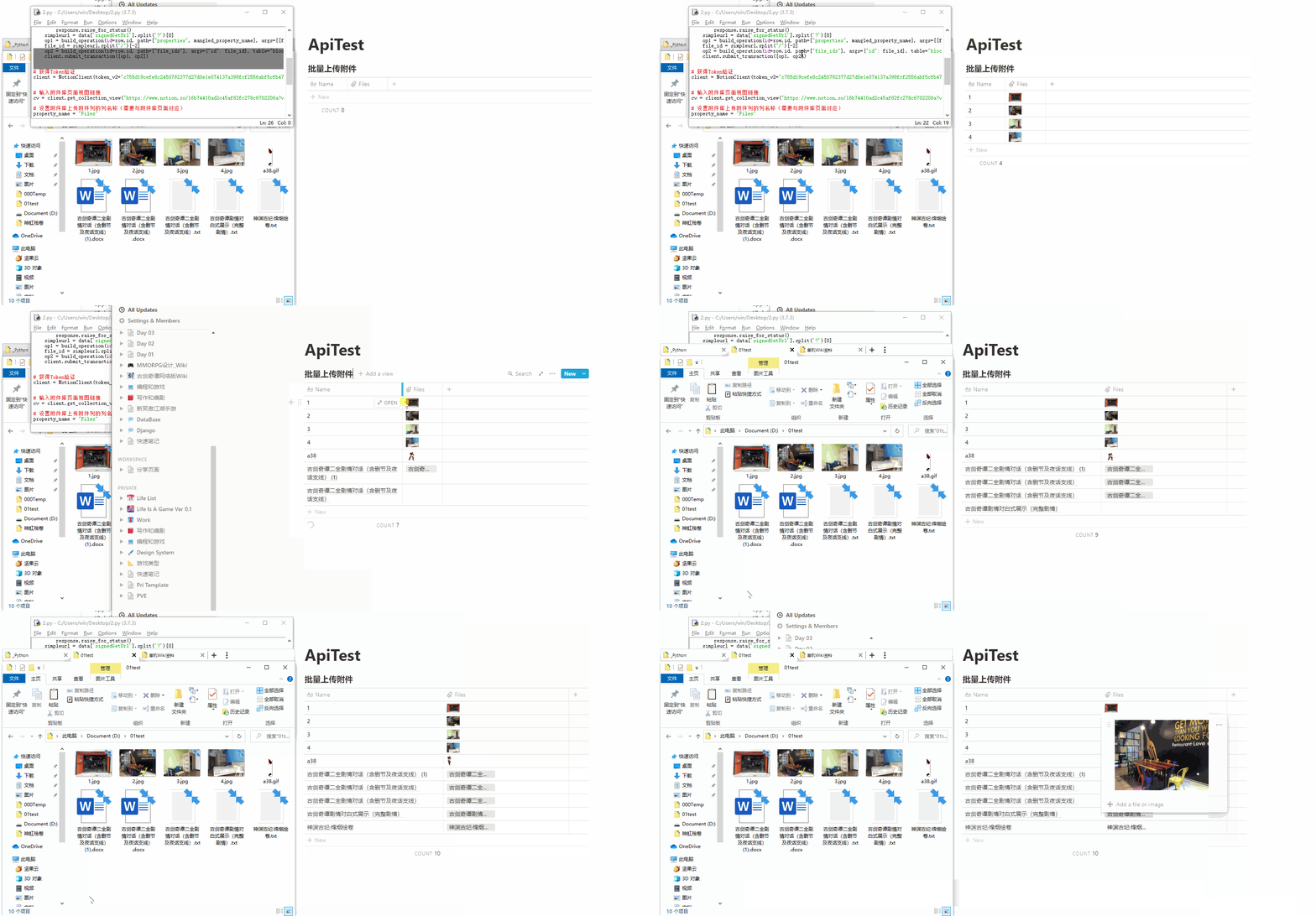

Hey there! Thanks a lot @ftomassetti for the code above! But one problem still exists: I can't upload multiple files in one row in the same property this way. The "old" file will always be overwritten. Has anyone an idea to solve this problem? I tried to figure it out myself, but wasn't able to find the right operations...

@Foaly333 I've faced the same issue. I added some code to store previous files in the list
def upload_file_to_row_property(client, row, path, property_name):
    mimetype = mimetypes.guess_type(path)[0] or "text/plain"
    filename = os.path.split(path)[-1]
    data = client.post("getUploadFileUrl", {"bucket": "secure", "name": filename, "contentType": mimetype}, ).json()
    # Return url, signedGetUrl, signedPutUrl
    mangled_property_name = [e["id"] for e in row.schema if e["name"] == property_name][0]
    with open(path, "rb") as f:
        response = requests.put(data["signedPutUrl"], data=f, headers={"Content-type": mimetype})
        response.raise_for_status()
    simpleurl = data['signedGetUrl'].split('?')[0]

    filelist = row.get('properties')[mangled_property_name] # Let's get information that was stored there
    filelist.append([filename, [["a", simpleurl]]]) #append new file

    op1 = build_operation(id=row.id, path=["properties", mangled_property_name], args=filelist, table="block", command="set")
    file_id = simpleurl.split("/")[-2]
    op2 = build_operation(id=row.id, path=["file_ids"], args={"id": file_id}, table="block", command="listAfter")
    client.submit_transaction([op1, op2])

