
jaeger-ui
 jaeger-ui copied to clipboard
 jaegertracing
Firefox support
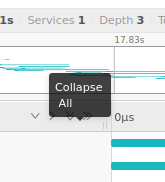
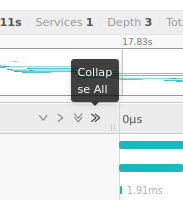
The first thing I do each time I open a trace is "collapse all", but as I hover over the button a tooltip pops up obscuring it. I have to hover away, wait for the tooltip to disappear, and then I can click the button. Its always the first time the tooltip displays - subsequent renderings are placed unobtrusively.

Thanks for reporting the bug, @delanym.
As this is a UI concern, please create this bug issue in https://github.com/jaegertracing/jaeger-ui/issues.

@albertteoh do you have rights for https://docs.github.com/en/issues/tracking-your-work-with-issues/transferring-an-issue-to-another-repository ?
@albertteoh do you have rights for https://docs.github.com/en/issues/tracking-your-work-with-issues/transferring-an-issue-to-another-repository ?
Nice, seems like I do 😄 Thanks for the tip, @delanym!
No sweat. Would also be nice to configure traces to open spans collapsed via --query.ui-config
Also noticed the graph on the search page isn't aligned properly.
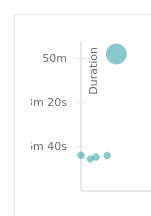
Both these issues appear on Firefox but not Chrome.