

 iyear
iyear
Order of download kind
Hello How are u My dear @iyear if i need download single file i use tdl dl -n quickstart -u https://t.me/telegram/193 if i need download different msg id tdl dl -n quickstart -u https://t.me/telegram/193 -u https://t.me/telegram/198 but i dont know if i want download for example from https://t.me/telegram/193 to https://t.me/telegram/200
can u explain for me :)

Use (official client/chat utils) to export messages. And use dl -f result.json to download all the media files in the json file.
- https://github.com/iyear/tdl#download
- https://github.com/iyear/tdl/blob/master/docs/desktop_export.md
- https://github.com/iyear/tdl#chat-utilities

WARN: If data exists in the namespace, data will be overwritten Importing session from desktop client: /Applications/Telegram.app open key_data: file "key_data" not found
Official desktop client: https://desktop.telegram.org/
Another version of the Mac desktop version is not currently supported
 itry many time give me same error
i download again from
https://telegram.org/dl/desktop/mac
itry many time give me same error
i download again from
https://telegram.org/dl/desktop/mac
I don't have a mac device so I can't debug it, is there a tdata directory under that directory?
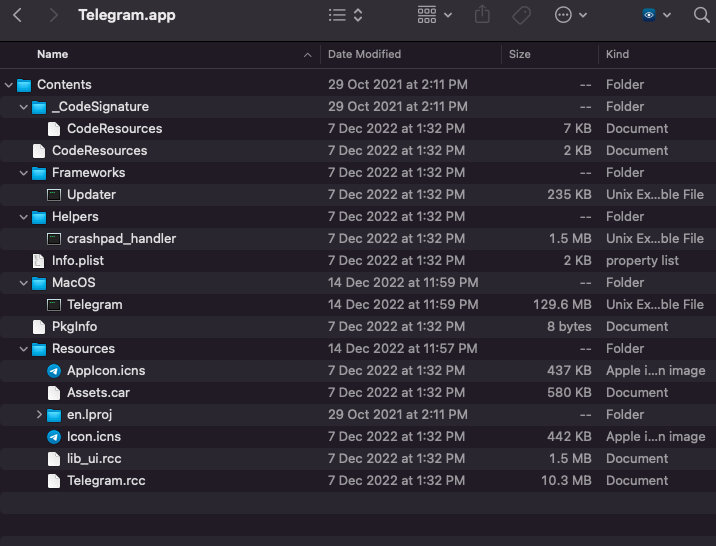 if u mean this
The tdl is able to run properly with a tdata directory in the Telegram root directory. But I don't have a macOS device.