
cyberduck
 cyberduck copied to clipboard
 iterate-ch
Cannot read container configuration
Trying to open a bucket I get this error. This bug is not present in previous version 8.3.0, I had to downgrade the version to resolve this issue. Please take note. My bucket properties hasn't been changed in years; so I gues this is a cyberduck problem. Thank you.
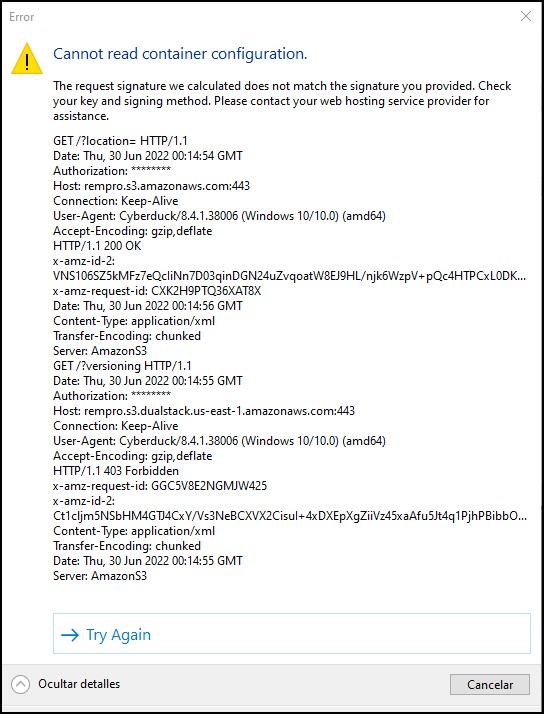

Latest version of Cyberduck has the same problem on MacOS. Downgrading to 8.3.0 also worked for me.


Unfortunately it still appears this is an issue with version 8.4.3.
so sad to hear, I was hoping to be able to upgrade for this version.
Unfortunately it still appears this is an issue with version 8.4.3.
Please attach the debug logging and send us the log file after reproducing the problem. If you don't like to see sensitive data shared publicly, please send the log file with the ticket reference GH-13528 [email protected]. Otherwise, attach it here.
Sidenote: If you want to share the log file here, make sure to attach it through the GitHub web interface, as it wouldn't be visible to us otherwise.
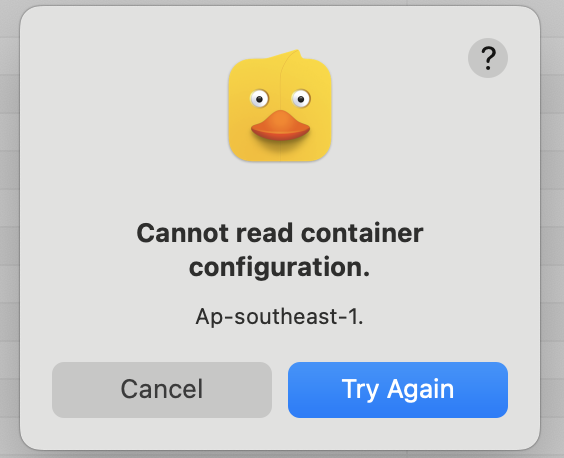
Unfortunately it still appears this is an issue with version 8.4.3.
Please attach the debug logging and send us the log file after reproducing the problem.
I confirm this issue persists in version 8.4.5.
Please attach the debug logging and send us the log file after reproducing the problem.
I cannot attach debug logging due to security concerns but I can confirm the issue persists as of today.
Hey, guys!
I guess you are having the same issue as me before, try to connect to your S3 bucket in this way:
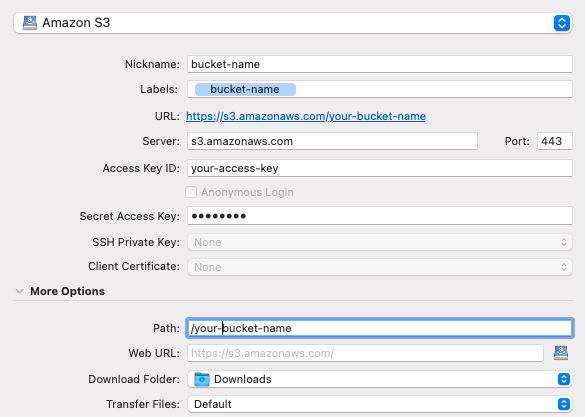
Some time ago Amazon changed endpoints for buckets, so you don't always need to specify AZ as it was before (e.g https://your-bucket-name.s3.eu-central-1.amazonaws.com) to connect to S3 through CyberDuck now (tested on a new version) you need to connect this way https://s3.amazonaws.com/your-bucket-name

I am already using it this way but it does not work for Cyberduck versions never than 8.3.3. I get the above error whenever I try to list a bucket.
If you don't like to see sensitive data shared publicly, please send the log file with the ticket reference GH-13528 [email protected].
If you don't like to see sensitive data shared publicly, please send the log file with the ticket reference https://github.com/iterate-ch/cyberduck/issues/13528 [email protected].

Having a similar issue in 8.5 macOS Big Sur
Can see all 6 of my buckets in Cyber, but can only interact with one of them. All the other 5 give me the error "Cannot read container configuration. Us-west-1."
I've followed the instructions as above but only getting 1 of my 6 buckets.
