

 isle-project
[enhancement]: student questions should show in instructor panel; and ability mark as "resolved"
Currently, there's the ability for students to indicate that they "didn't get this" on a given question.
Currently, the only indication that a student had such a question is a red bar on the relevant button on the given question. That's good for a TA to monitor the lesson in real time, but it's not good for an instructor to monitor and track student questions later. [Currently, to see if a student has an unresolved question, as an instructor I have to scroll through every single question pane on a lesson (cumbersome, and easy to miss one or two), and then, if I see some red, I have to click two things to see who the student was and what their question was (also cumbersome); and then, if I follow up with the student in email, there's no way (I don't think?) for me to mark the question in ISLE as "resolved".]
So, request for some added functionalities, as follows:
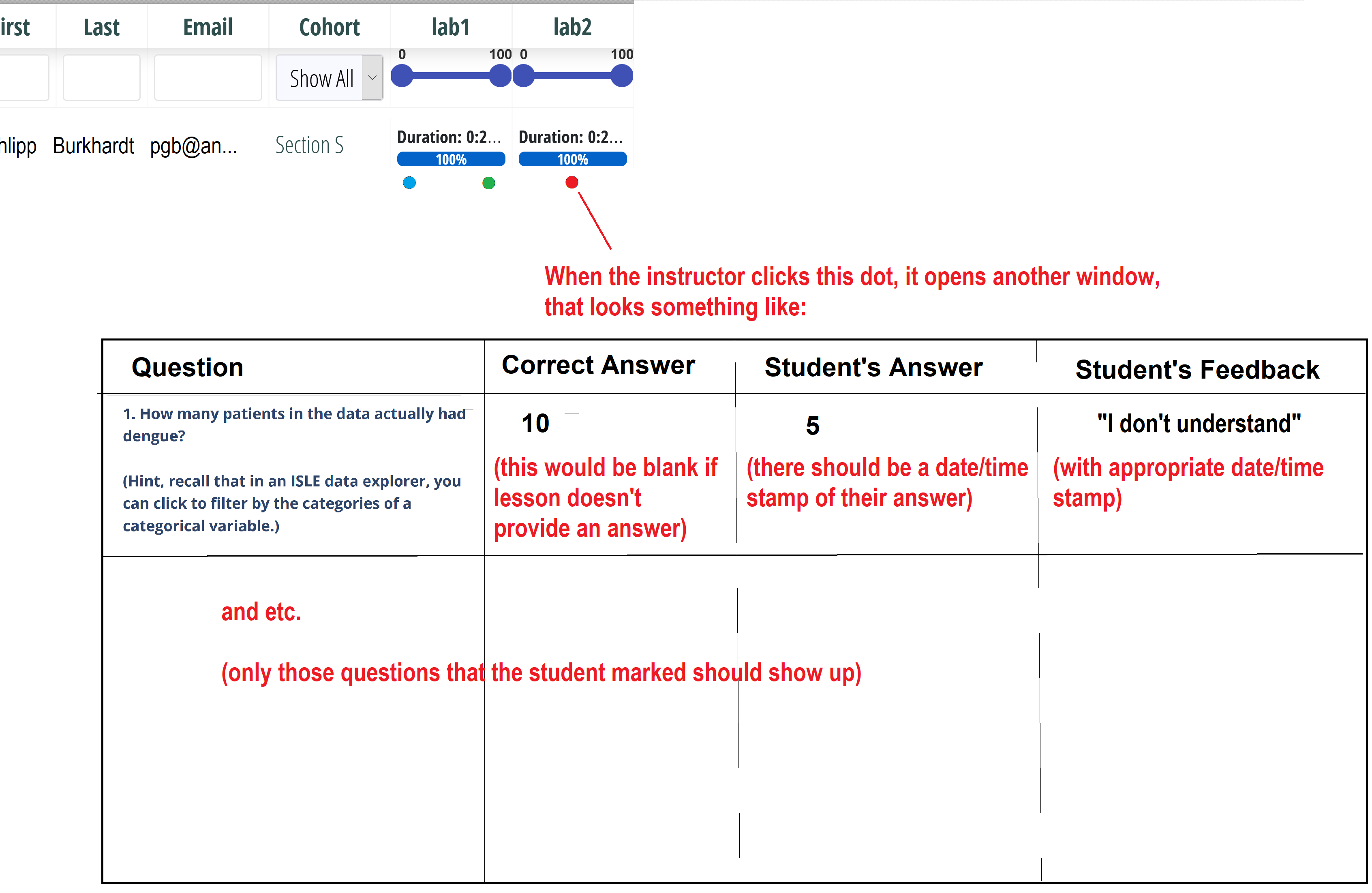
First, in the grade panel, in addition to grades for each student, it should also show any such feedback that the student indicated (maybe per lesson?); when the instructor clicks on the indicator, it pops up a new window with the student's feedback or question, maybe side-by-side with what the question on the lesson was.
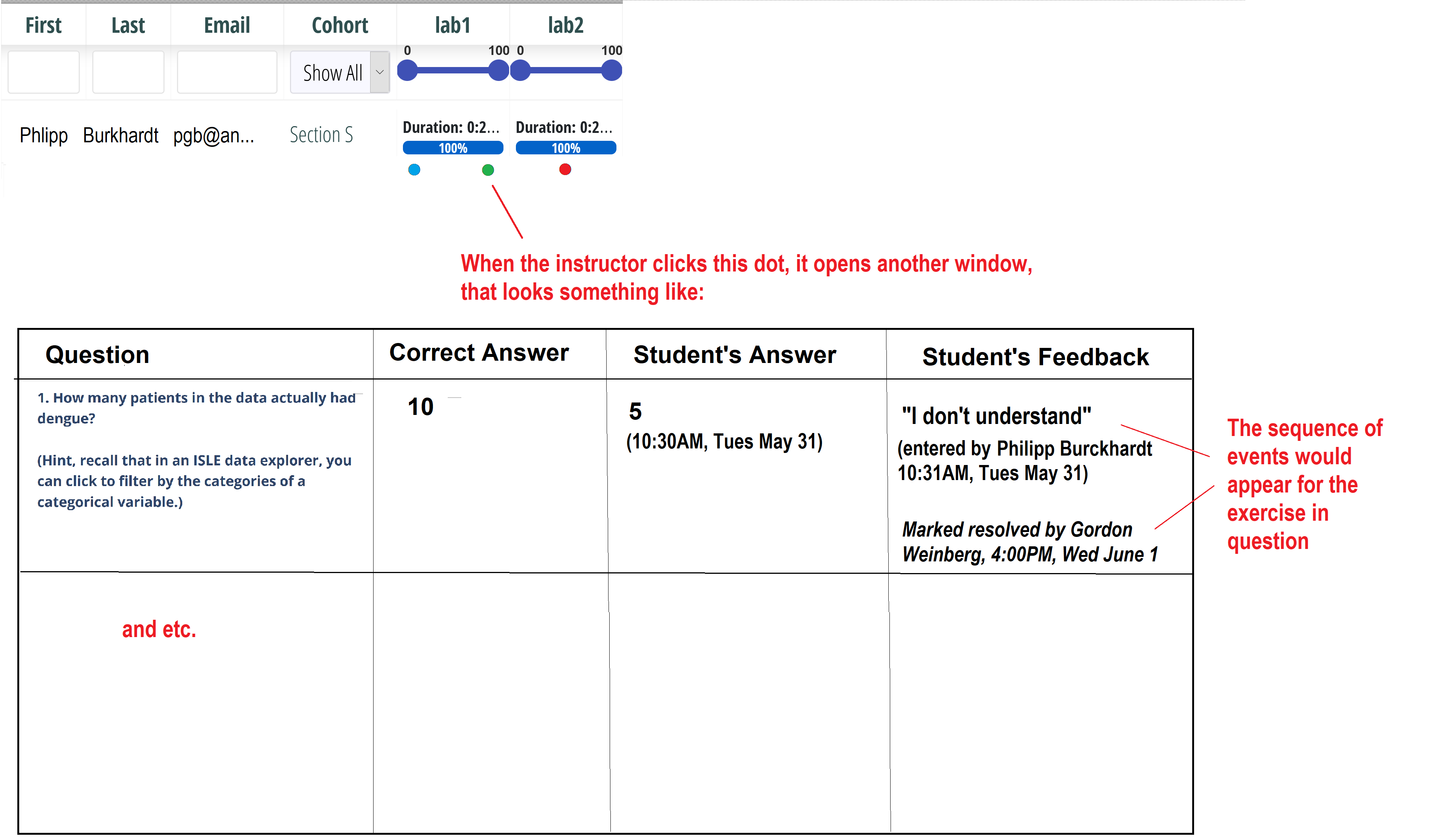
Second, there should be a button so that anyone (student, TA, instructor) can mark a question as "resolved"; if a question is marked as "resolved", it should show who marked it as resolved (that's important for me as an instructor), with a timestamp (so I can compare the timestamp of the question and the timestamp of when it was resolved); and in the grade panel, questions that were "resolved" should have a different color than "I understand" (because being able to see the difference is useful to me).
Since there could be dozens of questions on a lesson, I'm not sure what the best layout of the functionality would be. Maybe, for a given student, on a given lesson, there would just be an indictor if there were any "I undertand this", an indicator if there were any unresolved "I don't understand," and an indicator if there were any resolved; then, when the instructor clicked the relevant indicator, it pops open another panel, or slides down an expanded panel, showing which questions.
I.e., maybe something like:
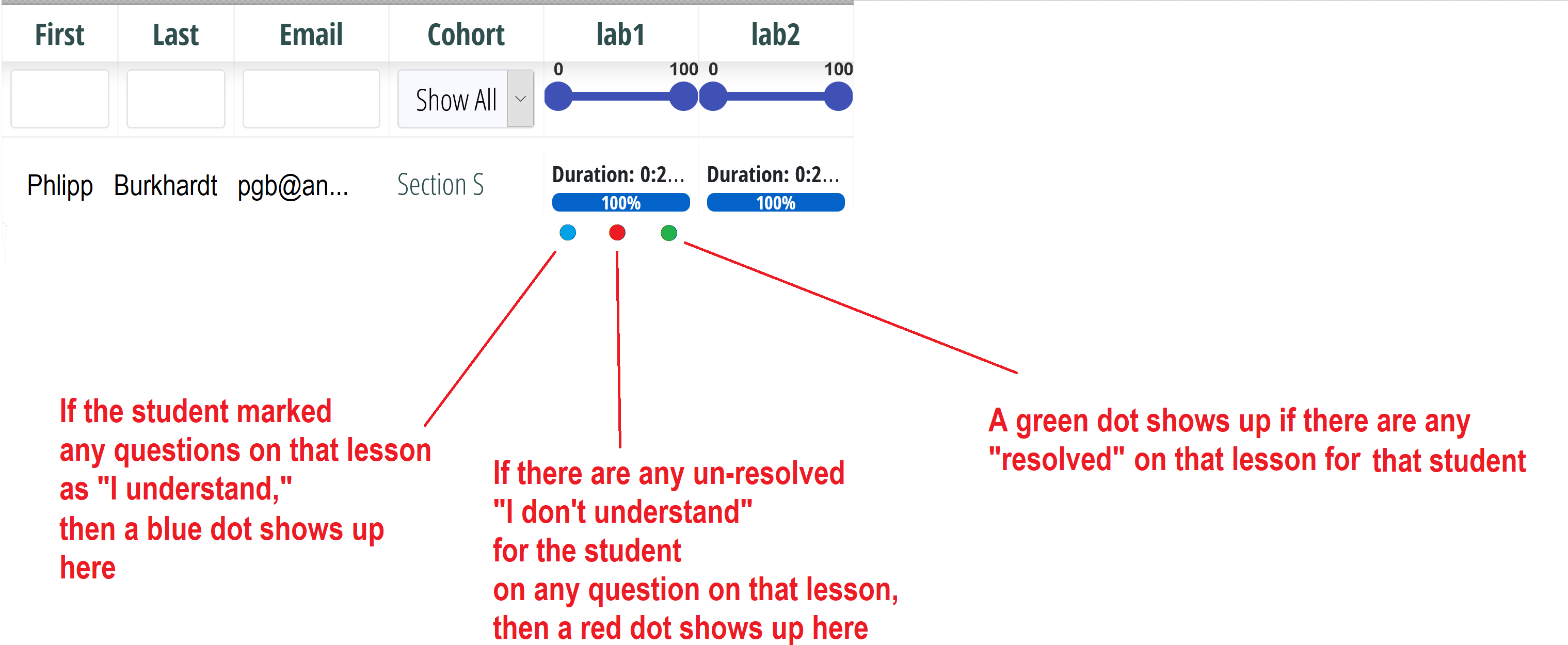
So for instance:
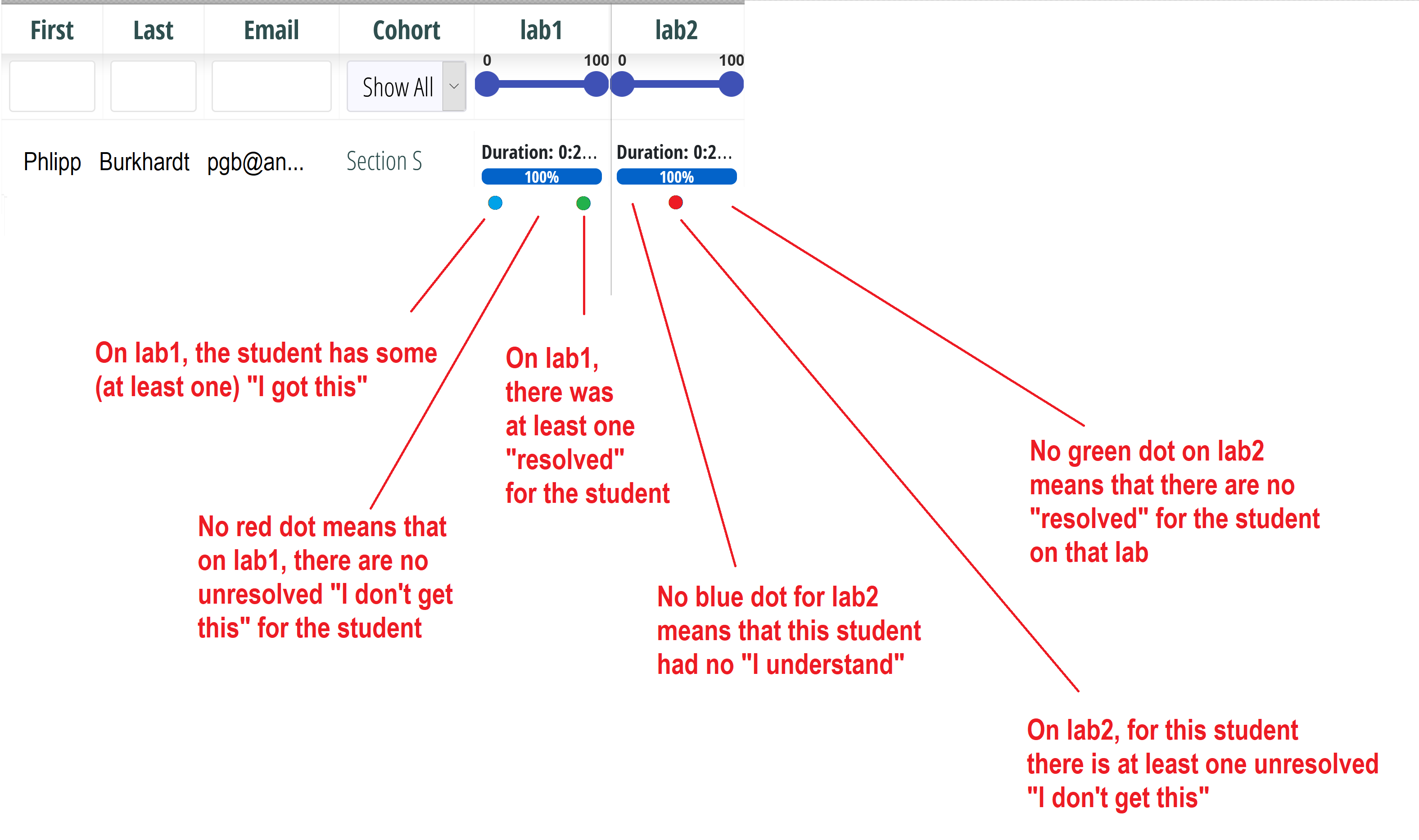
When the instructor clicks a dot, it pops open another window, showing all such questions for that student for that lesson, with the relevant question next to each indicator, maybe something like:
If the instructor clicks on a "resolved" dot, then, on the popup panel, for each question that was "resolved," it should show the full sequence of events, with timestamps:
Or maybe just one popup panel regardless of which dot you click, and the popup has all questions where the student has activated any feedback, and in the panel, the rows are highlighted with either blue, red, or green, as appropriate? I'm not sure what the best functionality would be. But anyway, something like this would really help an instructor coordinate efficient feedback.
